
₨220.00
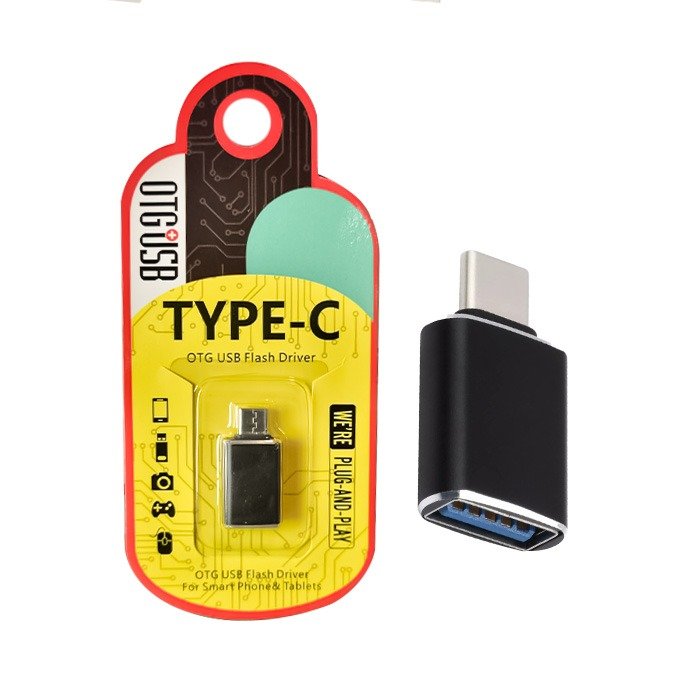
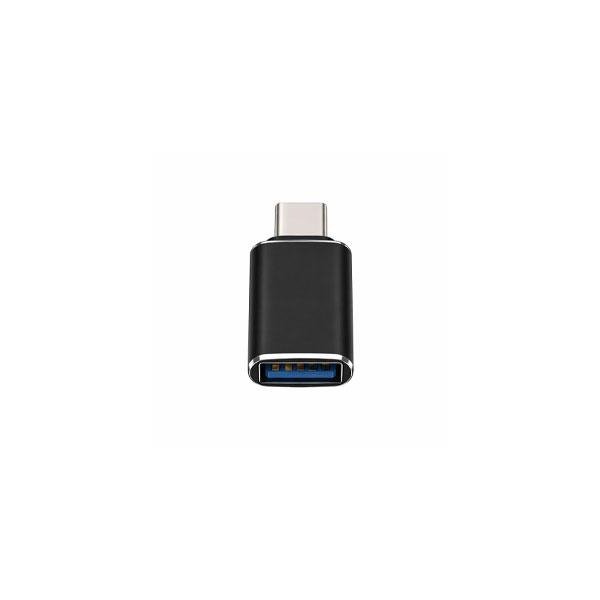
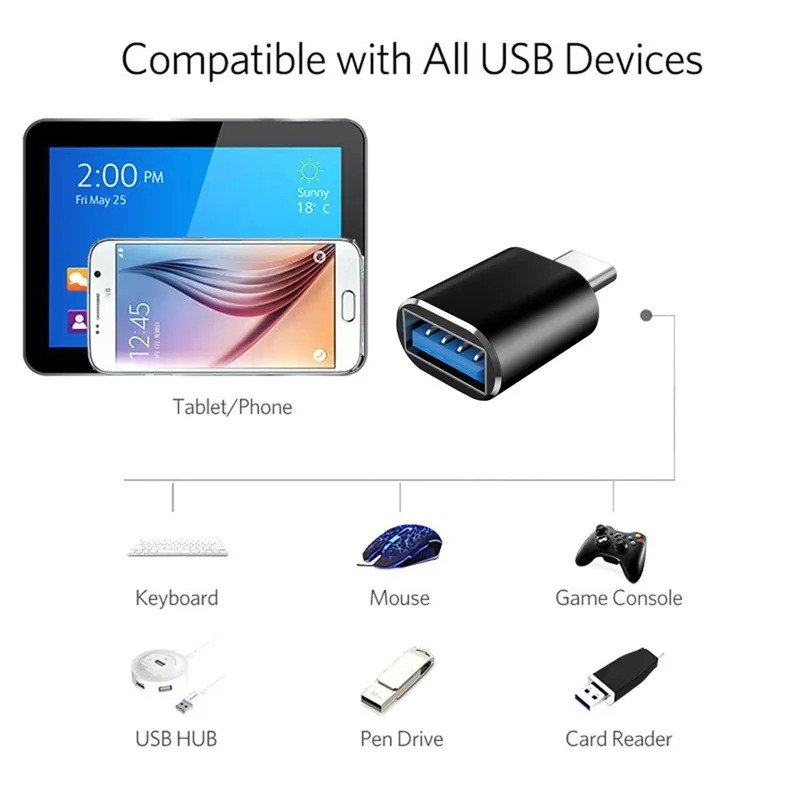
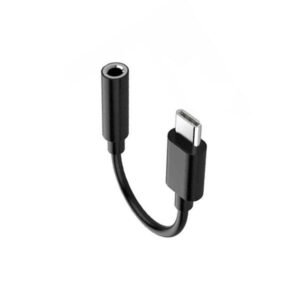
The Type C to USB F/Male Converter is a compact USB-C male to USB-A female adapter designed to connect traditional USB accessories with compatible smartphones, tablets, laptops and other devices that have a USB Type-C port. It is useful for connecting USB flash drives, keyboards, mice, card readers and other supported USB peripherals without carrying a larger hub.
The connection is simple: the Type-C male connector plugs into the USB-C device, while the USB female port accepts a standard USB-A accessory. This makes the converter particularly useful for users who have modern Type-C devices but still rely on traditional USB accessories.
The exact USB standard, transfer speed, charging current and construction material can vary between versions, so these specifications should be checked from the actual GS Systemz product before purchase.
A Type C to USB Female Converter is a small adapter that turns a compatible USB-C port into a traditional USB-A female connection.
Its basic connection is:
USB accessory → USB female port → Converter → Type-C device
For example:
USB Flash Drive → Type C to USB Converter → USB-C Phone
This allows users to keep using standard USB accessories even when their newer phone, tablet or laptop does not provide a full-size USB-A port.
The product contains two different connector types.
Type-C Male is the small reversible USB-C plug. This side inserts directly into the USB-C port on your phone, tablet or laptop.
USB Female is the full-size USB socket on the other side. This accepts standard USB-A male connectors from accessories such as flash drives, keyboards and mice.
The correct connection direction is therefore:
USB-C Male → Host Device
USB-A Female → USB Accessory
This distinction is important because USB adapters with similar appearances can use the opposite connector configuration.
| Specification | Details |
|---|---|
| Product Type | Type-C to USB Converter |
| Host Connector | USB Type-C Male |
| Accessory Port | USB-A Female |
| Primary Function | USB Connectivity |
| OTG | On Compatible Devices |
| Data Transfer | Where Supported |
| Charging | Where Supported |
| Installation | Plug and Play |
| Suitable Devices | USB-C Phones, Tablets and Laptops |
| Design | Compact Portable Converter |
Pakistan-market products using this exact connector configuration are commonly marketed as USB-C male to USB female OTG converters for flash drives, keyboards, mice and other USB devices.
The precise USB 2.0 or USB 3.x specification should be taken from the actual GS Systemz packaging rather than assumed.
The converter helps connect existing USB-A accessories to modern USB-C devices.
A common example is a USB flash drive. Many newer smartphones have a Type-C charging and data port but no full-size USB socket. With a compatible OTG converter, the flash drive can connect directly to the phone.
The same concept can apply to supported keyboards, mice, card readers, game controllers and other USB peripherals.
This makes the adapter useful for users who regularly transfer files or use traditional computer accessories with Type-C devices.
The adapter can be used for USB OTG applications when the connected smartphone or tablet supports USB OTG.
OTG stands for USB On-The-Go. It allows a compatible mobile device to act as a USB host instead of functioning only as a device connected to a computer.
With OTG support, your phone may be able to recognize a flash drive, keyboard, mouse or another compatible USB accessory.
The converter itself cannot add OTG capability to a phone that does not support it.
Yes, provided your smartphone has a USB-C port and supports OTG.
Connect the flash drive to the USB female socket, then insert the Type-C male end into the phone. If the phone and storage format are compatible, the drive should appear in the phone’s file manager.
This can make it easier to copy photos, videos, documents and other files without using cloud storage or a computer.
File-system compatibility can affect whether a particular USB drive is recognized.
Data transfer can be supported when the converter and connected devices are designed for data connectivity.
Typical applications include transferring photos, videos, documents and backups between a USB flash drive and compatible USB-C phone or computer.
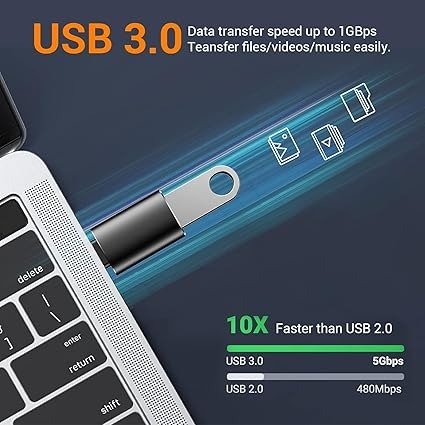
Actual transfer speed depends on the USB standard supported by the converter and connected hardware.
A USB 2.0 adapter will be slower than a genuine USB 3.x adapter, even if the two products look almost identical.
GS Systemz should therefore publish the actual USB specification printed on the product packaging.
That depends on the exact stock version.
USB-C male to USB-A female adapters are available in both USB 2.0 and USB 3.x configurations. Pakistan-market listings include both types.
Do not determine the speed only from the connector shape.
If high-speed file transfer is important, confirm the USB version shown on the GS Systemz product before ordering.
Yes, a compatible USB keyboard may work with a USB-C phone, tablet or computer through the converter.
On an OTG-compatible smartphone or tablet, this can make typing documents, emails or messages more comfortable.
For laptops, it can provide a convenient way to continue using an existing USB keyboard when the laptop has limited USB-A ports.
Yes, compatible USB mice can generally be connected when the host device supports USB peripherals.
On many OTG-compatible Android phones and tablets, connecting a USB mouse can display a pointer on the screen.
This can be useful for productivity, presentations or situations where touchscreen operation is inconvenient.
A compatible USB card reader may also work through the converter.
This can be particularly useful for photographers and content creators who need to move files from SD or microSD cards to a Type-C phone or tablet.
The phone must support the card reader, storage format and power requirements.
Some external storage devices may work, but compatibility is less predictable than with a basic USB flash drive.
External hard drives and SSD enclosures can require more electrical power than a smartphone is able to provide through its USB-C port.
If a drive is not detected, the issue may be insufficient power rather than the converter itself.
For demanding external storage, a powered USB hub may be more appropriate.
Some Type-C to USB female adapters support compatible charging connections in addition to data transfer.
However, charging capability varies between products.
Even if charging is supported, this converter should not automatically be described as a high-power USB-C PD fast-charging adapter.
The charging result depends on the original power source, converter, cable and connected device.
No.
The converter cannot create more power than the original charger or USB source provides.
If a low-power USB charger is connected through an adapter, it remains a low-power charging source.
For high-speed charging, use a charger, cable and device combination designed for the required charging protocol.
It can work with compatible USB-C Android phones that support the required USB or OTG function.
Potentially compatible devices include selected models from Samsung, Xiaomi, Redmi, POCO, OPPO, Realme, Vivo, OnePlus, Google Pixel, Infinix and Tecno.
Compatibility varies between models even when the phones have the same USB-C connector.
The adapter can potentially work with compatible USB-C Samsung Galaxy devices.
Depending on the phone, it may allow you to connect USB flash drives, keyboards, mice, card readers and other supported USB accessories.
For important applications, confirm OTG compatibility for your exact Samsung model.
Many USB-C Xiaomi, Redmi and POCO phones support USB OTG.
On some models, an OTG option may need to be enabled in the phone settings before a connected USB accessory is recognized.
The exact menu and behaviour depend on the phone model and operating-system version.
The adapter may physically connect to USB-C iPhones, and compatible USB accessories can potentially work through the USB-C port.
However, accessory compatibility depends on the iPhone model, iOS support, converter and connected USB device.
For iPhone use, the safest approach is to test the actual adapter with the accessory you intend to connect.
Yes, a compatible USB-C tablet can potentially use the converter for standard USB accessories.
Useful applications can include connecting a keyboard, mouse, flash drive or card reader.
This can turn a tablet into a more practical productivity device without requiring a large multi-port hub.
Yes.
Modern laptops often include USB-C ports while reducing the number of traditional USB-A ports.
The converter can provide a simple USB-A female connection for supported accessories such as a flash drive, wireless mouse receiver, keyboard or card reader.
It is particularly convenient when you only need one USB-A connection rather than an entire USB-C hub.
Normally, the converter itself does not require a special driver for basic USB operation.
It works as a simple connector adapter.
The connected accessory may still require compatible software or operating-system support.
For example, a standard keyboard may work immediately while specialized equipment could require its own driver.
No.
A Type C to USB Female Converter normally provides one USB-A connection.
A USB-C hub may provide several ports, including USB-A, USB-C, HDMI, Ethernet, SD card and power-delivery connections.
If you only need to connect one standard USB accessory, the simple converter is smaller and easier to carry.
If you need several accessories simultaneously, choose a USB-C hub.
These two adapters have opposite connector arrangements.
| Converter | Connector Direction |
|---|---|
| Type C to USB Female | USB-C Male → USB-A Female |
| USB to Type C Female | USB-A Male → USB-C Female |
For this product, you need Type-C Male to USB Female.
Choose it when your phone, tablet or laptop has a USB-C port and the accessory you want to connect has a standard USB-A male plug.
If the accessory is not recognized, first make sure the host device supports OTG or USB host functionality.
Then reconnect the converter and accessory firmly. Check that the phone’s Type-C port is clean and that a thick case is not preventing full insertion.
You should also test the USB accessory on another device.
For flash drives, an unsupported file system can prevent the drive from appearing. High-power accessories may also fail because the phone cannot supply sufficient power.
Yes.
Its compact size makes it convenient to keep with a phone, tablet or laptop.
It can easily fit inside a pocket, laptop bag, travel pouch or cable organizer.
For users who frequently move files from flash drives or use traditional USB accessories, keeping a small Type-C converter available can be more convenient than carrying a full USB hub.
This converter is particularly useful for users who have moved to USB-C devices but still own standard USB accessories.
It is useful for students transferring assignments from USB drives, office workers using keyboards or mice, photographers using card readers, travellers moving files without a laptop and smartphone users who need occasional OTG connectivity.
Before ordering, confirm that your device uses USB-C and that you specifically need a USB-C male to USB-A female converter.
Also check whether your phone supports OTG if you plan to connect flash drives or peripherals.
If data speed or charging performance matters, verify the actual USB version and electrical specifications shown on the GS Systemz product or packaging.
The Type C to USB F/Male Converter provides a compact way to connect traditional USB accessories with compatible modern Type-C devices.
It can be useful for USB flash drives, keyboards, mice, card readers and other supported USB peripherals while taking up very little space in a mobile-accessory kit.
The converter is particularly practical for users who need occasional USB connectivity without carrying a large hub.
Before ordering, check the exact USB version, OTG capability and product configuration shown by GS Systemz.
Buy the Type C to USB Female Converter from GS Systemz Pakistan for convenient USB connectivity with compatible Type-C phones, tablets and laptops.
It is an adapter with a USB-C male connector and a USB-A female port, allowing compatible standard USB accessories to connect to USB-C devices.
USB female refers to the full-size USB socket that accepts a standard USB-A male connector from a flash drive, keyboard, mouse or other accessory.
It can be used for OTG when the converter and connected phone or tablet support USB OTG functionality.
Yes, if your USB-C smartphone supports OTG and recognizes the connected USB storage device.
Yes, with a data-capable converter and compatible devices. Transfer speed depends on the USB standard supported by the adapter and connected equipment.
The exact USB standard depends on the GS Systemz stock version. Check the product packaging if transfer speed is important.
Yes, compatible keyboards and mice may work with USB-C phones, tablets and laptops that support USB host functionality.
Some versions support charging, but the exact capability should be confirmed from the GS Systemz product specifications. Do not assume USB PD fast charging.
It can work with compatible USB-C Android phones, including supported models from Samsung, Xiaomi, Redmi, POCO and other brands.
Yes. It can provide a standard USB-A female connection on a compatible USB-C laptop.
No. They use opposite connector directions. This product is Type-C male to USB-A female.
You can purchase the Type C to USB F/Male Converter from GS Systemz Pakistan, subject to current price and stock availability.
Reviews
There are no reviews yet.