
₨5,000.00
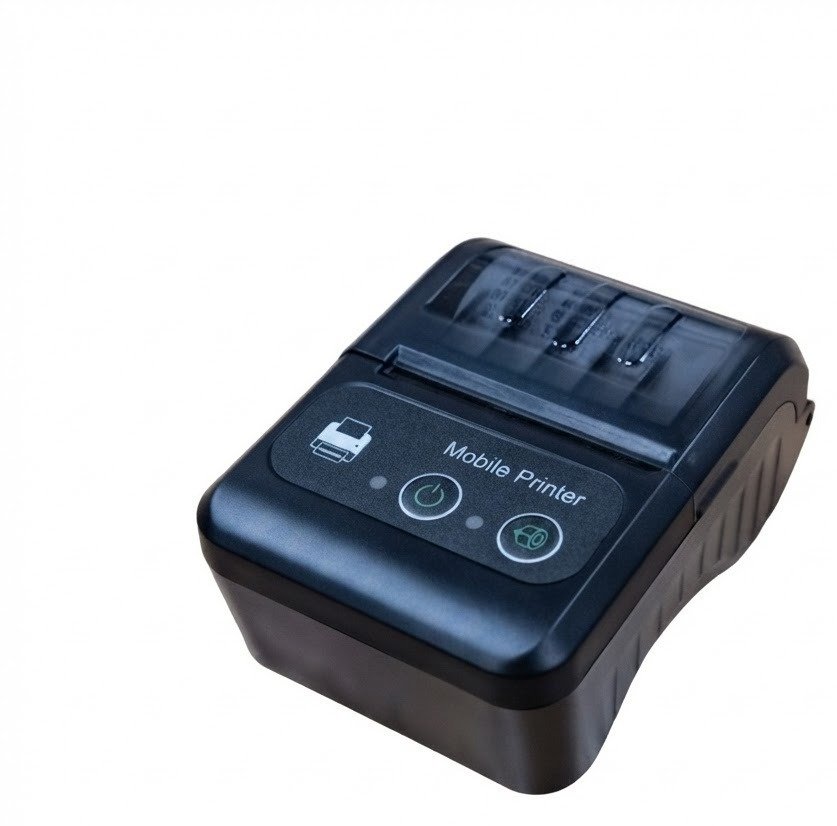
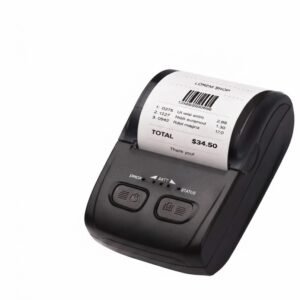
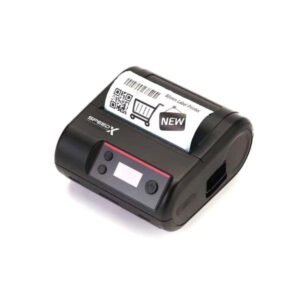
The Speed-X BT450M Mini Portable Bluetooth + USB Printer 58mm is a rechargeable direct-thermal receipt printer designed for mobile billing, delivery services, restaurants, cafés, taxis, retail counters, field sales and other businesses that need to print receipts away from a fixed desktop workstation.
The printer connects wirelessly through Bluetooth 4.0 or directly through USB. It uses 58mm-class thermal-paper rolls and prints without ink cartridges, toner or ribbons. Current Pakistan listings advertise a maximum speed of up to 90mm/s, 203 dpi resolution, ESC/POS commands and compatibility with Android, iOS, Windows and Linux, although software compatibility depends on the selected application and connection method.
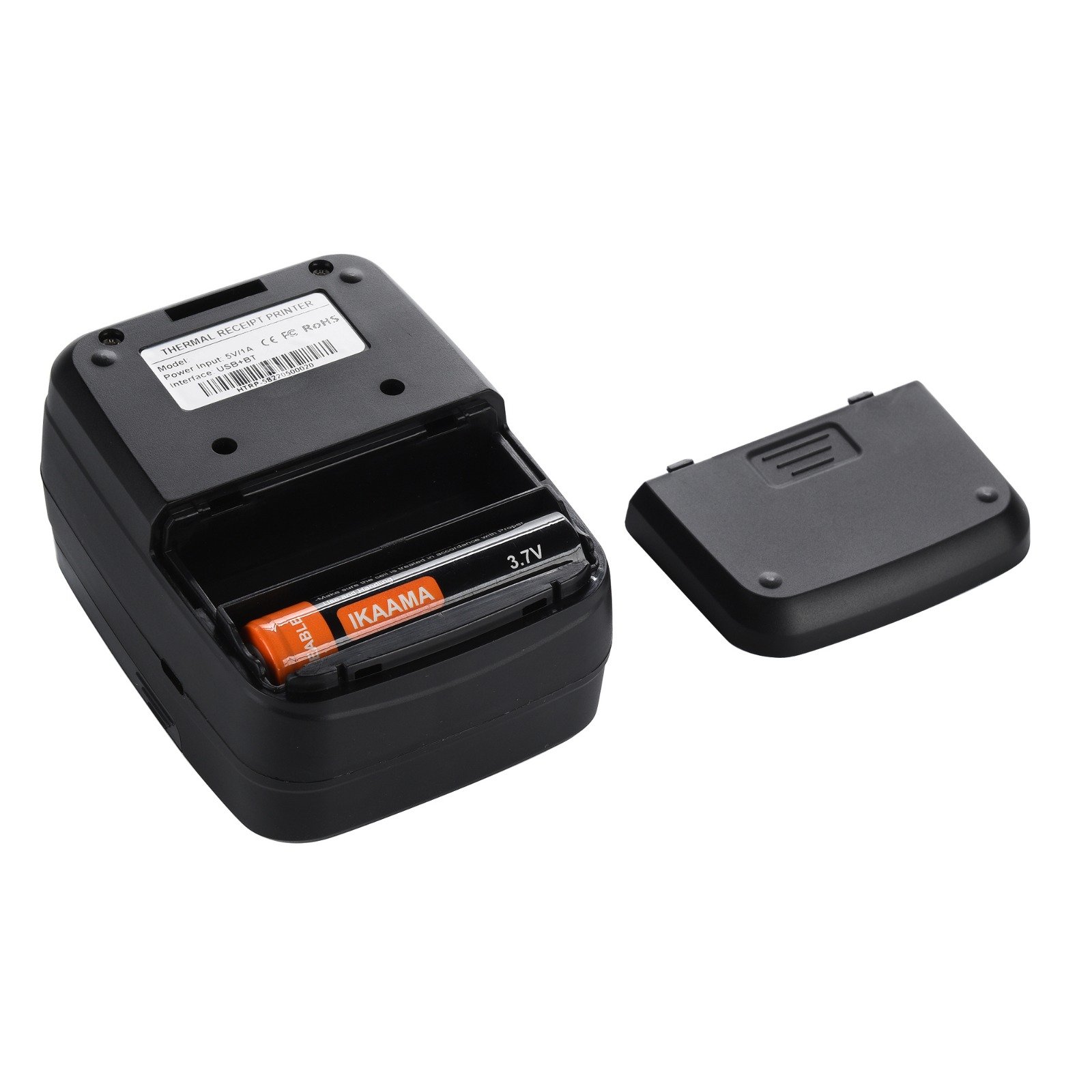
The BT450M includes a rechargeable lithium battery, allowing it to operate without remaining connected to mains power. Its compact design makes it suitable for carrying between tables, vehicles, delivery locations, temporary counters and field-service appointments.
The Speed-X BT450M is a small battery-powered receipt printer that produces black text, graphics, barcodes and compatible QR codes on heat-sensitive paper.
Its main functions include:
Current Pakistan distributors describe it as a portable printer for transport billing, restaurant orders, retail transactions, administrative receipts, event registration and mobile business use.
| Feature | Published information |
|---|---|
| Brand | Speed-X |
| Model | BT450M / BT-450M |
| Product type | Portable thermal receipt printer |
| Printing method | Direct thermal line printing |
| Paper category | 58mm thermal roll |
| Published paper width | 57.5 ± 0.5mm or nominal 58mm |
| Practical printable width | Approximately 48mm |
| Resolution | 384 dots per line / 203 dpi |
| Advertised maximum speed | Up to 90mm/s |
| Detailed alternative speed | Approximately 50–80mm/s |
| Connectivity | Bluetooth 4.0 + USB |
| Command language | ESC/POS |
| Mobile application | DLabel listed by one distributor |
| Battery | Rechargeable 7.4V, 1500mAh lithium battery |
| Charging input | 5V/1A or 5V/2A depending listing |
| Published charging time | Approximately four hours |
| Maximum paper-roll diameter | Approximately 40mm |
| 1D barcodes | Supported |
| QR-code printing | Supported |
| Auto cutter | No confirmed auto cutter |
| Paper separation | Manual tear-off |
| Cash-drawer port | Not confirmed |
| Wi-Fi or LAN | Not supported |
| Colour | Commonly black |
| Local warranty | Confirm with GS Systemz |
| Box contents | Verify before dispatch |
The most complete technical listings agree on the core thermal engine, Bluetooth, USB, ESC/POS, 1500mAh battery, 40mm roll diameter and 203 dpi resolution. They conflict on maximum speed, charging input, standby time and physical dimensions, which may reflect different production revisions or reused platform specifications.
The BT450M is most useful when a business needs to produce receipts without returning to a fixed counter printer.
Its portable format can support:
Unlike a desktop thermal printer, the BT450M contains a rechargeable battery and can connect to compatible mobile devices through Bluetooth. Unlike an inkjet printer, it does not require liquid ink, toner or cartridges.
Its main advantages are:
The BT450M is commonly advertised with Bluetooth 4.0 for wireless communication with compatible smartphones, tablets and computers.
Bluetooth may be useful when:
Bluetooth pairing alone does not guarantee that every billing application will print. The application must support the printer’s Bluetooth profile, ESC/POS command set or supplied SDK.
USB provides a wired connection for compatible Windows, Linux or other supported computers.
USB is useful when:
The package should be checked to confirm whether the supplied USB cable supports both data and charging.
The most detailed listings specify a built-in 7.4V, 1500mAh rechargeable lithium battery. One seller claims up to ten hours of continuous operation, while other listings focus on extended standby rather than active printing time.
Actual battery life depends on:
A ten-hour operating claim should not be interpreted as ten hours of uninterrupted full-density printing.
The printer uses 384 dots per line at approximately eight dots per millimetre, which equals about 203 dpi.
This resolution is generally suitable for:
It is not designed for colour output, photo-quality printing or highly detailed business documents.
The BT450M is advertised as supporting ESC/POS commands.
Compatible software may use ESC/POS to control:
No automatic cutter is confirmed, so cutter commands may not apply even when the software uses an ESC/POS printer profile.
Both figures appear in current product listings.
Marko and Mustafa Computers advertise a maximum speed of 90mm/s. Pakistan Store’s introductory description also uses 90mm/s, but its detailed technical table states 50–80mm/s.
The difference may reflect:
The most responsible product-page wording is:
Print speed: approximately 50–80mm/s, with up to 90mm/s advertised on selected BT450M revisions.
GS Systemz should check the carton, supplied manual or physical test before guaranteeing the 90mm/s maximum.
The BT450M uses 58mm-class thermal paper, but its usable printing area is approximately 48mm wide.
These figures refer to different measurements:
Pakistan Store clearly separates 58mm media from a 48mm print width. Marko describes 57.5 ± 0.5mm paper but labels the effective width inconsistently. The 384-dot specification at eight dots per millimetre mathematically corresponds to approximately 48mm.
GS Systemz should describe the product as:
58mm paper width with an approximately 48mm printable area.
The printer uses compatible direct-thermal rolls with the following published characteristics:
| Media property | Published requirement |
|---|---|
| Paper category | 58mm thermal paper |
| Width | Approximately 57.5 ± 0.5mm |
| Maximum thickness | Up to approximately 0.12mm |
| Maximum roll diameter | Approximately 40mm |
| Printing coating | Heat-sensitive thermal coating |
| Cutting method | Manual tear-off |
Before purchasing rolls in bulk, confirm:
A full-size 58mm desktop-printer roll may be too large in diameter for the portable paper compartment.
No. It uses direct-thermal printing.
The thermal print head applies heat to specially coated paper. This creates the image without:
The regular consumable is thermal paper.
Thermal receipts can fade when exposed to:
Important financial or legal records should also be stored digitally.
Yes. Receipt printing is its primary purpose.
It may be used for:
The layout, business information and totals are created by the connected application. The printer only produces the data it receives.
Yes. Current detailed listings advertise QR-code printing in addition to common 1D barcode formats.
Possible receipt uses include:
For better QR-code readability:
The printer creates the QR image. The connected software determines what information is encoded.
A detailed BT450M listing identifies support for:
The application must generate the correct data or send an appropriate ESC/POS barcode command.
The BT450M prints barcodes; it does not scan product labels.
Yes. The published platform supports bitmap downloads and printing, with one listing specifying up to five stored bitmaps and a maximum size of approximately 8KB per bitmap.
For clearer logo output:
It may physically print on certain continuous thermal media, but it should not automatically be sold as a dedicated label printer.
No reliable BT450M specification confirms:
Some seller descriptions use the word “label,” but the verified media system is a continuous 58mm thermal roll with automatic feeding and manual tear-off.
Use it primarily for receipts, tickets and continuous slips. Choose a dedicated label printer for individual product stickers, courier labels and die-cut adhesive media.
No automatic cutter is confirmed.
The compact printer appears to use a manual tear bar. After the receipt has printed, the user pulls the paper against the serrated edge to separate it.
This is normal for small portable receipt printers because an automatic cutter would increase:
Do not advertise auto cutting unless the physical GS Systemz unit clearly includes a motorised cutter.
Android compatibility is consistently advertised, and one seller lists the DLabel application for editing and printing.
A typical Android setup may involve:
Pairing successfully does not guarantee compatibility with every Android POS application.
iOS compatibility is advertised by several sellers, but the selected iPhone or iPad application must support the printer’s Bluetooth method.
The printer should not be assumed to support Apple AirPrint.
iOS printing may require:
Test the intended iOS billing application before purchasing multiple printers.
Windows XP, 7, 8 and 10 are listed by one detailed distributor, while another current seller broadly advertises Windows support.
Windows 11 is not explicitly confirmed in the detailed BT450M specifications.
Before guaranteeing Windows compatibility, confirm:
A USB cable does not automatically guarantee that the correct Windows printer driver is available.
Linux support is listed by Marko and Mustafa Computers.
Practical compatibility may depend on:
The exact Linux workflow should be tested before a multi-unit installation.
A typical Bluetooth setup is:
The exact Bluetooth device name and PIN should be checked in the included manual or printer self-test information.
A typical USB workflow is:
USB may also be used for charging, but data-printing support and the required driver should be verified from the supplied package.
The most complete current specifications identify a 7.4V, 1500mAh rechargeable lithium battery.
A 1500mAh rating does not establish a fixed number of receipts because runtime depends on:
Published figures conflict.
Marko and Mustafa Computers advertise approximately five to six days of standby time. Pakistan Store’s detailed technical table lists 48 hours of standby, while the same page separately claims up to ten hours of continuous use after charging.
These differences may result from:
The safest product statement is:
Rechargeable 1500mAh battery with power-saving mode; active runtime and standby duration depend on the printer revision and usage.
One detailed listing publishes a charging time of approximately four hours and a 5V/2A input. Another lists a 5V/1A charger without giving a fixed charging time.
GS Systemz should confirm:
Use only a compatible charging source.
This function is not reliably documented in current BT450M listings.
Before advertising simultaneous printing and charging, physically test:
The printer is consistently described as compact and lightweight, but published dimensions conflict.
| Source | Dimensions | Weight |
|---|---|---|
| Marko | Approximately 112 × 79 × 48mm | Approximately 200g |
| Pakistan Store | Approximately 102 × 74 × 45mm | Approximately 196g |
The small difference may indicate a revision, measurement method or copied specification from a closely related platform.
GS Systemz should measure its physical unit before publishing exact dimensions. It is safe to describe the BT450M as a compact printer weighing approximately 200g.
No. The verified communication options are:
No built-in Wi-Fi or Ethernet LAN port is confirmed.
Choose another printer when the business needs:
No cash-drawer output is confirmed.
Portable printers typically omit the 24V drawer port found on larger desktop POS printers because they are battery powered and designed for mobile use.
A fixed desktop receipt printer is more suitable when automatic cash-drawer opening is required.
Yes, especially for mobile or table-side printing.
Possible restaurant uses include:
It is less suitable as a permanent kitchen printer where Ethernet networking, high print volume and an automatic cutter are required.
Yes. Its rechargeable battery, compact body and Bluetooth connection make it suitable for delivery workflows.
It may print:
Delivery software must support the printer’s connection and ESC/POS command system.
Yes. Taxi and transport billing are repeatedly listed as intended applications.
It may be used for:
The printer should be protected from direct dashboard heat, moisture and physical impacts.
Pakistan Store lists:
Other packages may also contain:
Mustafa Computers lists only the printer in its published box contents, demonstrating that package descriptions are inconsistent.
GS Systemz should inspect the package before promising a charger, paper roll or strap.
| Requirement | Recommendation |
|---|---|
| 58mm mobile receipts | Supported |
| Inkless thermal printing | Supported |
| Bluetooth printing | Supported |
| USB printing | Supported |
| Android compatibility | Advertised; app testing required |
| iPhone or iPad | Advertised; app-dependent |
| Windows | Advertised; driver testing required |
| Linux | Advertised |
| 203 dpi output | Supported |
| 1D barcode printing | Supported |
| QR-code printing | Supported |
| Rechargeable battery | Supported |
| Manual paper tear | Supported |
| Automatic cutter | Not confirmed |
| Cash-drawer port | Not confirmed |
| Wi-Fi | Not supported |
| Ethernet LAN | Not supported |
| A4 documents | Not supported |
| Colour printing | Not supported |
| Die-cut adhesive labels | Not recommended |
Choose the BT450M when portability, Bluetooth and compact 58mm receipt printing are the primary requirements.
| Feature | BT450M | BT500M |
|---|---|---|
| Paper category | 58mm | 58mm |
| Printable width | Approximately 48mm | Approximately 48mm |
| Resolution | 203 dpi | 203 dpi |
| Speed | 50–80mm/s; up to 90mm/s advertised | Up to 90mm/s |
| Bluetooth | Bluetooth 4.0 advertised | Bluetooth advertised |
| USB | Yes | Yes |
| Battery | 1500mAh | 1500mAh |
| Dimensions | Revision-dependent | Approximately 112 × 79 × 48mm |
| Weight | Approximately 196–200g | Approximately 200g |
| Paper-out detection | Not consistently documented | Explicitly advertised |
| Best use | Economical mobile receipts | More clearly documented portable platform |
The BT500M has a more consistent current specification set, while the BT450M may offer a lower-cost option where its exact software and battery performance have been tested.
| Feature | BT450M | SP-200U |
|---|---|---|
| Paper category | 58mm | 80mm |
| Form factor | Portable | Desktop |
| Battery | Yes | No |
| Bluetooth | Yes | No |
| USB | Yes | Yes |
| Maximum speed | Up to 90mm/s advertised | Up to 220mm/s |
| Automatic cutter | No confirmed cutter | Yes |
| Cash-drawer port | Not confirmed | Supported |
| Receipt width | Narrow | Wider |
| Best use | Mobile billing | Fixed retail checkout |
Choose the BT450M for portable phone- or tablet-based printing.
Choose the SP-200U for faster fixed-counter printing, wider receipts and cash-drawer integration.
| Feature | BT450M 58mm | 80mm portable printer |
|---|---|---|
| Printer size | Smaller | Larger |
| Paper width | Narrower | Wider |
| Battery demand | Usually lower | Usually higher |
| Receipt detail | Limited | More space |
| Product descriptions | Shorter lines | Longer lines |
| Carrying convenience | Better | Lower |
| Paper cost | Often lower | Often higher |
| Best use | Simple mobile receipts | Detailed mobile invoices |
The BT450M is more compact, while an 80mm model provides more room for item names, tax details, logos and QR codes.
GS Systemz can position the BT450M for businesses in Pakistan that need a compact Bluetooth receipt printer for mobile transactions.
This page helps buyers evaluate:
Before ordering, confirm:
The printer may be suitable for:
Check availability of the Speed-X BT450M Mini Portable Bluetooth + USB Printer 58mm from GS Systemz in Pakistan.
Use it for mobile sales receipts, restaurant orders, taxi bills, delivery confirmations, booking slips, payment records and other compatible 58mm thermal-printing workflows.
Confirm the exact printing speed, Bluetooth mode, USB support, battery, charging input, supported application, paper-roll dimensions, local warranty and box contents before ordering.
The BT450M is a rechargeable 58mm direct-thermal receipt printer with Bluetooth 4.0, USB and ESC/POS support.
No. It prints on heat-sensitive thermal paper and does not require ink, toner or ribbon.
It uses approximately 57.5–58mm thermal paper, with an actual printable width of around 48mm.
Detailed specifications list approximately 50–80mm/s, while several sellers advertise a maximum of 90mm/s. Verify the exact GS Systemz revision.
Android compatibility is advertised, but the selected POS or receipt application must support the printer’s Bluetooth or ESC/POS method.
iOS compatibility is advertised, but it is application-dependent and should not be confused with universal AirPrint support.
Yes. A detailed product specification includes QR-code output alongside common 1D barcode formats.
The most detailed listings specify a built-in 7.4V, 1500mAh rechargeable lithium battery.
No automatic cutter is confirmed. Receipts are normally separated using the printer’s manual tear edge.
You can check current availability of the Speed-X BT450M Mini Portable Bluetooth + USB 58mm Thermal Printer from GS Systemz.
Reviews
There are no reviews yet.