
₨18,000.00
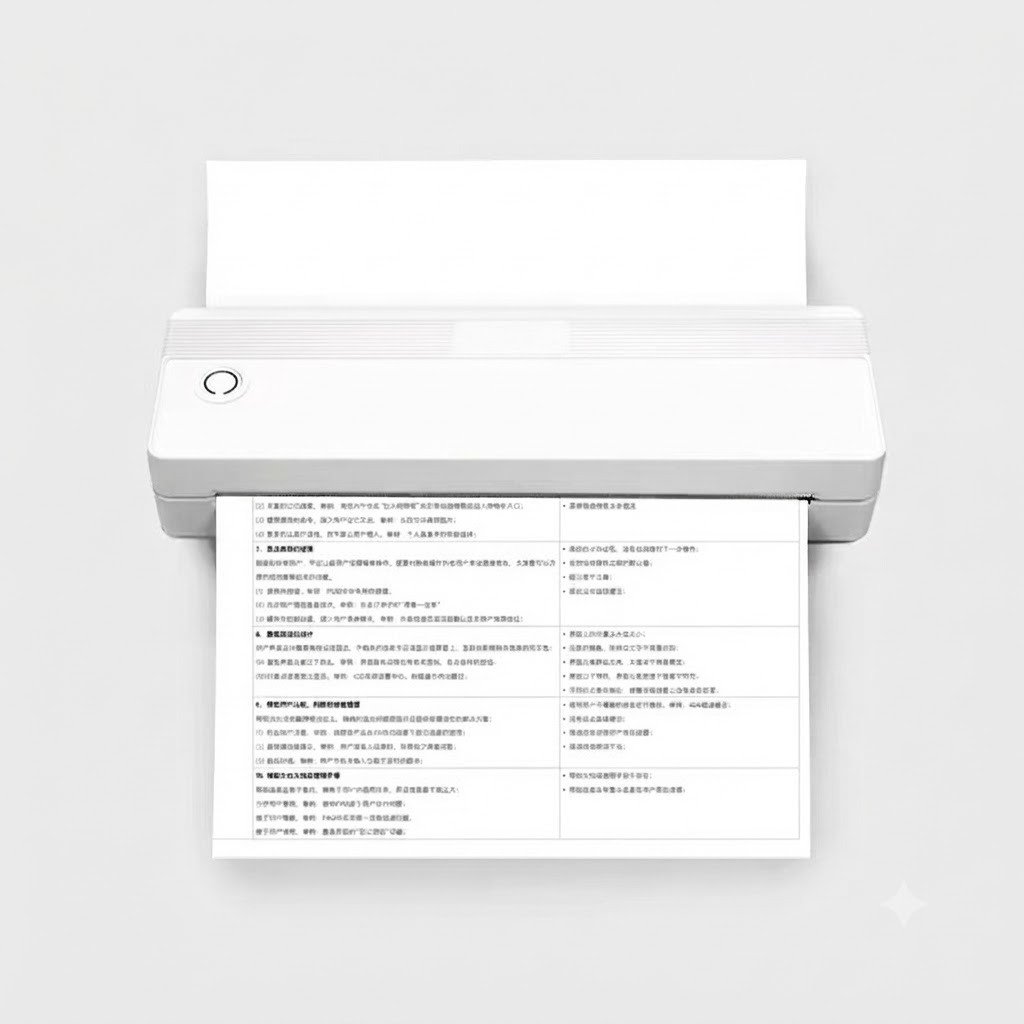
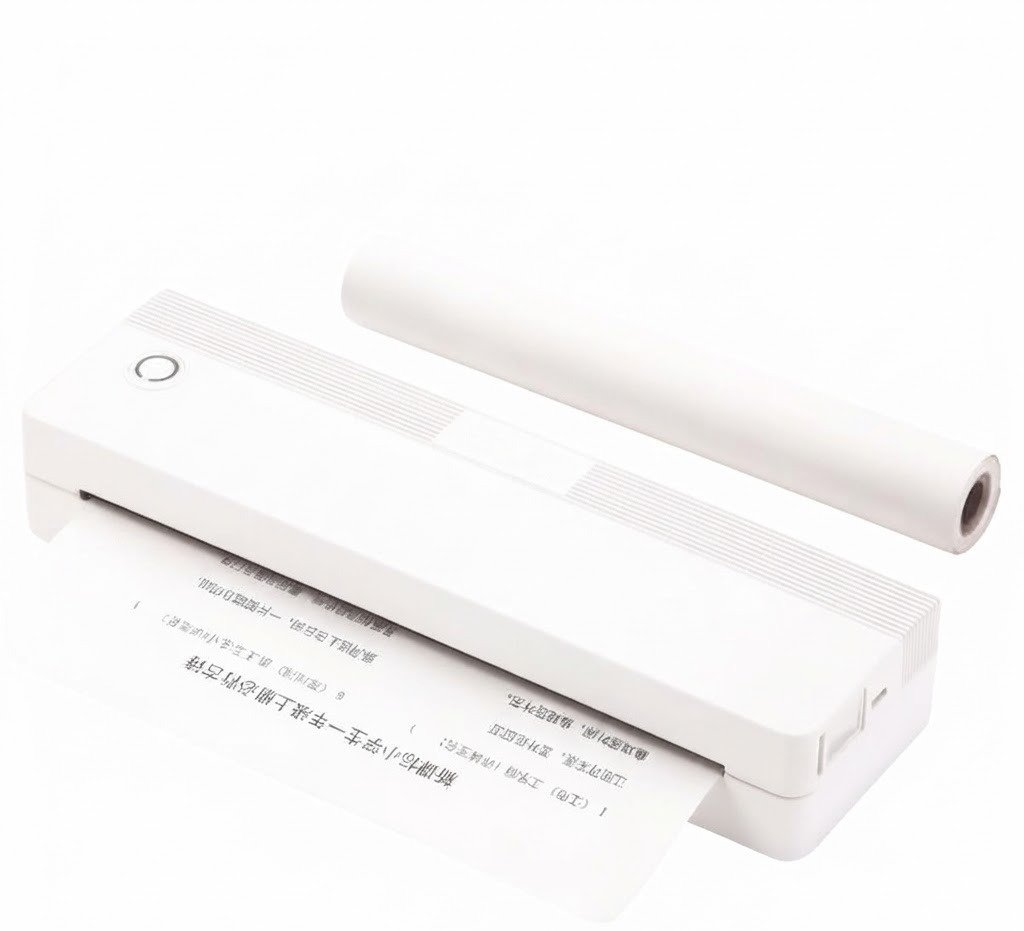
The Speed-X SP-A42 BT WiFi A4 Portable Inkless Thermal Printer is a compact document printer designed for students, mobile professionals, field teams, home offices and businesses that need black-and-white A4 printing without ink cartridges or toner.
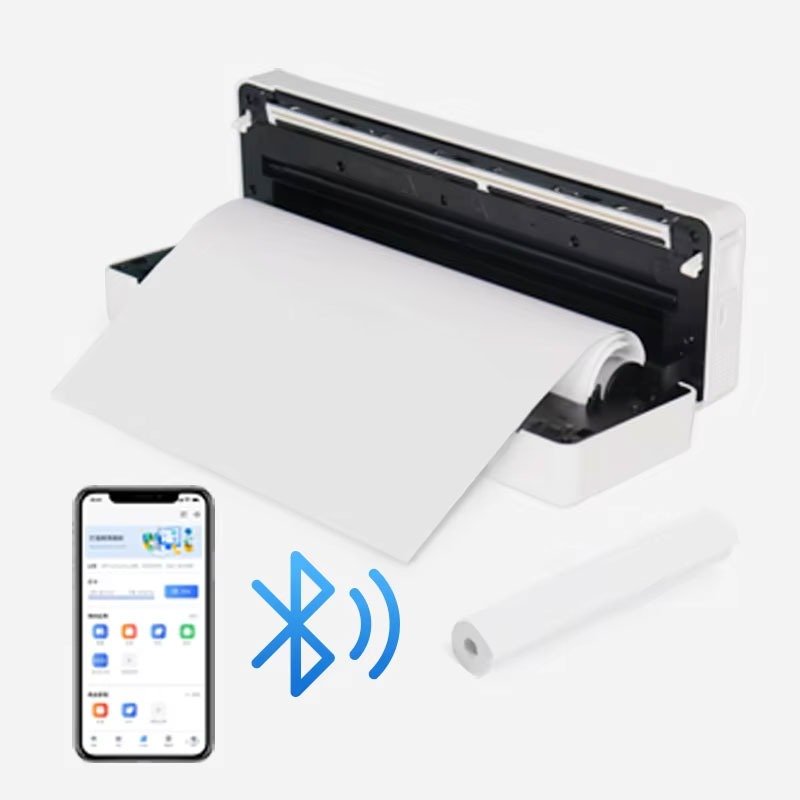
It uses direct-thermal technology to create text and graphics on compatible heat-sensitive paper. The commonly advertised SP-A42 configuration supports Bluetooth, Wi-Fi and USB Type-C connectivity, a 203 dpi print resolution, full A4 paper width and a published print speed of 10mm per second.
The printer is suitable for:
The SP-A42 does not use normal inkjet or laser-printer paper. It requires compatible A4 thermal paper, thermal rolls or supported fanfold thermal sheets. Ordinary photocopy paper will pass through without producing a printed image.
| Feature | Published information |
|---|---|
| Brand | Speed-X |
| Model | SP-A42 |
| Product type | Portable A4 thermal document printer |
| Printing method | Direct thermal |
| Maximum paper class | A4, approximately 210mm wide |
| Effective print width | Approximately 208mm |
| Resolution | 203 dpi |
| Published print speed | 10mm/s |
| Printing colour | Black and white |
| Bluetooth | Advertised |
| Wi-Fi | Advertised by current Speed-X sellers |
| USB connection | USB Type-C |
| Mobile application | iPrint |
| Mobile operating systems | Android and iOS |
| Computer compatibility | Windows and macOS listed by some sellers; verify driver |
| Ink or toner | Not required |
| Rechargeable battery | Yes |
| Likely platform battery | 2000mAh; verify Speed-X revision |
| Automatic duplex | No |
| Colour printing | No |
| Ordinary A4 paper | Not supported |
| Warranty | Confirm with GS Systemz |
| Package contents | Confirm before dispatch |
The product is widely advertised in Pakistan with the same core combination of 210mm A4 media, 208mm printing width, 203 dpi resolution, 10mm/s output, iPrint support and Bluetooth, Wi-Fi and Type-C connectivity.
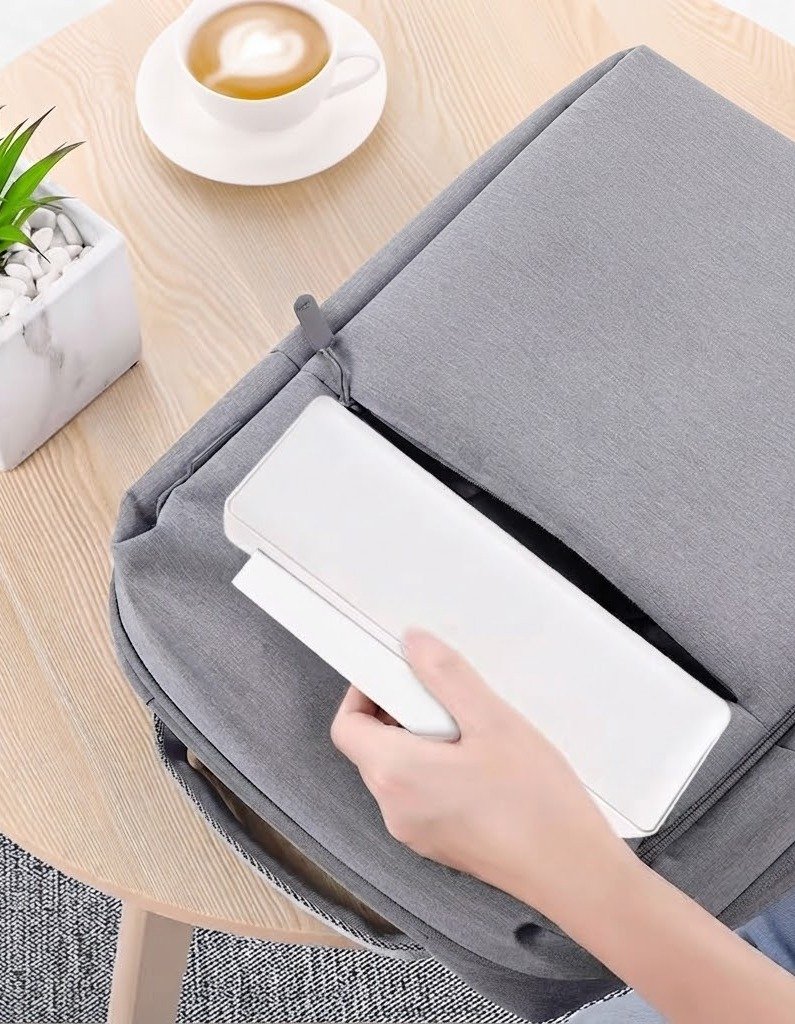
The SP-A42 removes the need to carry ink cartridges, toner, ribbons or a large desktop printer.
Its portable design can be useful when printing is required in locations such as:
Direct-thermal printing also reduces consumable complexity. The operator normally needs only a charged printer and compatible thermal paper.
Its main advantages include:
The printer is best suited to low- and moderate-volume document printing where mobility and low maintenance matter more than colour output or high printing speed.
The Speed-X retail model is SP-A42.
The underlying hardware family appears to be based on an A42 portable thermal-printer platform. An A42 printer was certified in 2024 under FCC ID 2BEWU-A42 by Xiamen Weiterul Electroni Technology, and its published manual describes an A4-width rechargeable thermal printer with Type-C charging and Bluetooth communication.
This similarity does not prove that every Speed-X SP-A42 batch has identical internal hardware. Speed-X may use a customised interface board, firmware, wireless module or application package.
For the GS Systemz page, use:
Speed-X SP-A42 BT WiFi A4 Portable Inkless Thermal Printer
Do not shorten the product title to A42 alone because customers may confuse it with similar unbranded or differently branded A42 printers.
The printer supports thermal media up to approximately 210mm wide, with an advertised effective printing width of approximately 208mm. This allows it to produce full-width A4 documents while leaving small operational margins at the sides.
Bluetooth allows a compatible phone, tablet or computer to communicate with the printer without a permanent data cable.
It is particularly useful for:
The exact Bluetooth version and supported profiles are not publicly documented for the Speed-X revision.
Current Pakistan listings consistently describe the SP-A42 as a Bluetooth and Wi-Fi printer. However, the underlying A42 manual reviewed for this page lists Bluetooth as its wireless communication method and does not describe Wi-Fi setup.
This may indicate:
GS Systemz should test the exact unit and confirm whether Wi-Fi means:
USB-C is advertised for charging and wired communication. It can provide a useful fallback when Bluetooth or Wi-Fi is unavailable.
Before describing it as fully plug and play with computers, confirm:
The published resolution is 203 dots per inch. This is suitable for normal black-and-white text, basic diagrams, tables, forms and simple graphics.
It is not designed to replace a high-resolution photo printer.
The A42 platform manual lists a built-in 2000mAh battery, approximately 30 days of standby time, a charging time of around 1.5 hours and up to approximately 90 A4 thermal sheets under its stated test conditions. These figures are useful platform references but must be verified against the Speed-X battery label and manual.
| Specification | Detail |
|---|---|
| Product name | Speed-X SP-A42 |
| Printer category | Portable A4 document printer |
| Printing method | Direct thermal |
| Paper requirement | Compatible thermal paper |
| Maximum paper width | Approximately 210mm |
| Effective print width | Approximately 208mm |
| Resolution | 203 dpi |
| Printing speed | Approximately 10mm/s |
| Output colour | Monochrome black |
| Connectivity | Bluetooth, Wi-Fi and USB Type-C advertised |
| Mobile app | iPrint |
| Mobile support | Android and iOS |
| Ink cartridges | Not required |
| Toner | Not required |
| Ribbon | Not required |
| Colour printing | Not supported |
| Automatic duplex | Not supported |
These specifications are repeated by several current Speed-X retailers in Pakistan.
| Specification | A42 platform figure |
|---|---|
| Net weight | Approximately 620g |
| Dimensions | Approximately 262 × 80.7 × 47mm |
| Battery | 2000mAh |
| Charging port | USB Type-C |
| Full charging time | Approximately 1.5 hours |
| Standby time | Approximately 30 days |
| Continuous output | Approximately 90 A4 thermal sheets |
| Automatic shutdown | Approximately 30 minutes |
| Wireless method listed in manual | Bluetooth |
| Operating temperature | Approximately 0°C to 40°C |
| Paper-loading methods | Roll and fanfold/folding paper |
| Adjustable media widths | Platform guide mentions 2, 3, 4 and 8-inch positions |
These figures come from an A42 platform manual and should not be presented as guaranteed Speed-X SP-A42 specifications until the physical unit is checked.
Inkless printing means the printer creates an image through heat rather than depositing liquid ink or toner.
The print head contains small heating elements. When thermal paper passes underneath, selected areas of the paper darken and form the document.
The SP-A42 therefore does not require:
It still requires compatible thermal paper. Thermal coating is essential because normal A4 paper does not react to the print head’s heat.
No. It requires A4-compatible thermal media.
Ordinary photocopy, inkjet or laser-printer paper does not contain the heat-sensitive coating required for direct-thermal printing. Sellers specifically warn that the SP-A42 does not work with ordinary A4 paper.
Suitable media may include:
Confirm the exact media type and thickness supported by the Speed-X revision before ordering bulk paper.
The likely A42 platform supports both roll-style and folding or fanfold paper loading. Its manual also describes adjustable guides for several media widths.
The actual Speed-X package may be intended for:
GS Systemz should physically test each media type before listing it as compatible. The safest product description is:
Supports compatible A4-width thermal paper; media format depends on the supplied printer revision and paper-loading system.
Yes. Current listings advertise support for media up to 210mm wide and an effective printing width of approximately 208mm.
It can be used for compatible black-and-white documents such as:
A4 support refers to page width. The final page length and margins may depend on the paper format, application and print settings.
No. It is primarily a portable A4 document printer.
Some Pakistani websites place it within thermal receipt, barcode-printer or POS-printer categories, but its 210mm media width and document-focused use make it fundamentally different from a 58mm or 80mm receipt printer.
| Feature | SP-A42 | 80mm receipt printer |
|---|---|---|
| Main paper width | A4 class, 210mm | Approximately 80mm |
| Main purpose | Documents and reports | Sales receipts |
| Portability | Rechargeable and mobile | Usually desktop |
| Print speed | 10mm/s | Often much faster |
| Automatic cutter | Not advertised | Common |
| Ink or toner | Not required | Not required |
| Paper format | A4 thermal media | Receipt roll |
| Best use | Mobile documents | POS billing |
Choose the SP-A42 for portable A4 documents.
Choose an 80mm POS printer for high-speed retail receipts.
The SP-A42 may physically print on compatible continuous thermal media, but it should not automatically be marketed as a dedicated barcode-label printer.
No reliable SP-A42 specification confirms:
Use a dedicated barcode-label printer when accurate individual label positioning is required.
No. The printer produces monochrome output.
It is suitable for:
It does not produce full-colour photographs, coloured charts or colour-coded documents. Current Speed-X listings explicitly identify black-and-white output.
It can print a thermally rendered black-and-white version of a photograph, but it is not a photo printer.
Photo output will have:
The SP-A42 is better for text documents, forms and reference images than permanent photographic output.
The published speed is approximately 10 millimetres of paper movement per second.
This is considerably slower than a desktop laser printer and many office inkjet printers. It is reasonable for portable, occasional printing but may feel slow when producing:
The product title may use the phrase “high speed,” but 10mm/s should be presented as a compact mobile-printer speed rather than high-volume office-printer performance.
DPI means dots per inch.
At 203 dpi, the printer produces approximately 203 thermal dots across each inch of output. This resolution is common for portable thermal and receipt printers.
It is suitable for:
Very small text, detailed photographs and fine architectural drawings may not reproduce as clearly as they would on a 300 or 600 dpi office printer.
Android compatibility through the iPrint mobile application is consistently advertised.
A typical mobile workflow may involve:
The exact app name and developer should be confirmed from the QR code or instructions supplied with the printer because several unrelated applications use the name iPrint.
iOS compatibility through the iPrint application is advertised by current Speed-X sellers.
This does not establish Apple AirPrint compatibility.
The printer may require:
Test the intended iPhone or iPad workflow before purchasing several printers.
Some current sellers advertise Windows compatibility, but a public Speed-X driver page was not found.
Before promising Windows printing, confirm:
A USB-C port alone does not guarantee standard Windows printer-driver compatibility.
One current seller lists compatibility with Mac systems, but no manufacturer-issued macOS driver was publicly located.
GS Systemz should test:
Do not advertise universal macOS support until it is verified with the available unit.
Bluetooth printing usually involves pairing the printer with a phone or tablet and then selecting it inside the supported application.
Bluetooth is most suitable when:
The A42 platform has FCC certification for wireless operation in the 2402–2480MHz frequency range, consistent with Bluetooth or related 2.4GHz communication.
The exact SP-A42 Wi-Fi implementation is not publicly documented.
Possible implementations include:
Current Speed-X sellers advertise Wi-Fi, but the available A42 platform manual lists Bluetooth only. This makes physical verification particularly important.
Before publication, GS Systemz should confirm:
USB Type-C connectivity is consistently advertised.
However, USB-C may perform one or both of these functions:
The supplied cable and computer driver should be tested before describing USB-C printing as universally plug and play.
The likely A42 platform uses a built-in 2000mAh rechargeable battery. Its manual publishes approximately 1.5 hours for charging, around 30 days of standby and up to approximately 90 A4 sheets under the manufacturer’s test conditions.
These figures should be checked against the Speed-X unit because battery revisions can affect:
Real runtime also depends on page darkness, wireless use, temperature, battery age and document length.
This function is not clearly documented in the local listings.
Before promising simultaneous printing and charging, test:
Use the supplied cable and an approved power source.
Thermal printing is not as archival as laser printing.
Thermal output can fade or darken when exposed to:
Important contracts, certificates or legal records should also be stored digitally or printed using a more permanent technology.
It can print contracts, invoices and forms for temporary or operational use.
Consider another printing method when the document must remain unchanged and legible for many years. Thermal paper may be unsuitable for certain legal, tax, banking or archival requirements.
The printer is particularly practical for:
Yes. The SP-A42 is marketed for assignments, study notes, reports and coursework.
It can be useful when a student needs:
Students should consider the ongoing cost and availability of A4 thermal paper before choosing it instead of an inkjet or laser printer.
Its portable design, rechargeable battery and mobile-app printing make it suitable for travellers who need occasional black-and-white documents. The A42 platform manual lists a body around 262 × 80.7 × 47mm and approximately 620g, although these measurements should be verified for the Speed-X revision.
Travel users should carry:
| Feature | Speed-X SP-A42 | Conventional inkjet |
|---|---|---|
| Printing method | Direct thermal | Liquid ink |
| Ink cartridges | Not required | Required |
| Colour | No | Usually yes |
| A4 printing | Supported on thermal media | Supported on ordinary paper |
| Portability | High | Usually lower |
| Print speed | Relatively slow | Often faster |
| Photo quality | Limited | Better |
| Archival stability | Lower | Usually better |
| Paper requirement | Special thermal paper | Standard paper |
| Maintenance | Low | Ink can dry or clog |
| Best use | Mobile black-and-white documents | General home and colour printing |
Choose the SP-A42 for portability and inkless operation.
Choose an inkjet printer when colour, ordinary paper and photographs are important.
| Feature | Speed-X SP-A42 | Laser printer |
|---|---|---|
| Portability | Excellent | Low |
| Battery operation | Yes | Usually no |
| Printing speed | 10mm/s | Much faster |
| Toner | Not required | Required |
| Paper | Thermal | Ordinary office paper |
| Output durability | Lower | Higher |
| High-volume printing | Not ideal | Excellent |
| Colour | No | Depends on model |
| Best use | Mobile occasional printing | Office document volumes |
The SP-A42 is not a substitute for a high-volume office laser printer. It serves a different mobile-printing requirement.
Package contents are not consistently published.
A likely package may include:
The A42 OEM manual notes that a power adapter may not be included with the base platform.
GS Systemz should confirm whether its package includes:
| Requirement | Recommendation |
|---|---|
| A4 black-and-white documents | Supported |
| Inkless printing | Supported |
| Bluetooth mobile printing | Advertised |
| Wi-Fi printing | Advertised; verify exact method |
| USB-C charging | Supported |
| USB-C data printing | Verify driver and cable |
| Android iPrint support | Advertised |
| iOS iPrint support | Advertised |
| Windows printing | Verify driver |
| macOS printing | Verify driver |
| Ordinary A4 paper | Not supported |
| A4 thermal paper | Required |
| Colour printing | Not supported |
| Automatic duplex | Not supported |
| High-volume office printing | Not recommended |
| Permanent archival documents | Not ideal |
| Portable travel printing | Excellent |
| Student assignments | Suitable |
| Mobile business documents | Suitable |
GS Systemz can position the SP-A42 for customers in Pakistan who need portable A4 printing without ink cartridges or toner.
This page helps customers understand:
Before ordering, confirm:
The A42 platform manual warns that the print head can become hot, the tearing blade is sharp, and the built-in lithium battery should not be exposed to fire, water or temperatures above its recommended operating range.
The printer may be suitable for:
It is most suitable when portability and inkless operation matter more than speed, colour, standard paper or archival durability.
Check availability of the Speed-X SP-A42 BT WiFi A4 Portable Inkless Thermal Printer 10mm/s from GS Systemz in Pakistan.
Use it for assignments, reports, invoices, forms, contracts, notes and other black-and-white documents printed on compatible A4 thermal media.
Before ordering, confirm the Wi-Fi mode, Bluetooth connectivity, USB-C data support, iPrint application, battery, paper format, charger, local warranty and complete box contents.
The SP-A42 is a portable direct-thermal A4 printer advertised with Bluetooth, Wi-Fi, USB-C, 203 dpi resolution and 10mm/s black-and-white printing.
No. It uses heat-sensitive thermal paper and does not require ink cartridges, toner or ribbons.
No. Ordinary photocopy paper does not react to the thermal print head. The printer requires compatible A4 thermal paper.
Current Speed-X sellers advertise both Bluetooth and Wi-Fi. The available A42 platform manual lists Bluetooth only, so the Wi-Fi function should be tested on the exact GS Systemz unit.
Android and iOS printing through the iPrint mobile application is advertised. Confirm the correct app and supported operating-system versions before ordering.
Some sellers list Windows and macOS compatibility, but a public Speed-X driver page was not found. Verify the driver and USB printing mode for the exact printer revision.
Its published speed is approximately 10mm per second. It is designed for portable document printing rather than high-volume office output.
No. It produces black-and-white thermal output only.
The likely A42 platform lists a built-in 2000mAh battery, but the capacity and runtime should be verified from the Speed-X unit.
You can check availability of the Speed-X SP-A42 A4 Portable Inkless Thermal Printer with GS Systemz in Pakistan.
Reviews
There are no reviews yet.