
₨7,000.00
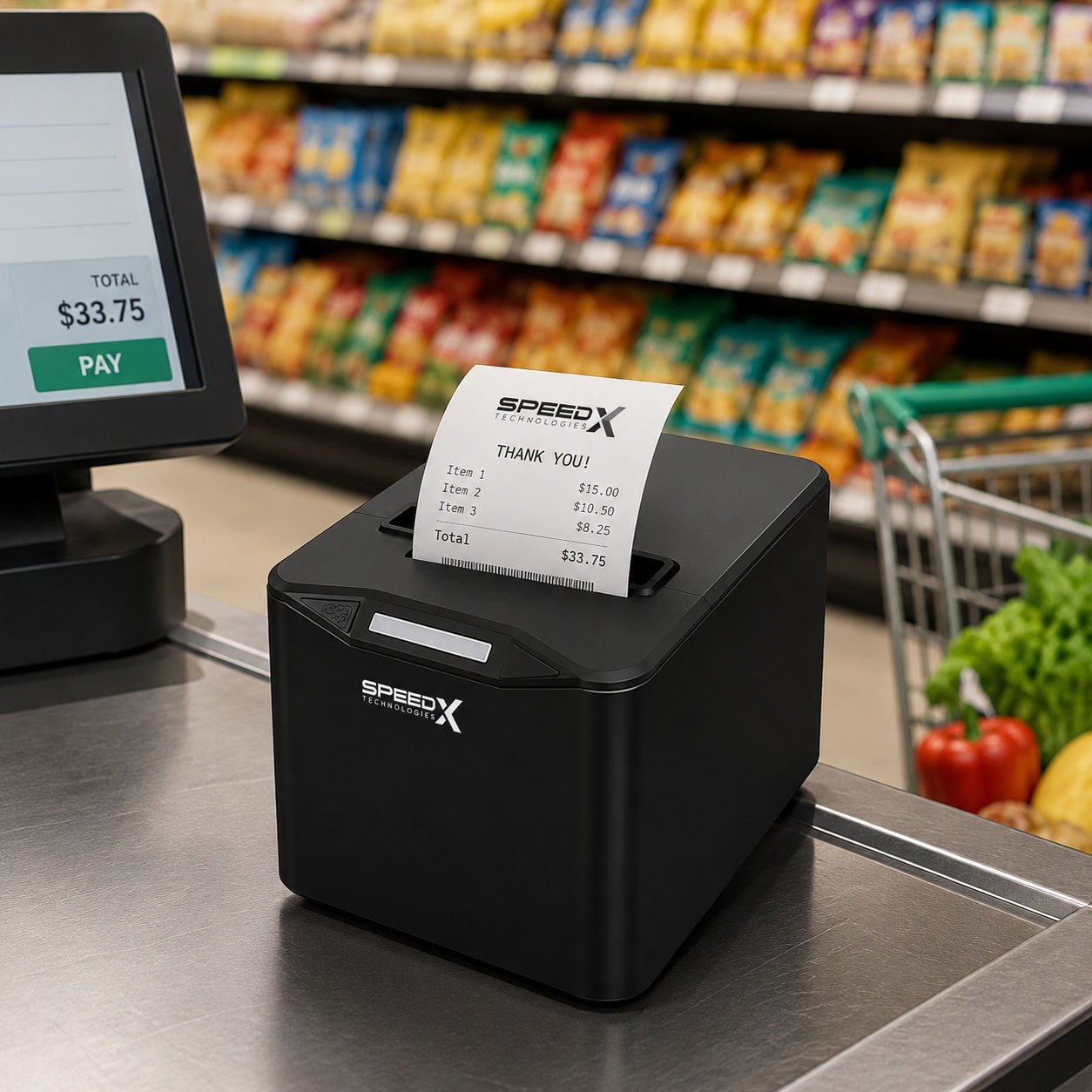
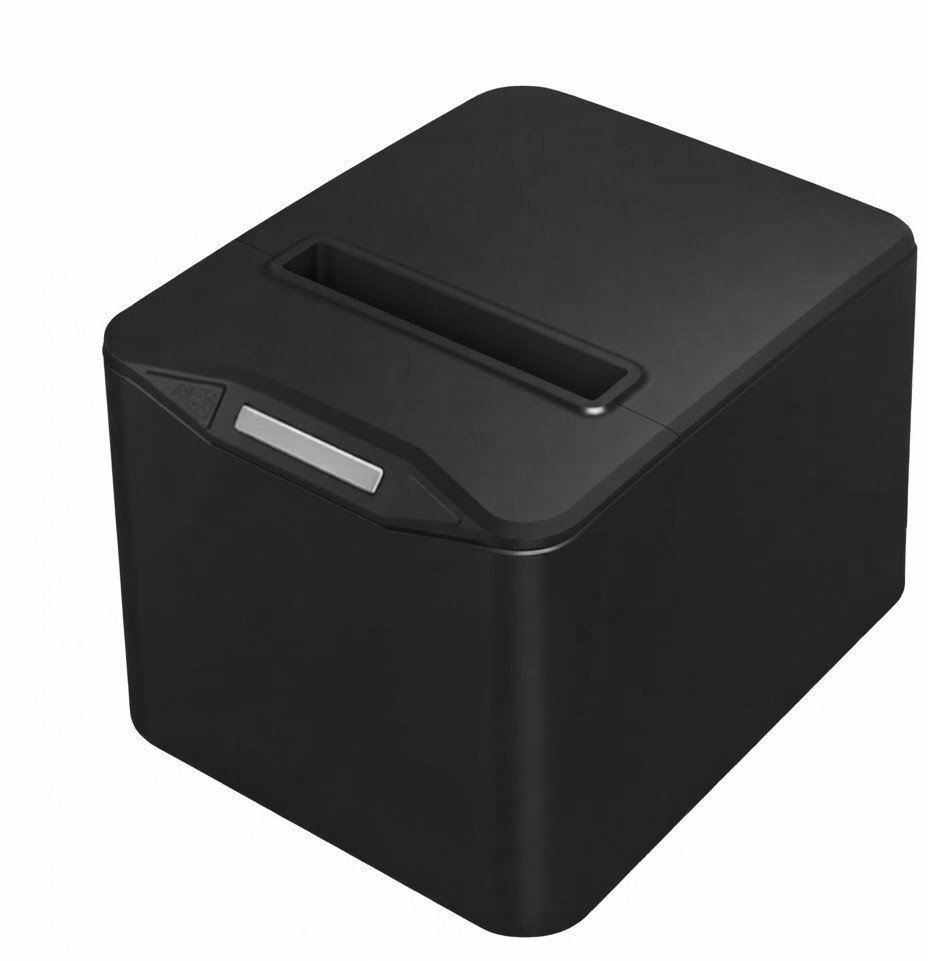
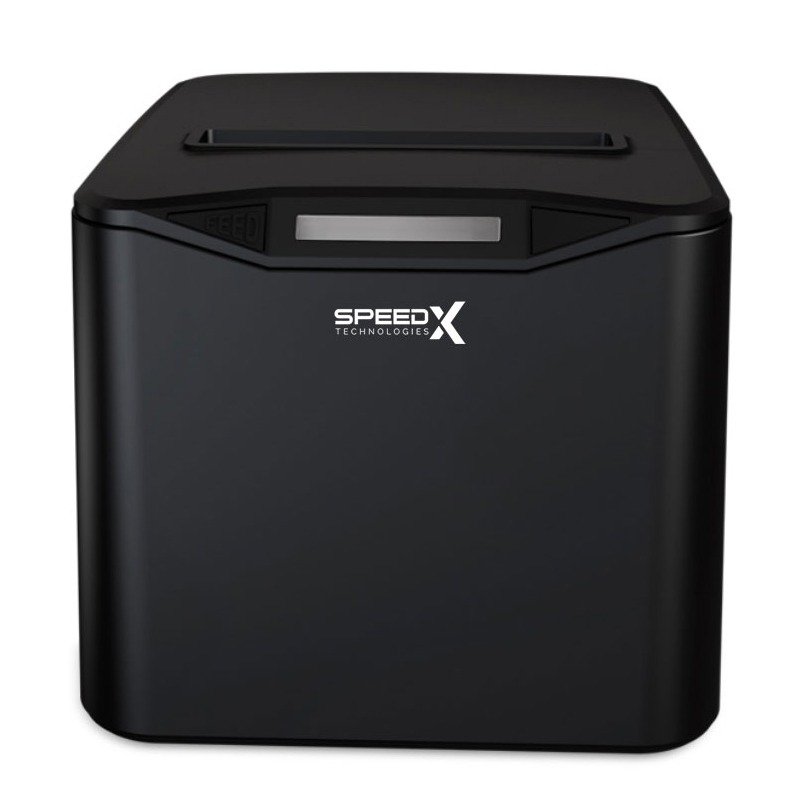
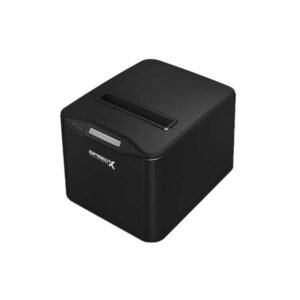
The Speed-X SP-200U 80mm Thermal Receipt Printer USB Black is a desktop point-of-sale printer designed for retail shops, supermarkets, restaurants, cafés, pharmacies, bakeries, bookshops and other businesses requiring fast receipt printing.
It uses direct-thermal printing technology, producing black text and graphics on compatible heat-sensitive paper without ink cartridges, toner or ribbons. The printer connects to a computer or POS terminal through USB and delivers a consistently published maximum speed of approximately 220mm per second at 203 dpi resolution.
The SP-200U also includes an automatic paper cutter, ESC/POS command support and a cash-drawer output. Its commonly published paper specification supports thermal rolls up to approximately 79.5mm wide, 83mm in diameter and 0.06–0.08mm thick.
This model is intended primarily for fixed USB installations. It should not be confused with Speed-X thermal printers that include Bluetooth, Wi-Fi, Ethernet or portable battery operation.
| Feature | Published specification |
|---|---|
| Brand | Speed-X |
| Model | SP-200U |
| Product category | Desktop thermal receipt printer |
| Printing method | Direct thermal line printing |
| Paper class | 80mm thermal receipt roll |
| Maximum paper width | 79.5 ± 0.5mm |
| Maximum roll diameter | Approximately 83mm |
| Paper thickness | Approximately 0.06–0.08mm |
| Print speed | Up to approximately 220mm/s |
| Resolution | 203 dpi / 8 dots per mm |
| Interface | USB |
| Print commands | ESC/POS |
| Automatic cutter | Full or partial cut |
| Published cutter life | Up to 1.5 million cuts |
| Published print-head life | Up to 100km |
| Cash-drawer output | DC 24V/1A |
| Power-adapter output | DC 24V/2.5A |
| Colour | Black |
| Ink or toner | Not required |
| Bluetooth | No |
| Wi-Fi | No |
| Ethernet/LAN | Not confirmed for SP-200U |
| Battery | No |
| Local warranty | Confirm with GS Systemz |
| Availability | Subject to current stock |
These specifications are repeated across several Pakistan-based Speed-X distributors and retailers. No complete manufacturer-issued SP-200U manual or technical datasheet was publicly available during research.
The SP-200U is suitable for businesses that need a straightforward receipt printer connected to one fixed POS computer.
Its main advantages include:
The combination of 220mm/s printing and an automatic cutter makes it practical for busy checkout counters where receipts need to be produced and separated quickly.
The most consistently published speed for the SP-200U is 220 millimetres per second. This is the figure listed by multiple established Pakistani sellers and should be used instead of isolated marketplace titles claiming 230mm/s.
Actual receipt speed can vary according to:
Plain-text receipts will normally print faster than receipts containing large dark graphics.
The SP-200U is consistently listed with 203 dpi, equivalent to approximately eight dots per millimetre.
This resolution is normally suitable for:
The public specifications do not provide a complete list of supported barcode commands, so any specialised barcode or QR workflow should be tested with the actual printer and POS software.
Direct-thermal printers create an image by heating specially coated paper.
The SP-200U therefore does not require:
It does require compatible thermal receipt rolls. Standard untreated paper will not produce an image.
The SP-200U is a USB-interface printer. It is designed to connect directly to a compatible desktop computer, laptop or POS terminal.
USB is useful when:
The exact USB connector and included cable should be checked against the physical package.
The SP-200U is advertised with an automatic paper cutter supporting full or partial cutting. The published cutter-life estimate is up to approximately 1.5 million cuts under the supplier’s test conditions.
An automatic cutter can:
Cutter life is a service estimate rather than a warranty period.
The printer is advertised as supporting ESC/POS commands.
ESC/POS is commonly used by POS applications to control functions such as:
ESC/POS compatibility does not mean every Epson-specific command or software integration will work identically. Test the printer with the intended billing application.
Published specifications include a DC 24V/1A cash-drawer output.
A compatible cash drawer can open when the POS software sends the correct pulse command through the printer.
Compatibility depends on:
Do not connect an incompatible cash drawer solely because the physical connector fits.
| Application | Suitability |
|---|---|
| Retail sales receipts | Excellent |
| Supermarket checkout | Excellent |
| Grocery-store billing | Excellent |
| Restaurant customer bills | Excellent |
| Café receipts | Excellent |
| Bakery billing | Excellent |
| Pharmacy receipts | Excellent |
| Clothing-store billing | Excellent |
| Cosmetics-store receipts | Excellent |
| Hardware-store invoices | Excellent |
| Bookshop checkout | Excellent |
| Customer-service receipts | Excellent |
| Queue or token slips | Good with compatible software |
| Kitchen order tickets | Good with compatible software |
| Cash-drawer operation | Supported with compatible drawer |
| Fixed USB POS workstation | Excellent |
| Shared network printing | Requires computer sharing or another model |
| Bluetooth mobile printing | Not supported |
| Wi-Fi printing | Not supported |
| Adhesive label printing | Not confirmed |
| Courier shipping labels | Choose a dedicated label printer |
| A4 document printing | Not supported |
| Colour printing | Not supported |
| Portable battery operation | Not supported |
The SP-200U is primarily a fixed-counter receipt printer for retail and hospitality environments.
| Specification | Published detail |
|---|---|
| Product name | Speed-X SP-200U |
| Printer type | 80mm thermal receipt printer |
| Printing method | Thermal line printing |
| Print speed | Approximately 220mm/s |
| Resolution | 203 dpi / 8 dots per mm |
| Interface | USB |
| Print command | ESC/POS |
| Paper type | Thermal roll paper |
| Maximum paper width | 79.5 ± 0.5mm |
| Maximum roll diameter | Approximately 83mm |
| Supported paper thickness | Approximately 0.06–0.08mm |
| Automatic cutter | Full or partial cut |
| Published cutter life | Approximately 1.5 million cuts |
| Published print-head reliability | Approximately 100km |
| Power input | AC 110–220V, 50–60Hz through adapter |
| Power-adapter output | DC 24V/2.5A |
| Cash-drawer output | DC 24V/1A |
| Listed operating systems | Windows, Linux, macOS, OPOS, Android and iOS |
| Bluetooth | No |
| Wi-Fi | No |
| Ethernet | Not confirmed |
| Battery | Not included or required |
| Colour | Black |
| Dimensions | Not reliably published |
| Net weight | Not reliably published |
| Local warranty | Confirm with GS Systemz |
| Box contents | Confirm physical package |
The technical values are consistently reproduced by several local distributors. However, a Speed-X manufacturer manual was not found, so GS Systemz should use the printer’s self-test page, carton label and included documentation as the final authority.
The full retail model name is:
Speed-X SP-200U
Customers may search for:
The product title should retain the complete SP-200U model number to avoid confusion with generic 200-series printers.
Yes. It is an 80mm-class thermal receipt printer.
The published maximum paper width is 79.5 ± 0.5mm, which corresponds to the standard commercial 80mm receipt-roll category. The maximum roll diameter is approximately 83mm.
When purchasing paper, confirm:
A roll can be the correct width but still be too large in diameter for the printer compartment.
The published media specification is:
Standard 80mm POS rolls are the normal starting point, but GS Systemz should recommend paper that meets all three measurements.
Using unsuitable paper can cause:
No. It uses direct-thermal paper and does not require ink, toner or ribbons.
The main consumables are:
Thermal receipts can fade when exposed to high heat, direct sunlight, oils, moisture or certain plastics. Important records should also be retained digitally.
The best-supported maximum speed is 220mm/s.
Some recent marketplace titles advertise 230mm/s, but those listings conflict with the detailed specifications used by multiple established sellers. GS Systemz should publish 220mm/s unless the self-test page or carton for its exact stock explicitly states 230mm/s.
The difference between 220mm/s and 230mm/s is unlikely to be meaningful for most checkout workflows. Driver setup, graphics and POS response may have a greater effect on real transaction speed.
DPI means dots per inch.
At 203 dpi, the printer produces approximately 203 heat-generated dots across each inch of output.
This resolution is suitable for most receipt applications, including:
Small text and dense graphics may be less clear than output from a higher-resolution document or label printer.
Yes. The SP-200U is consistently advertised with a full or partial automatic cutter.
The POS software must send a cut command after printing. A printer with a cutter may not cut automatically when:
The published estimate is approximately 1.5 million cuts.
This number is normally achieved only under specified test conditions with suitable paper and correct operation.
Cutter wear can increase when:
The published thermal print-head reliability figure is approximately 100km.
This describes the total length of media expected to pass under the print head under stated test conditions. It does not guarantee a fixed number of years.
Print-head life can be affected by:
No Bluetooth interface is listed for the SP-200U.
The consistently published interface is USB.
Choose a Bluetooth-equipped model when the printer must connect directly to:
No Wi-Fi interface is confirmed for this model.
The SP-200U is sold as a USB receipt printer.
A USB printer can sometimes be shared through a Windows computer, print server or router, but this does not make the printer itself Wi-Fi enabled.
Ethernet or LAN is not included in the consistently published SP-200U specification.
Before listing Ethernet, inspect:
The safe specification is:
USB interface; Bluetooth, Wi-Fi and Ethernet are not confirmed.
Windows is included in current compatibility listings, and the USB connection makes Windows POS systems a common use case.
A normal installation may involve:
The driver should be obtained from GS Systemz, the supplied media or an authorised Speed-X support source.
Linux and macOS are included in several reseller compatibility lists.
Practical support depends on:
GS Systemz should test the printer with the customer’s exact Linux distribution or macOS version before guaranteeing compatibility.
Android and iOS appear in reseller operating-system lists, but this requires careful interpretation because the SP-200U has a USB interface rather than Bluetooth or Wi-Fi.
Mobile-device operation may require:
Do not promise direct mobile printing merely because Android and iOS appear in a reseller specification.
For normal mobile POS use, a Bluetooth or Wi-Fi thermal printer is usually easier to deploy.
OPOS appears in published operating-system or platform compatibility lists.
OPOS is a software standard used by some Windows-based retail applications to control POS devices.
Successful operation depends on:
ESC/POS printers commonly support bitmap or stored-logo output, but no model-specific command manual was found for the SP-200U.
Logo printing should therefore be tested through the intended POS application.
For clearer output:
The product’s ESC/POS support may allow barcode and QR printing when the software sends compatible commands. However, no public SP-200U manual was found that confirms its complete supported symbology list.
Before promising a specific barcode format, test:
The SP-200U prints barcodes; it does not scan them.
The confirmed media is continuous thermal receipt-roll paper.
No reliable SP-200U specification confirms:
The printer should therefore be marketed as a receipt printer rather than a dedicated barcode-label printer.
Use a proper label printer for:
Yes, when connected to a compatible restaurant POS computer through USB.
It can print:
A USB printer normally serves one local workstation. A network or Ethernet printer may be more suitable when the kitchen printer is located far from the order terminal.
Yes, current specifications list a DC 24V/1A cash-drawer output.
The POS application must send the correct pulse command.
Before connecting a drawer, confirm:
The hardware connection is straightforward, but a driver may still be required.
A typical USB installation involves:
Calling it “plug and play” should not imply that every POS application will configure itself automatically.
The exact method should be checked in the included manual, but many thermal printers use a process similar to:
A self-test page may show:
Use the SP-200U manual rather than assuming the button sequence is identical across all Speed-X models.
A typical package may include:
Package contents vary between distributors. None of these accessories should be guaranteed until GS Systemz inspects the actual box.
Confirm the following before placing an order:
| Requirement | Recommendation |
|---|---|
| Standard 80mm receipts | Supported |
| Direct-thermal printing | Supported |
| 220mm/s receipt printing | Supported |
| 203 dpi output | Supported |
| USB connection | Supported |
| Automatic cutter | Supported |
| ESC/POS applications | Supported |
| Cash-drawer operation | Supported with compatible drawer |
| Windows POS | Suitable |
| Linux or macOS | Driver testing required |
| Android or iOS | Requires compatible USB workflow |
| Bluetooth printing | Not supported |
| Wi-Fi printing | Not supported |
| Ethernet printing | Not confirmed |
| Battery-powered printing | Not supported |
| Adhesive labels | Not recommended |
| A4 documents | Not supported |
| Colour printing | Not supported |
Choose the SP-200U when a dependable USB receipt printer is required for one fixed billing computer.
Choose another model when wireless connectivity, network sharing, portable operation or adhesive labels are essential.
| Feature | SP-200U | SP-90A |
|---|---|---|
| Paper class | 80mm | 80mm |
| Printing method | Direct thermal | Direct thermal |
| Published speed | 220mm/s | Up to 220mm/s |
| Resolution | 203 dpi | 203 dpi |
| USB | Yes | Yes |
| Bluetooth | No | Yes on advertised configuration |
| Wi-Fi | No | Yes on advertised configuration |
| Auto cutter | Yes | Yes |
| Best use | Fixed USB checkout | Mixed USB and wireless POS use |
Choose the SP-200U for a simple wired installation.
Choose the SP-90A when Bluetooth or Wi-Fi is required.
| Feature | SP-200U 80mm | Typical 58mm printer |
|---|---|---|
| Receipt width | Wider | Narrower |
| Product descriptions | More space | Less space |
| Logo size | Larger | Smaller |
| Detailed restaurant bills | Better | More limited |
| Paper use | Higher | Lower |
| Printer footprint | Usually larger | Usually smaller |
| Best use | Professional retail and hospitality | Simple low-volume receipts |
An 80mm printer is usually better when receipts contain multiple products, tax information, detailed descriptions or larger branding.
| Feature | SP-200U USB | Wireless receipt printer |
|---|---|---|
| Connection stability | Strong physical connection | Depends on signal |
| Installation | Driver and USB cable | Pairing or network setup |
| Mobile phones | Limited | Easier with compatible apps |
| Multiple devices | Requires sharing | May support several hosts |
| Battery | Not required | Desktop wireless models still use power |
| Security setup | Minimal | Bluetooth or network security required |
| Best use | One fixed POS computer | Tablets and flexible counters |
USB is the better option when the printer stays beside one workstation.
Wireless connectivity is more useful for tablets, mobile POS devices or shared network workflows.
GS Systemz can position the Speed-X SP-200U for businesses in Pakistan that need a straightforward 80mm USB receipt printer.
This page helps buyers understand:
GS Systemz should verify the physical stock before publication, particularly the rear ports, driver package, cutter, power adapter and warranty.
The SP-200U may be suitable for:
Check availability of the Speed-X SP-200U 80mm Thermal Receipt Printer USB Black from GS Systemz in Pakistan.
Use it for retail receipts, restaurant bills, pharmacy invoices, customer-payment slips, order tickets and fixed USB POS workflows.
Confirm the USB cable, power adapter, cutter, driver, cash-drawer port, local warranty and complete package contents before ordering.
The SP-200U is an 80mm direct-thermal receipt printer with USB connectivity, 203 dpi resolution, ESC/POS support and an automatic cutter.
The most consistently published maximum speed is approximately 220mm per second.
No. It prints on heat-sensitive thermal paper without ink, toner or ribbons.
It uses thermal receipt rolls up to approximately 79.5 ± 0.5mm wide, 83mm in diameter and 0.06–0.08mm thick.
Yes. It supports full or partial automatic cutting, with a published cutter-life estimate of approximately 1.5 million cuts.
No. The consistently published SP-200U interface is USB. Choose a wireless Speed-X model when Bluetooth or Wi-Fi is required.
Windows compatibility is listed, but the correct printer driver and POS configuration are still required.
Yes. Published specifications include a DC 24V/1A cash-drawer output for compatible drawers and POS software.
Dedicated label printing is not confirmed. It should primarily be used with continuous 80mm thermal receipt paper.
You can check availability of the Speed-X SP-200U 80mm USB Thermal Receipt Printer in black from GS Systemz in Pakistan.
Reviews
There are no reviews yet.