
₨500.00
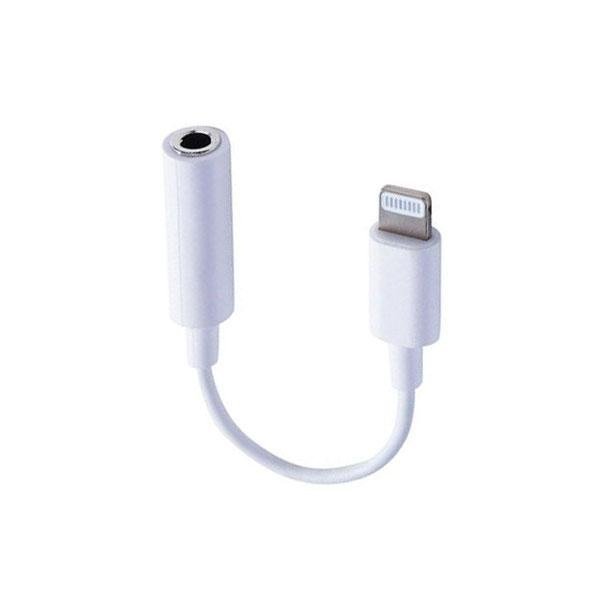
The Lightning to 3.5mm Headphone Jack Adapter lets you connect traditional 3.5mm wired headphones, earphones and compatible audio accessories to iPhones and iPads that use a Lightning connector.
It is especially useful for Lightning-equipped iPhones that do not have a built-in headphone jack. Apple confirms that this type of adapter connects 3.5mm headphones and other audio devices to an iPhone, iPad or iPod touch with a Lightning port, with iOS 10 or later required for Apple’s official adapter.
The exact microphone, in-line control, DAC and certification features should be confirmed from the actual GS Systemz adapter before being published as product specifications.
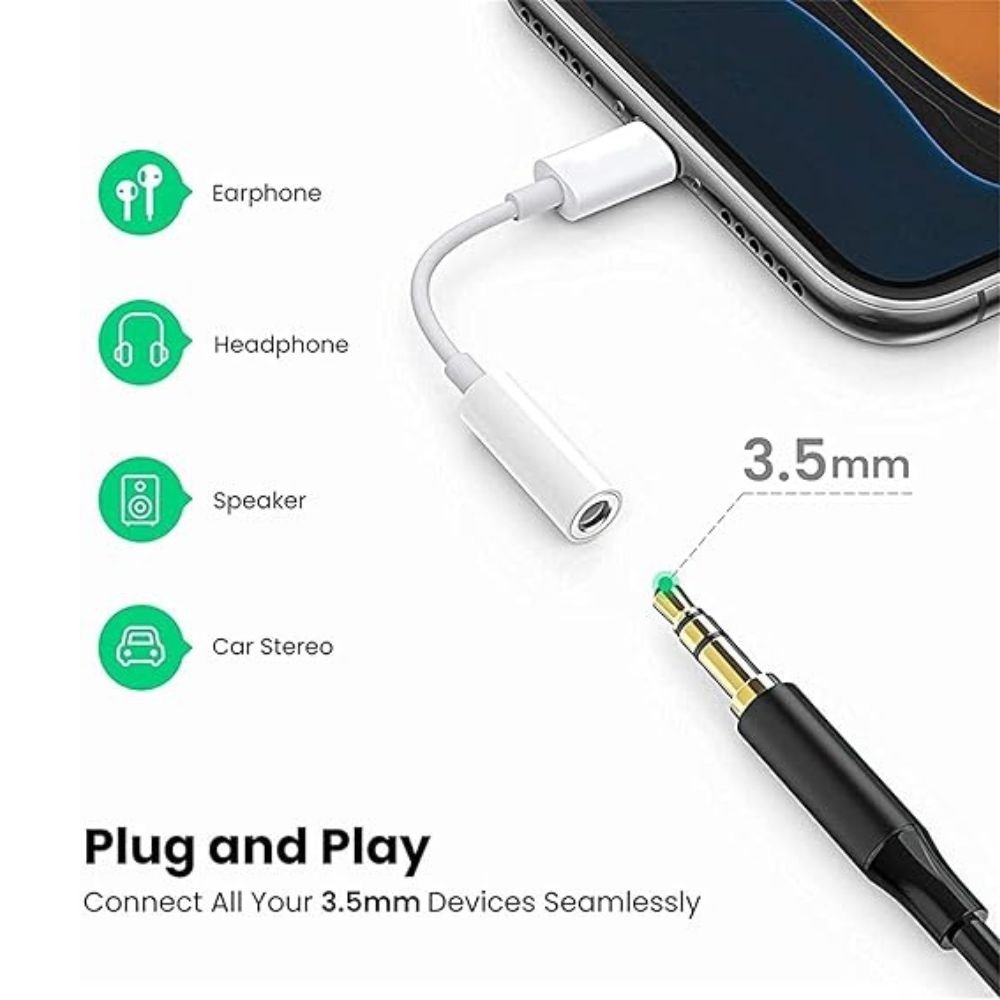
A Lightning to 3.5mm Headphone Jack Adapter converts the Lightning connection on a compatible Apple device into a standard 3.5mm audio socket.
The connection works like this:
Lightning iPhone → Lightning Adapter → 3.5mm Headphones
Apple describes its official adapter as allowing 3.5mm headphones and other audio devices to connect to an iPhone, iPad or iPod touch equipped with Lightning.
This is useful for users who own good-quality wired headphones but have an iPhone without a built-in headphone jack.
| Specification | Details |
|---|---|
| Product Type | Lightning Audio Adapter |
| Device Connector | Lightning Male |
| Audio Port | 3.5mm Female |
| Primary Function | Wired Audio Connectivity |
| Suitable Devices | Compatible Lightning iPhones and iPads |
| Headphone Type | Compatible 3.5mm Wired Headphones |
| Connection Type | Wired |
| Installation | Plug and Play on Compatible Devices |
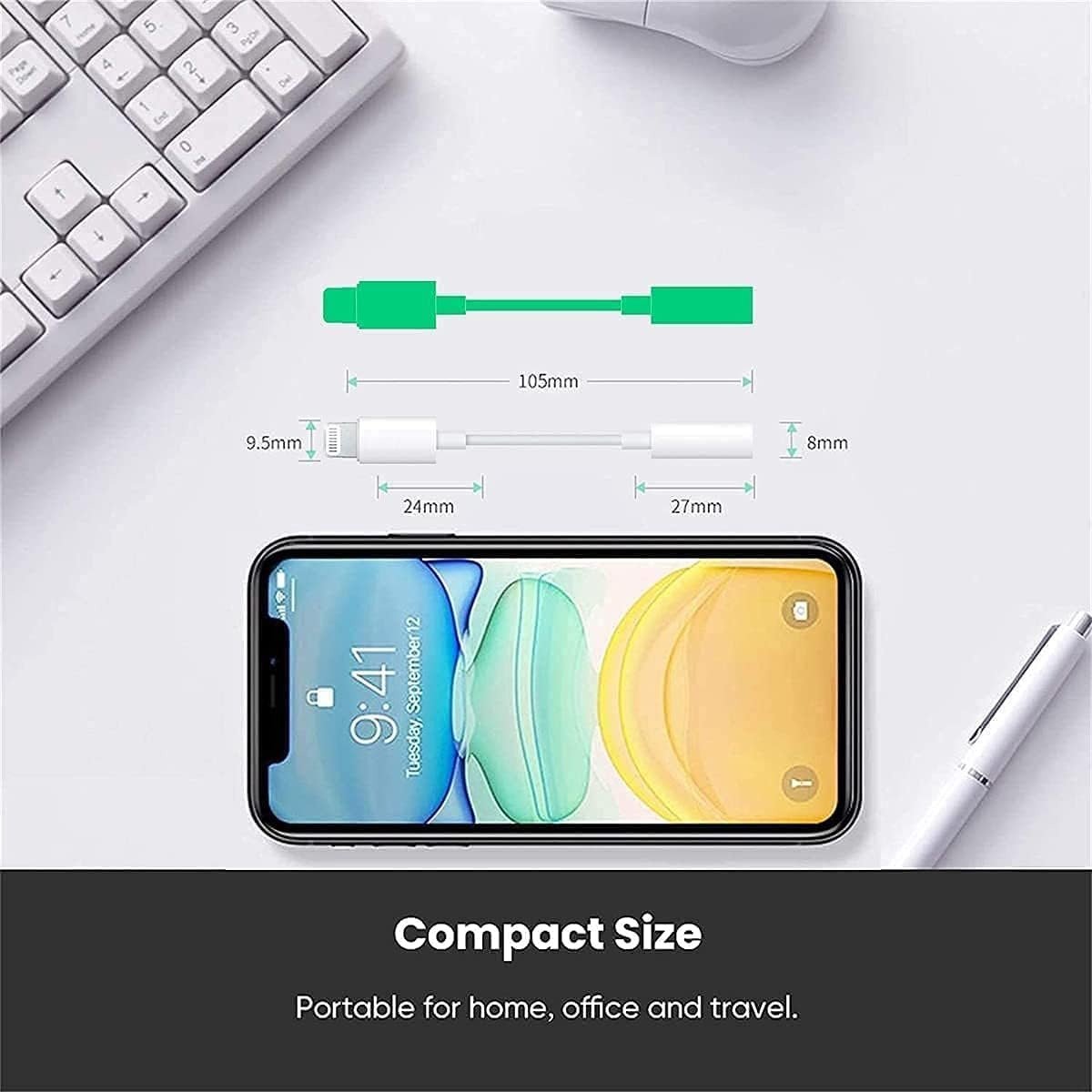
| Design | Compact Portable Adapter |
Because this GS Systemz title does not identify a specific manufacturer or model, additional specifications such as chipset, audio resolution, microphone support and certification should be taken from the actual product packaging.
The adapter is relevant to iPhones with a Lightning connector that do not have their own traditional headphone socket.
Compatible setups can include Lightning-equipped models from generations such as:
Compatibility of a third-party adapter should still be confirmed for the individual device.
Apple states that its official Lightning headphone adapter requires a Lightning-equipped iOS device running iOS 10 or later.
Yes, a compatible Lightning to 3.5mm audio adapter is the correct connector type for the iPhone 14 Pro and iPhone 14 Pro Max.
These models use Lightning rather than USB-C.
The basic setup is:
iPhone 14 Pro → Lightning Adapter → 3.5mm Earphones
This allows users to continue using traditional wired headphones with these phones.
Not directly.
Newer USB-C iPhones require a USB-C to 3.5mm Headphone Jack Adapter rather than a Lightning version.
Choose the adapter according to your iPhone connector:
Lightning iPhone → Lightning to 3.5mm Adapter
USB-C iPhone → USB-C to 3.5mm Adapter
Buying the correct connector type is important because Lightning and USB-C are physically and electrically different.
Using the adapter is simple.
Apple gives the same basic setup for its official adapter: plug the Lightning adapter into the iOS device and connect the headphones to the other end.
Yes, when the iPhone has a Lightning connector and you use a compatible Lightning to 3.5mm adapter.
This means you can continue using many existing:
without buying a new Lightning-specific headset.
Yes, audio playback is the primary purpose of the adapter.
A compatible setup can be used for:
The connected headphones and adapter determine the final audio experience.
Microphone support depends on the exact adapter and headset.
Many 3.5mm headsets use a TRRS connector, which combines stereo audio and microphone connections in one plug.
A compatible adapter may allow these headsets to be used for:
However, generic Lightning adapters do not all provide identical microphone support.
GS Systemz should test the actual stock with a headset microphone before adding Mic Supported as a formal product attribute.
Potentially, yes.
For calls to work correctly:
If the adapter supports audio output only, you may hear the caller through the headphones while microphone functionality does not work as expected.
This depends on the adapter and connected headset.
Compatible setups may support:
However, not every third-party adapter passes every headset control.
If these functions matter to the buyer, GS Systemz should verify them on the actual adapter.
A Lightning connection carries digital information, while traditional 3.5mm headphones use analog audio.
A functional Lightning-to-3.5mm audio adapter therefore requires electronics to convert the audio into a signal traditional headphones can use.
This is one reason why a proper Lightning audio adapter is more than a simple change in connector shape.
The exact DAC or audio chipset used in the GS Systemz product should only be stated if it is documented on the package or manufacturer specification.
Audio quality can depend on several parts of the connection, including:
A good adapter should provide clean audio suitable for everyday listening.
Poor-quality adapters may cause problems such as:
For this reason, adapter quality matters even though the product is small.
No.
The Lightning to 3.5mm adapter provides a wired audio connection.
There is no need to:
This makes it useful for customers who prefer simple wired headphones.
Normally, a compatible Lightning audio adapter should not require a separate app for basic headphone use.
Connect the adapter, plug in the headphones and start playing audio.
If the iPhone displays an accessory compatibility warning, the adapter may be unsupported, uncertified or defective.
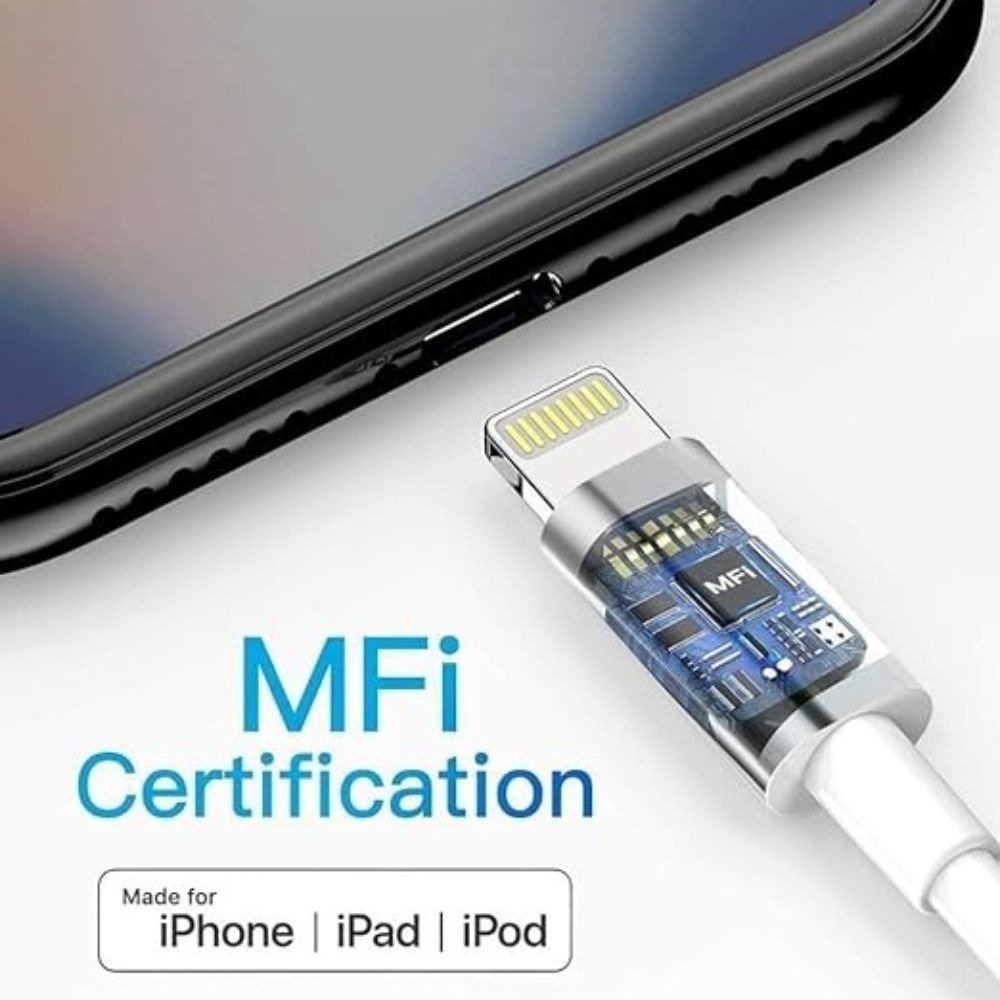
MFi means Made for iPhone/iPad certification.
Apple recommends using Lightning accessories that Apple has certified and that carry the MFi badge. Apple warns that counterfeit or uncertified Lightning accessories may fit poorly, overheat, become damaged or fail to work correctly.
If the GS Systemz adapter is MFi-certified, showing the certification on the product page can improve customer confidence.
Do not claim MFi certification unless it is confirmed on the actual package or in Apple’s certification information.
An iPhone may display this message when it cannot communicate correctly with the connected Lightning accessory.
Possible causes include:
Apple recommends certified Lightning accessories because uncertified products can cause connection and reliability problems.
Yes.
You can potentially connect a Lightning iPhone to a car stereo that has a 3.5mm AUX input.
The setup is:
iPhone → Lightning to 3.5mm Adapter → AUX Cable → Car Stereo
This is useful for vehicles that do not have Bluetooth audio or CarPlay.
You will also need a separate 3.5mm AUX cable unless one is already available.
Yes, compatible speakers and audio systems with a 3.5mm AUX connection can potentially be used.
Examples include:
The adapter converts the iPhone’s Lightning audio connection into a standard 3.5mm output.
Yes, with compatible wired earphones or a headset.
A wired connection can be useful for mobile gaming because it avoids Bluetooth pairing and wireless-headphone battery limitations.
Possible uses include:
If you use voice chat, verify that the adapter supports the headset microphone.
Yes, when the adapter and connected headset support both audio and microphone functions.
It can be useful for:
A wired headset can provide a simple audio solution without needing to charge Bluetooth earphones.
A standard Lightning to 3.5mm Headphone Jack Adapter normally occupies the phone’s single Lightning port.
Therefore, it does not itself provide simultaneous charging.
If you need:
Lightning charging + 3.5mm audio at the same time
you need a different multi-function adapter with separate audio and charging connections.
Do not advertise simultaneous charging for this basic product unless the GS Systemz version actually provides an extra charging port.
Not necessarily.
The common Lightning to 3.5mm Headphone Jack Adapter is designed for this direction:
Lightning phone → 3.5mm headphones
It should not be assumed to operate in reverse for connecting a Lightning headset to a standard 3.5mm audio source.
Digital-to-analog conversion and connector direction make these applications different.
No.
The audio purpose is similar, but the phone connector is different.
| Adapter | Device Connector | Typical Use |
|---|---|---|
| Lightning to 3.5mm | Lightning | Lightning iPhones/iPads |
| USB-C to 3.5mm | USB-C | USB-C phones/tablets |
Choose according to the physical connector on your device.
If your headphones are connected but audio is not working, try these steps.
Remove the Lightning connector and plug it in again firmly.
Connect the headphones to another 3.5mm audio source.
Lint or dust can prevent the connector from seating properly.
Some cases can prevent complete insertion.
Restarting may resolve a temporary accessory-detection problem.
If possible, try a known-good adapter to determine whether the issue is with the phone or adapter.
Apple similarly recommends testing the adapter with another compatible iPhone or iPad when troubleshooting adapter problems.
This adapter is useful for:
It is especially useful if you already own wired headphones and do not want to replace them with Bluetooth or Lightning-specific headphones.
Before ordering, confirm:
If the product is being sold as an original Apple adapter, also verify the packaging and Apple product information.
Do not assume the adapter is an original Apple product simply because Apple manufactures a product with the same name.
Apple’s official Lightning to 3.5mm Headphone Jack Adapter has been sold under Apple part number MMX62AM/A in the US market.
For the GS Systemz product, only use Original Apple or brand: Apple when the actual stock, packaging and supply information confirm it.
If it is a third-party adapter, use the actual manufacturer or brand.
The Lightning to 3.5mm Headphone Jack Adapter provides an easy way to continue using traditional wired headphones and audio accessories with compatible Lightning iPhones and iPads.
It is useful for:
Its compact size makes it easy to keep with your headphones at home, work or while travelling.
Buy the Lightning to 3.5mm Headphone Jack Adapter from GS Systemz Pakistan for convenient wired audio connectivity with compatible Lightning devices.
It connects compatible 3.5mm headphones and audio accessories to an iPhone, iPad or iPod touch with a Lightning connector.
Yes. The iPhone 14 Pro uses a Lightning connection, so a compatible Lightning to 3.5mm adapter is the correct adapter type for traditional wired headphones.
No. USB-C iPhones require a USB-C to 3.5mm headphone adapter instead.
Yes. The adapter is designed to connect compatible headphones with a standard 3.5mm audio plug to a Lightning device.
Some adapters support compatible TRRS headset microphones and calls. Verify microphone support for the actual GS Systemz stock.
No. It provides a wired audio connection.
Normally no. A compatible Lightning audio adapter should work as a plug-and-play accessory.
Yes. A compatible Lightning iPhone can connect through the adapter and a 3.5mm AUX cable to a car stereo.
Not with a basic single-function Lightning to 3.5mm adapter. A separate audio-and-charge adapter is required for simultaneous charging.
MFi is Apple’s certification program for compatible accessories. Apple recommends using certified Lightning accessories bearing the MFi badge.
The adapter may be incompatible, uncertified, damaged or improperly connected. A dirty or damaged Lightning port can also cause problems.
You can purchase the Lightning to 3.5mm Headphone Jack Adapter from GS Systemz Pakistan, subject to current price and stock availability.
Reviews
There are no reviews yet.