
₨1,000.00
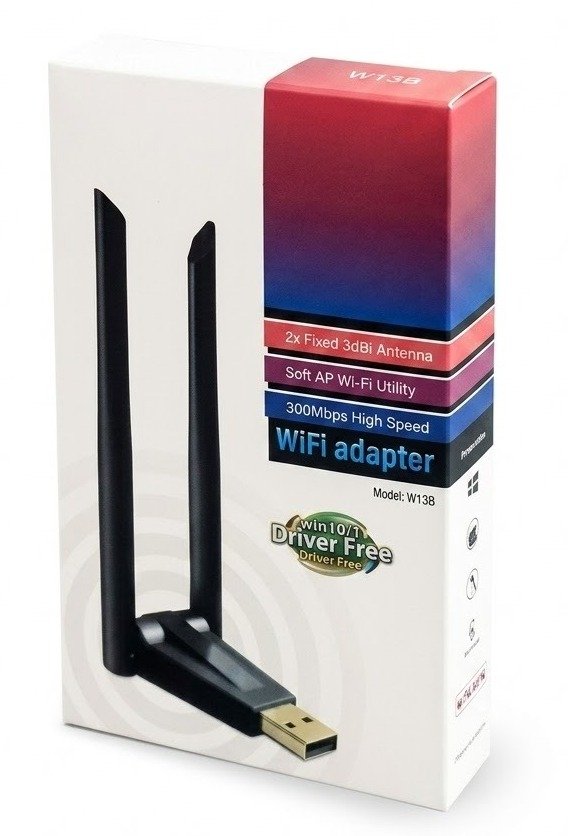
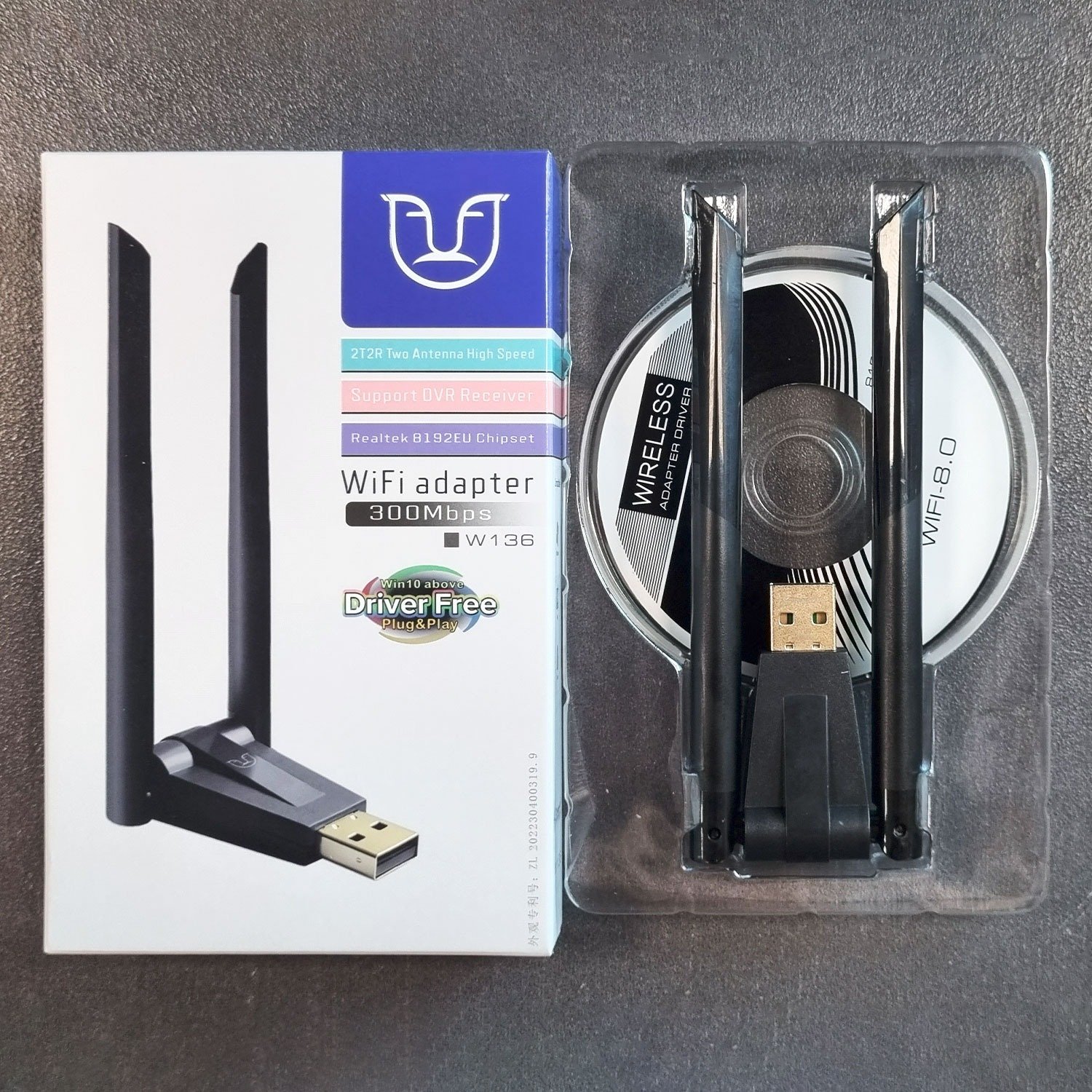
The W136 3dBi RTL8192 Dual Antenna WiFi USB Adapter 300Mbps is designed for users who need stronger wireless connectivity through a USB port.
It is useful for desktop PCs without built-in WiFi, laptops with weak internal WiFi, older computers, office systems, computer shops, and home users who need a simple external wireless adapter.
The dual antenna design helps improve signal reception compared with very small mini WiFi dongles. This makes it useful when your router is not very close to your computer or when you need better WiFi pickup in a room, shop, office, or study setup.
This adapter supports up to 300Mbps wireless speed on 2.4GHz WiFi, depending on router quality, signal strength, distance, walls, interference, driver support, and device compatibility.
If you want to explore alternative networking solutions, check out our collection for a clearer and more complete comparison.
Key Features
Product Specifications
| Feature | Details |
| Product Name | W136 3dBi RTL8192 Dual Antenna WiFi USB Adapter 300Mbps |
| Product Type | USB WiFi Adapter |
| Chipset | RTL8192, confirm exact stock |
| Wireless Speed | Up to 300Mbps |
| Wireless Band | 2.4GHz |
| Antenna Type | Dual external antennas |
| Antenna Gain | 3dBi, if confirmed by stock |
| Interface | USB |
| Best For | Desktop PC, laptop, home, office, shop, student use |
| Common Use | Wireless internet connection |
| Local Market | Pakistan |
The W136 WiFi USB Adapter is used to connect a desktop PC, laptop, or compatible device to a WiFi network through a USB port.
It is useful when a computer does not have built-in WiFi or when the internal WiFi connection is weak, unstable, or damaged.
Yes, this adapter is useful for desktop computers that do not have built-in WiFi. Instead of running a long LAN cable, you can plug the adapter into a USB port and connect to your wireless router.
It is suitable for home desktops, office PCs, computer labs, repair shops, and small business systems.
Dual external antennas can help improve WiFi signal reception compared with very small USB dongles that have no visible antenna.
This can be helpful when your router is in another room or when the computer is placed under a desk, behind furniture, or in a weak-signal area.
No. 300Mbps is the maximum wireless link rate under supported conditions. Your real internet speed depends on your ISP package, router, signal strength, distance, walls, interference, and computer performance.
If your internet package is 20Mbps, the adapter cannot turn it into 300Mbps. It only helps the computer connect to WiFi.
Yes, it can be suitable for online classes, Zoom meetings, browsing, email, and video calls when the router signal is stable.
For best results, place the antennas upright and keep the adapter away from thick walls, metal objects, and weak-signal corners.
It can work for light online gaming, but a wired LAN connection is usually better for serious gaming because it gives lower latency and better stability.
If using WiFi for gaming, keep the computer close to the router and avoid crowded wireless channels.
Many USB WiFi adapters need a driver, especially on older systems or fresh Windows installations. Some stock may include a driver CD, while other setups may require downloaded drivers.
Before buying, confirm driver availability for your Windows, macOS, or Linux version.
This product is suitable for students, home users, office workers, desktop PC users, laptop users, computer shop customers, freelancers, and small business owners.
It is best for users who need a simple external WiFi adapter with better antenna visibility than a mini USB dongle.
Common Uses
Before Buying, Confirm These Details
GS Systemz provides computer, networking, and tech accessories for customers in Pakistan. Buying locally helps you confirm stock, driver support, compatibility, price, warranty, and delivery details before ordering.
For best results, confirm your operating system and driver requirement before purchase.
What is the W136 WiFi USB Adapter used for?
It is used to add WiFi connectivity to a desktop PC, laptop, or compatible device through a USB port.
Does it support 300Mbps speed?
Yes, this product type is commonly listed with up to 300Mbps wireless speed on 2.4GHz WiFi.
Does it work on 5GHz WiFi?
Do not assume 5GHz support. This product is commonly listed around 2.4GHz 300Mbps use, so confirm dual-band support from exact stock.
What is the benefit of dual antennas?
Dual external antennas can help improve wireless signal reception compared with very small mini USB WiFi dongles.
Can I use it with a desktop computer?
Yes, it is useful for desktop PCs that do not have built-in WiFi.
Does it need a driver?
Some systems may need a driver. Confirm driver support for your operating system before buying.
Is it good for online classes?
Yes, it can work for online classes, browsing, and video calls when your router signal and internet package are stable.
What should I confirm before buying?
Confirm model, chipset, antenna type, driver support, OS compatibility, price, warranty, delivery charges, and return policy.
Reviews
There are no reviews yet.