
₨11,600.00
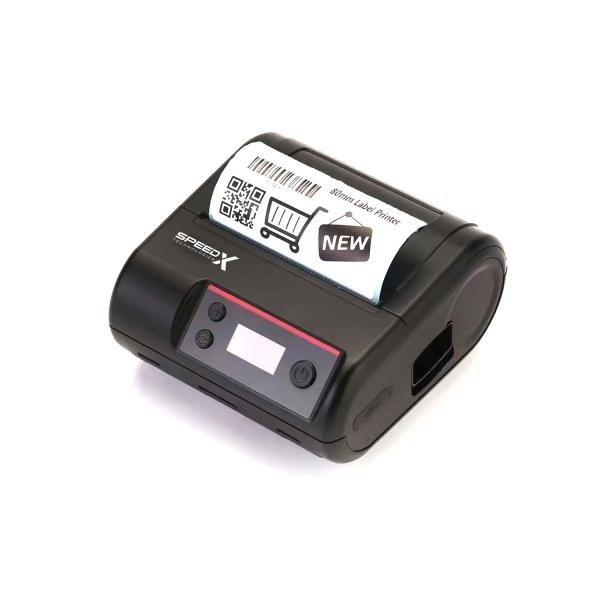
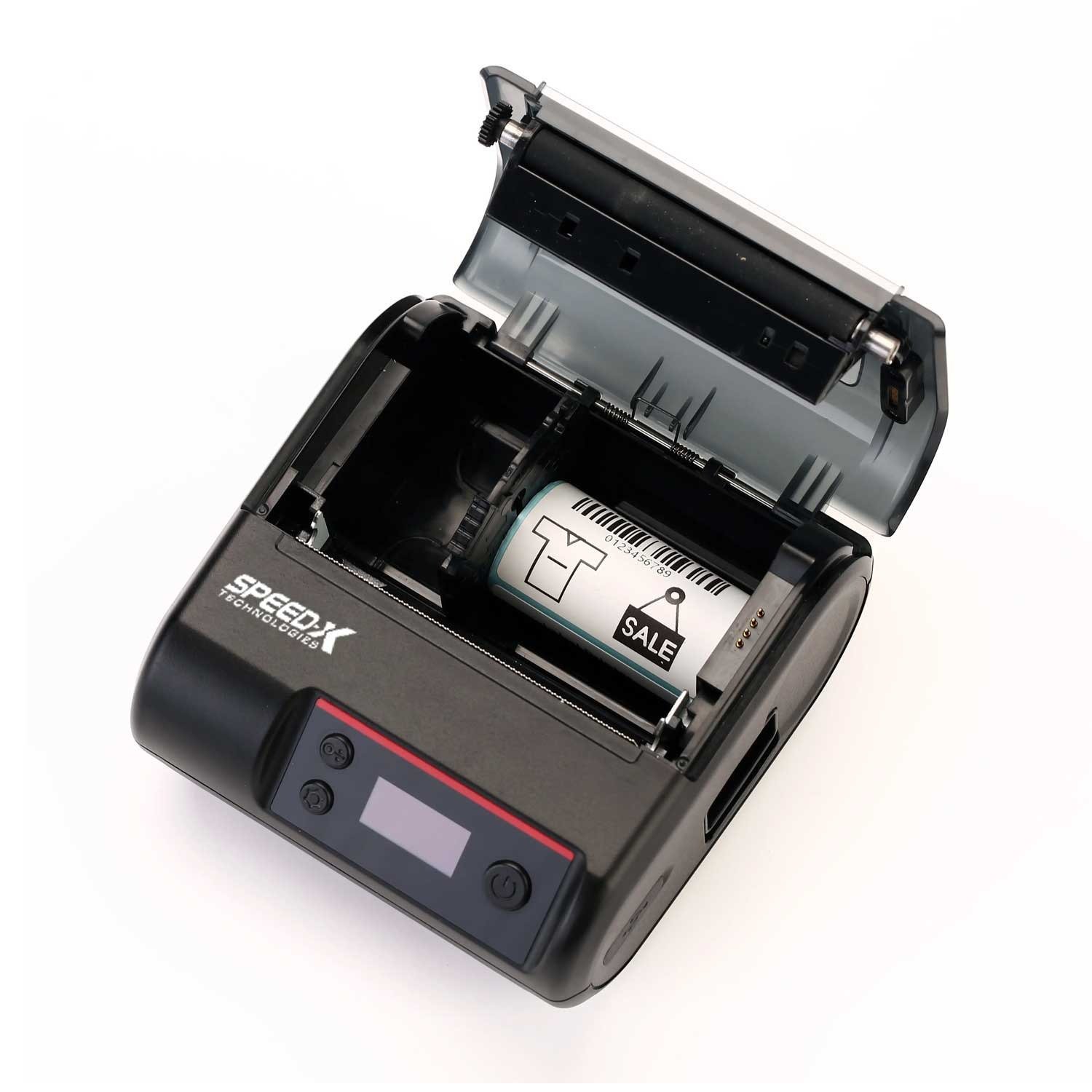
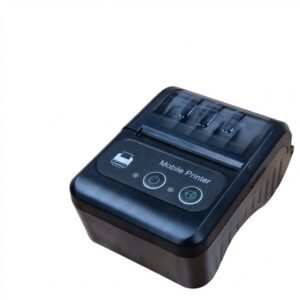
The Speed-X SP-L610BT is a portable 80mm direct thermal printer designed for both adhesive labels and thermal receipts.
It offers 203 DPI resolution, printing speeds of up to 70mm per second and USB plus Bluetooth connectivity. Its rechargeable battery makes it suitable for mobile billing, delivery operations, field service, retail counters and portable label printing.
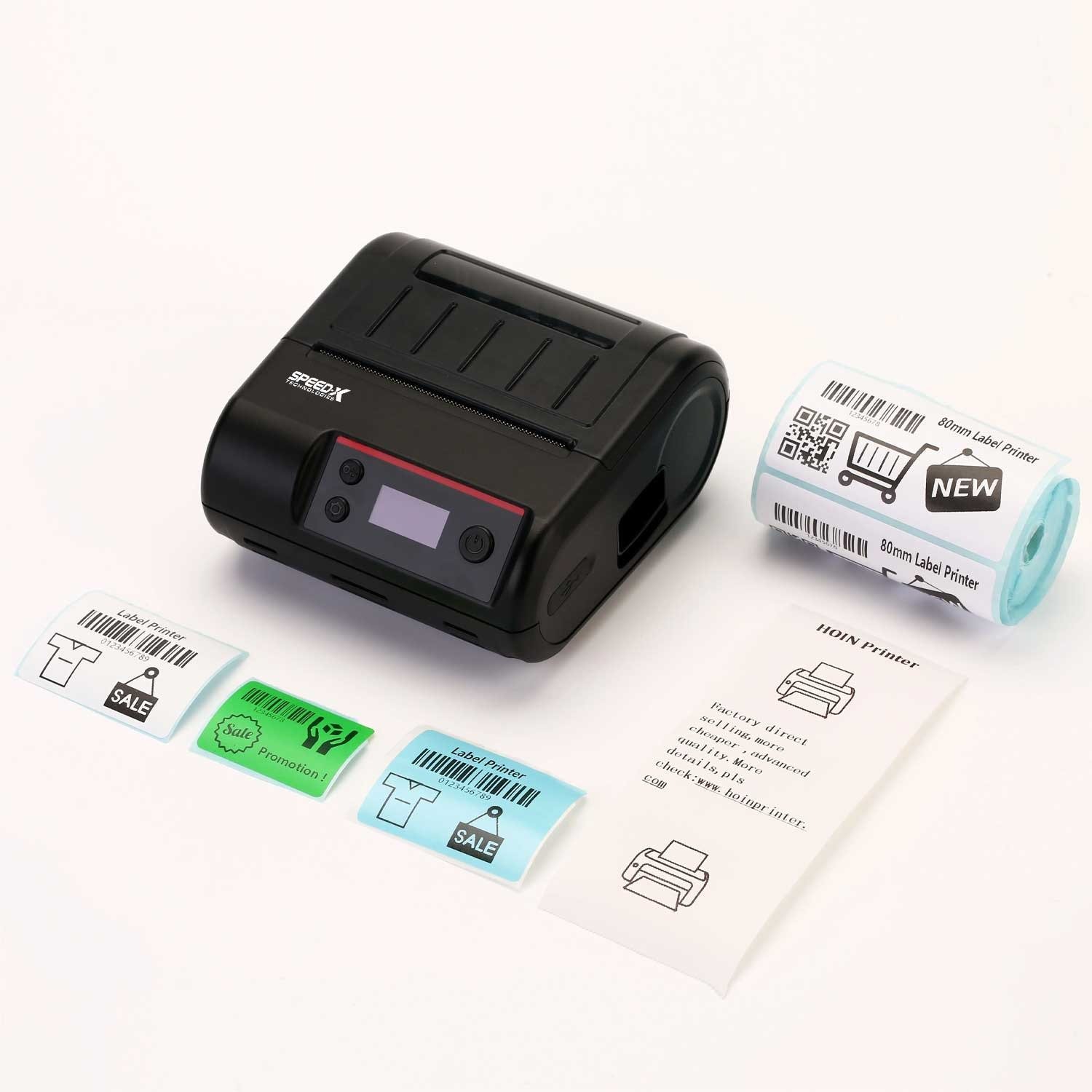
The Speed-X SP-L610BT combines receipt and label printing in one portable device. It can print customer receipts on continuous thermal paper and product, inventory or parcel labels on compatible adhesive thermal media.
Its Bluetooth interface allows supported mobile devices to communicate with the printer without a fixed cable connection. USB can be used when the printer is connected directly to a laptop, desktop computer or compatible POS workstation.
A built-in rechargeable battery supports printing away from a permanent counter or power outlet. This makes the printer useful for delivery teams, mobile sales staff, warehouses, temporary stalls and field-service businesses.
Buy the Speed-X SP-L610BT and more Point of Sale Products from GS Systemz for local product availability in Pakistan.
The Speed-X SP-L610BT is designed for portable receipt and adhesive-label printing.
Key features:
These specifications are consistently reported across several Pakistan-based product listings. Some listings describe Bluetooth as optional, so GS Systemz should confirm that its exact SP-L610BT stock includes USB and Bluetooth before publishing the interface as guaranteed.
The Speed-X SP-L610BT is suitable for businesses that need portable receipts or labels within its 20mm to 80mm supported media-width range.
| Application | Suitability |
|---|---|
| Mobile POS receipts | Excellent |
| Retail receipts | Excellent |
| Delivery receipts | Excellent |
| Product barcode labels | Excellent |
| Retail price labels | Excellent |
| Inventory labels | Excellent |
| Parcel identification labels | Good |
| Small courier labels | Good |
| Shelf labels | Good |
| QR-code labels | Good |
| Field-service invoices | Good |
| Restaurant order receipts | Good |
| Standard 4-inch shipping labels | Not suitable |
| Long-term thermal transfer labels | Not supported |
| Continuous industrial production | Consider an industrial printer |
The portable design, rechargeable battery, receipt-and-label capability and Bluetooth connection make the printer suitable for retail, logistics, delivery and mobile business applications.
Here are the main listed product specifications:
| Specification | Detail |
|---|---|
| Product name | Speed-X SP-L610BT |
| Product type | Portable receipt and label printer |
| Printing method | Direct thermal / thermal line |
| Print resolution | 203 DPI / 8 dots per mm |
| Maximum print speed | 70mm per second |
| Maximum paper size | 80mm |
| Supported paper width | 20–80mm |
| Supported print length | 10–180mm |
| Label-roll diameter | 25–50mm |
| Supported media | Thermal receipt paper and adhesive thermal labels |
| Standard interface | USB |
| Wireless interface | Bluetooth on the USB + Bluetooth variant |
| Battery | Rechargeable |
| Listed battery capacity | 2500mAh |
| Printer commands | TSPL, CPCL and ESC/POS |
| Barcode support | 1D and 2D |
| SDK | Listed as available |
| Listed SDK platforms | Windows, Android and iOS |
| Colour | Confirm available stock |
| Best for | Portable receipts, labels and mobile POS printing |
| Warranty | Confirm with GS Systemz |
| Package contents | Confirm before ordering |
The 203 DPI resolution, 70mm/s speed, 20–80mm media range, 10–180mm print length, 25–50mm label-roll diameter and command support are repeated across several product listings. No public official Speed-X manufacturer datasheet was located during verification, so specifications should be checked against the physical unit or supplied manual.
A portable thermal printer uses a rechargeable battery and compact body so it can print away from a fixed checkout counter or office workstation.
The SP-L610BT uses direct thermal technology. Its printhead applies heat directly to compatible thermal receipt paper or adhesive thermal labels, so the printer does not require ink cartridges, toner or a thermal transfer ribbon.
Its portable format is useful for:
The printer still requires compatible software, correctly sized thermal media and a supported USB or Bluetooth connection.
Two-in-one printing means the SP-L610BT can use compatible continuous thermal receipt paper and adhesive thermal label rolls.
Continuous thermal paper can be used for:
Adhesive thermal media can be used for:
The printer uses one roll at a time. The installed media and software settings must be changed when switching between receipt and label printing.
The 80mm figure refers to the maximum listed media width supported by the printer.
The Speed-X SP-L610BT supports paper widths from approximately 20mm to 80mm. This range allows it to use standard 80mm thermal receipt paper and narrower adhesive-label rolls.
It can be used with:
An 80mm printer cannot normally print standard 4-inch-wide shipping labels because a 4-inch label is approximately 101.6mm wide.
DPI means dots per inch. The SP-L610BT produces printed output at a resolution of 203 dots per inch.
This resolution is suitable for:
A higher-resolution printer may be more suitable when extremely small text, compact QR codes or miniature barcode labels are required.
For standard portable receipts and labels, 203 DPI provides a practical balance between print clarity, speed and battery use. The model’s listed resolution is 203 DPI.
The Speed-X SP-L610BT has a listed maximum printing speed of 70mm per second.
This speed is suitable for mobile receipts, delivery slips, product labels, shelf labels and general portable printing.
Actual printing speed can depend on:
A lower speed may produce clearer results when printing small barcodes, detailed graphics or difficult thermal media.
No. The SP-L610BT uses direct thermal printing, so it does not need ink cartridges, toner or a thermal transfer ribbon.
The printer requires heat-sensitive thermal paper or thermal adhesive labels. Heat from the printhead creates the image directly on the media.
Direct thermal printing is practical for:
Direct thermal print can fade when exposed to heat, sunlight, friction, plasticisers or certain chemicals. A thermal transfer printer is more suitable when labels must remain readable for a long period or withstand harsh conditions.
Several listings report that the SP-L610BT has a built-in rechargeable 2500mAh battery.
The battery allows the printer to operate away from a fixed power outlet, making it useful for delivery work, mobile POS applications and field-service printing.
Actual battery runtime can depend on:
A verified operating time, charging time and standby time are not consistently published. GS Systemz should confirm those values from the manual or a physical battery test before adding numerical runtime claims.
Charge the printer using the supplied charger or charging cable specified for the exact unit.
Basic charging precautions include:
The exact charging voltage, charging time and indicator-light behaviour should be taken from the manual included with the GS Systemz unit.
The requested SP-L610BT configuration includes USB and Bluetooth connectivity.
USB allows the printer to connect directly to a compatible:
USB is useful for fixed or semi-fixed printing where the printer remains near one computer.
Bluetooth allows compatible mobile devices or computers to communicate with the printer wirelessly.
It may be useful for:
Several listings state that USB is standard while USB plus Bluetooth may be an optional configuration. GS Systemz should confirm that the exact stock is the Bluetooth model before adding the product to the website.
Product listings state that an SDK is available for Windows, Android and iOS integration.
SDK support means developers or compatible software providers may be able to add printer communication to an application. It does not guarantee automatic compatibility with every POS, billing, courier or mobile application.
Before ordering, confirm:
A physical print test is recommended when the printer will be used with specialised software.
The SP-L610BT is listed with support for three common printer command sets:
These commands support different printing workflows.
TSPL is commonly associated with barcode and label layouts.
CPCL is widely used in portable and mobile printer applications.
ESC/POS is commonly used for receipt and POS printing.
Support for these commands helps explain how the printer can operate as both a receipt printer and a label printer. Actual compatibility depends on the software and template used by the business.
Available specifications state that the SP-L610BT supports 1D and 2D barcode printing.
The detailed list of barcode symbols is not consistently published, so support for a particular format should be tested before deployment.
Possible business applications include:
For reliable barcode output:
Very small or dense QR codes may require larger dimensions or a higher-resolution printer.
The listed paper-width range is 20mm to 80mm.
The listed print-length range is 10mm to 180mm, while the listed label-roll diameter is approximately 25mm to 50mm.
Supported media can include:
Before ordering media, confirm:
Media that is too wide or supplied on an oversized roll may not fit inside the portable printer.
No. The printer supports media up to 80mm wide, while a standard 4-inch shipping label is approximately 101.6mm wide.
The SP-L610BT can print smaller parcel, address or courier labels that fit within its 20mm to 80mm media range.
Choose a dedicated 4-inch label printer when the business uses:
Choose the SP-L610BT when portability and labels no wider than 80mm are more important.
Choose the SP-L610BT when you need portable receipt and label printing with a rechargeable battery.
| Requirement | Recommendation |
|---|---|
| Mobile receipt printing | SP-L610BT is suitable |
| Portable label printing | SP-L610BT is suitable |
| 80mm receipt paper | Supported |
| Adhesive thermal labels | Supported |
| USB connection | Supported |
| Bluetooth connection | Confirm exact Bluetooth variant |
| Rechargeable battery | Supported |
| 203 DPI printing | Supported |
| 70mm/s printing speed | Supported |
| 1D and 2D barcodes | Listed as supported |
| Android integration | SDK listed; confirm application |
| iOS integration | SDK listed; confirm application |
| Windows integration | SDK listed; confirm driver |
| Standard 4-inch labels | Not suitable |
| Thermal transfer printing | Not supported |
| Permanent outdoor labels | Consider thermal transfer |
| Heavy industrial printing | Consider an industrial printer |
The SP-L610BT is most suitable for portable business operations that use receipts and labels no wider than 80mm.
A portable printer is designed to operate with a rechargeable battery and move with the user. A desktop printer normally remains connected to a fixed power outlet and workstation.
| Feature | SP-L610BT Portable Printer | Desktop Thermal Printer |
|---|---|---|
| Power source | Rechargeable battery | Usually fixed power adapter |
| Mobility | Designed for mobile use | Designed for a counter or desk |
| Maximum media width | Up to 80mm | Depends on model |
| Bluetooth | Included on selected variant | Depends on model |
| USB connection | Supported | Usually supported |
| Internal roll size | Smaller portable roll | Usually larger roll |
| Printing speed | Up to 70mm/s | Often faster |
| Best use | Delivery and mobile sales | Fixed retail and warehouse stations |
| Continuous workload | Limited by battery and compact design | Better for longer fixed sessions |
Choose the portable SP-L610BT when printing must happen at different locations.
Choose a desktop model when larger media rolls, faster printing or continuous fixed-station use is more important.
The SP-L610BT is designed to print both receipts and adhesive labels. A standard 80mm receipt printer is usually focused on continuous receipt-paper printing.
| Feature | SP-L610BT | Standard 80mm Receipt Printer |
|---|---|---|
| Portable battery operation | Yes | Usually no |
| Receipt printing | Supported | Supported |
| Adhesive-label printing | Supported | May not support label sensing |
| Bluetooth | Available on selected variant | Depends on model |
| USB | Supported | Commonly supported |
| Maximum speed | Up to 70mm/s | Often faster |
| Printer commands | TSPL, CPCL and ESC/POS | Usually ESC/POS |
| Best use | Mobile receipts and labels | Fixed counter receipts |
| Internal roll size | Compact portable roll | Usually larger receipt roll |
Choose the SP-L610BT when portable label printing is required in addition to receipts.
Choose a fixed 80mm receipt printer when the main requirement is faster counter billing with larger receipt rolls.
GS Systemz offers the Speed-X SP-L610BT for customers in Pakistan who need portable thermal receipt and label printing.
This product page helps customers check:
Before placing an order, confirm:
Checking these details helps ensure that the supplied printer matches your software, devices and portable printing requirements.
Keep the SP-L610BT on a stable surface while loading media or charging. Protect the printer from water, dust, excessive heat and direct sunlight.
Printer care tips:
Correct charging, clean thermal media and regular printhead maintenance can help reduce faded printing, skipped labels, paper jams and barcode-reading problems.
Buy the Speed-X SP-L610BT if your business needs portable receipts and adhesive labels up to 80mm wide.
It is suitable for:
It is especially useful when USB, Bluetooth and battery-powered printing are required in one portable device.
Get the Speed-X SP-L610BT Portable Thermal Label and Receipt Printer from GS Systemz for mobile billing, delivery, inventory and portable label-printing requirements.
Use it to print customer receipts, delivery slips, product barcodes, price labels, inventory tags, QR codes and small parcel labels without ink, toner or ribbon.
Confirm the Bluetooth configuration, battery, charging accessories, compatible media, software support and warranty before adding the SP-L610BT to your business setup.
The Speed-X SP-L610BT is a portable 80mm direct thermal printer designed to print receipts and adhesive labels.
The printer has a listed resolution of 203 DPI, which is suitable for standard receipt text, labels and barcodes.
The Speed-X SP-L610BT prints at speeds of up to 70mm per second.
No. It uses direct thermal printing and does not require ink, toner or a thermal transfer ribbon.
Yes. It supports compatible thermal receipt paper and adhesive thermal labels.
The printer supports listed paper widths from 20mm to 80mm.
Bluetooth is available on the USB plus Bluetooth configuration. Some listings describe it as optional, so confirm the exact variant before ordering.
Several Pakistan-based listings report a rechargeable 2500mAh battery. Confirm the battery specification on the actual GS Systemz unit.
No. Its maximum listed media width is 80mm, which is narrower than a standard 4-inch label.
You can buy the Speed-X SP-L610BT Portable Thermal Label and Receipt Printer from GS Systemz in Pakistan.
Reviews
There are no reviews yet.