
₨10,000.00
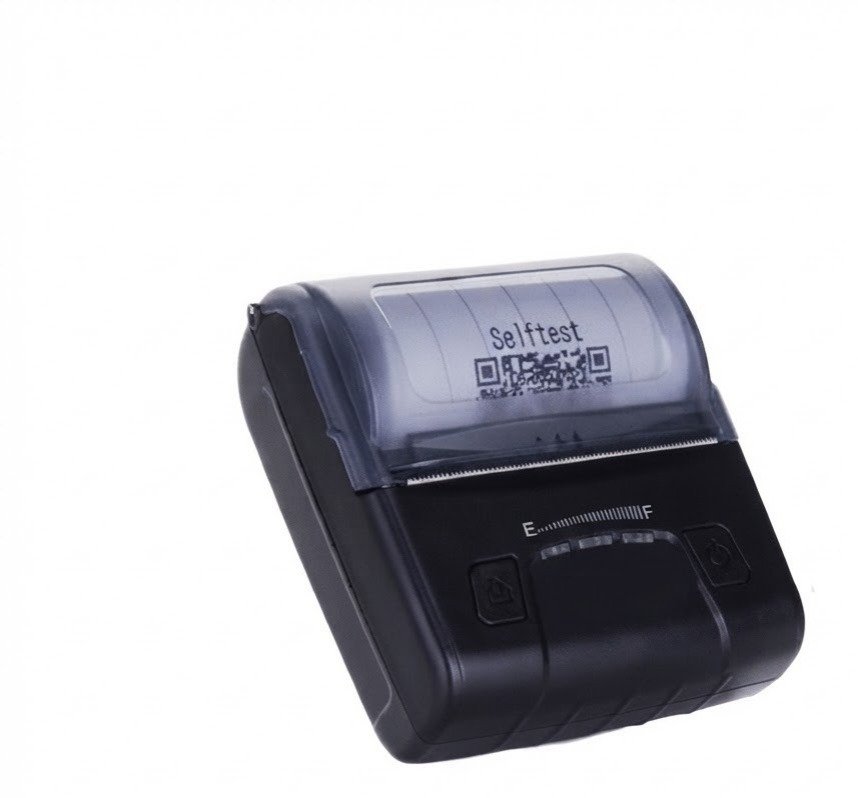
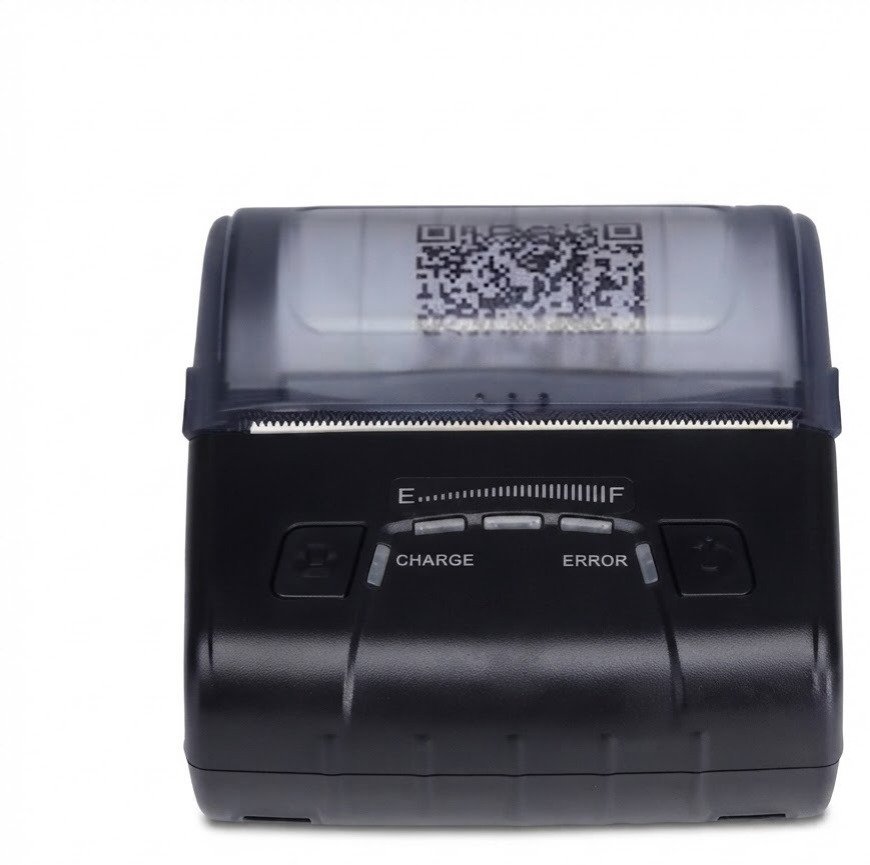
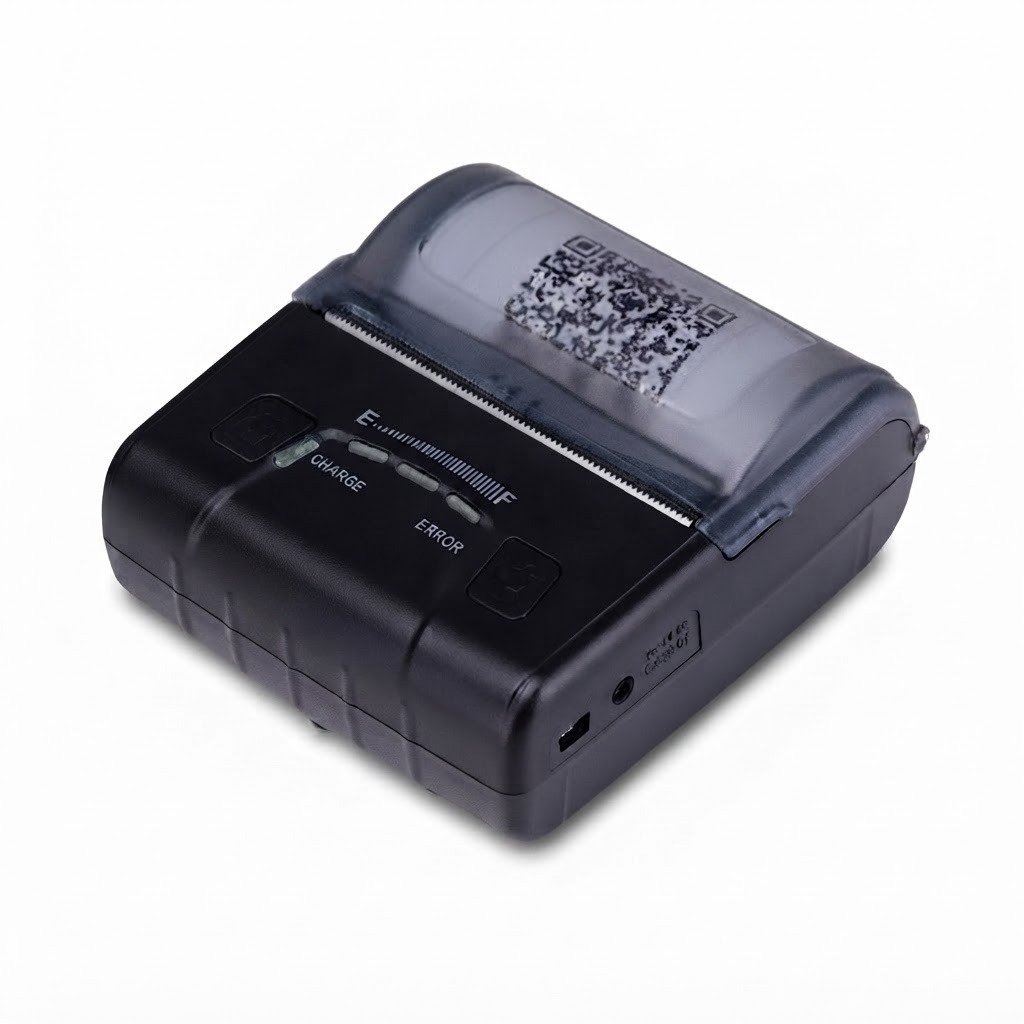
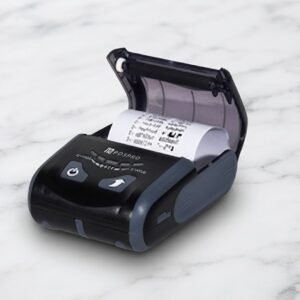
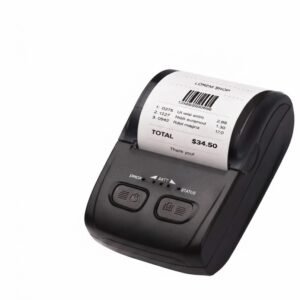
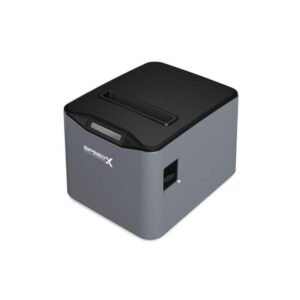
The BT600M Mini Portable Bluetooth+USB Printer 80mm is a rechargeable direct-thermal receipt printer designed for mobile billing, courier deliveries, restaurants, retail counters, taxis, field services and temporary sales locations.
Its complete product name is the Speed-X BT600M Mini Portable Bluetooth + USB Thermal Printer. It prints receipts and other compatible black-and-white documents on 80mm thermal paper without ink cartridges, toner or ribbons.
The BT600M connects wirelessly to compatible phones and tablets through Bluetooth or directly to computers through USB. Current Pakistan listings consistently advertise a 1500mAh rechargeable lithium-polymer battery, 5V/1A charging, automatic paper-out detection, a charge indicator, smart power-saving functions and support for Android, iOS, Windows and Linux.
The printer’s compact format makes it useful when receipts need to be produced away from a permanent checkout counter. It can be carried between restaurant tables, vehicles, customer locations, event counters and delivery destinations.
The Speed-X BT600M is a portable 80mm thermal printer with Bluetooth and USB interfaces.
It is designed to print transaction records such as:
The printer uses direct-thermal technology, so its main consumable is compatible heat-sensitive paper. No ribbon, ink cartridge or toner is required.
The BT600M is repeatedly promoted for mobile POS systems, courier operations, retail billing, hospitality, events and field-based business activities.
| Feature | Published information |
|---|---|
| Brand | Speed-X |
| Model | BT600M / BT-600M |
| Product type | Mini portable thermal printer |
| Printing method | Thermal line printing |
| Paper category | 80mm thermal paper |
| Interfaces | Bluetooth + USB |
| Battery type | Rechargeable lithium polymer |
| Battery capacity | 1500mAh |
| Charging input | 5V/1A |
| Smart power saving | Supported |
| Variable-speed operation | Advertised |
| Paper-out sensor | Supported |
| Charge indicator | Supported |
| Android support | Advertised |
| iOS support | Advertised |
| Windows support | Advertised |
| Linux support | Advertised |
| Published product weight | Approximately 0.5kg from selected sellers |
| Colour | Black or grey depending seller and revision |
| Print speed | Not reliably established |
| Resolution | Not reliably published |
| ESC/POS support | Advertised by one seller; verify |
| Automatic cutter | Not confirmed |
| QR-code printing | Not confirmed by core specification |
| Wi-Fi | Not advertised |
| Ethernet LAN | Not advertised |
| Cash-drawer port | Not confirmed |
| Local warranty | Confirm with GS Systemz |
| Package contents | Vary by seller |
The core battery, connectivity, operating-system and sensor details are consistent across several current Pakistani listings. Numerical optical and mechanical specifications are much less complete.
The BT600M is designed for businesses that need wider mobile receipts than a typical 58mm portable printer can provide.
An 80mm receipt gives more horizontal space for:
Its rechargeable battery allows the printer to operate away from a fixed power socket, while Bluetooth enables compatible mobile devices to send print jobs without a permanent data cable.
USB provides an alternative wired connection for computer-based use, setup or situations where Bluetooth is unavailable.
Its main buying advantages include:
These are the most consistently published BT600M capabilities.
The BT600M is sold as an 80mm portable receipt printer.
An 80mm paper specification usually refers to the physical receipt-paper category rather than the exact printable area. The print head generally uses an area narrower than the full paper width to leave operational margins.
The exact supported paper width, printable width, roll diameter, core size and paper thickness are not stated in the core BT600M specification. GS Systemz should measure the paper compartment and check the supplied documentation before recommending a particular roll.
Bluetooth allows the BT600M to connect wirelessly with compatible:
Bluetooth is useful for businesses where staff move between customers or locations and cannot keep the printer connected through a USB cable.
The current listings do not consistently identify:
The exact connection method should therefore be tested with the customer’s intended mobile application.
USB allows the printer to connect directly to a compatible computer or host device.
USB may be preferred when:
The package should be checked to determine whether its USB cable supports both data and charging or charging only.
The BT600M is consistently advertised with a 1500mAh lithium-polymer battery and a 5V/1A charging input.
Actual battery runtime depends on:
No reliable active-runtime or standby-time figure was found. GS Systemz should avoid guaranteeing a specific number of hours or receipts without testing its stock revision.
The printer includes a sensor that detects when the thermal-paper roll is empty. This helps reduce failed transactions and allows the operator to replace the roll promptly.
The BT600M includes a charging or battery-status indicator. Exact indicator colours and low-battery warning behaviour are not publicly documented.
Current listings advertise smart power-saving functions intended to reduce unnecessary battery consumption during idle periods. The exact sleep timeout and automatic-shutdown behaviour should be checked in the supplied manual.
Variable-speed printing is repeatedly listed as a BT600M feature, but public sources do not explain whether speed changes automatically with battery level, print density, temperature or software configuration.
Treat this as a general efficiency feature rather than a user-selectable speed specification until the physical printer has been tested.
| Application | Suitability |
|---|---|
| Mobile sales receipts | Excellent |
| Delivery payment slips | Excellent |
| Courier confirmations | Excellent |
| Restaurant table-side bills | Excellent |
| Café receipts | Excellent |
| Taxi or transport receipts | Excellent |
| Field-service invoices | Excellent |
| Event ticketing | Good with compatible software |
| Temporary sales counters | Excellent |
| Market and exhibition stalls | Excellent |
| Mobile POS billing | Excellent with compatible app |
| Retail counter receipts | Good |
| Android printing | Advertised |
| iPhone or iPad printing | Advertised; application-dependent |
| Windows USB printing | Advertised |
| Linux printing | Advertised |
| Wider itemised receipts | Better than 58mm models |
| Kitchen tickets | Suitable for mobile or local use |
| Network kitchen printer | Not suitable without Wi-Fi or LAN |
| Cash-drawer operation | Not confirmed |
| Automatic receipt cutting | Not confirmed |
| Adhesive labels | Not confirmed |
| A4 documents | Not supported |
| Colour printing | Not supported |
| High-volume supermarket checkout | Choose a desktop printer |
The BT600M is most appropriate for mobile, low- to moderate-volume transaction printing rather than continuous high-volume checkout work.
| Specification | Detail |
|---|---|
| Product name | Speed-X BT600M |
| Printer category | Mini portable thermal printer |
| Printing method | Thermal line |
| Paper category | 80mm |
| Connectivity | Bluetooth + USB |
| Battery chemistry | Lithium polymer |
| Battery capacity | 1500mAh |
| Charging input | 5V/1A |
| Power-saving feature | Supported |
| Variable-speed feature | Advertised |
| Paper-out sensor | Supported |
| Charge indicator | Supported |
| Android | Advertised |
| iOS | Advertised |
| Windows | Advertised |
| Linux | Advertised |
| Ink or toner | Not required |
These details appear consistently across Mustafa Computers, Shophive, Buy Karlo, IT Bazar and Wise-Tech.
| Specification | Verification status |
|---|---|
| Print resolution | Not consistently published |
| Print speed | Conflicting or unsupported |
| Printable width | Not published |
| Maximum roll diameter | Not published |
| Paper thickness | Not published |
| Bluetooth version | Not published consistently |
| Bluetooth range | Not published |
| Active battery runtime | Not published |
| Standby duration | Not published |
| Full charging time | Not published |
| Dimensions | Not reliably published |
| Weight | Approximately 0.5kg in selected listings |
| ESC/POS commands | Claimed by one seller; verify |
| Supported barcode formats | Not published |
| QR-code output | Not confirmed in core specification |
| Cutter type | Not published |
| Cash-drawer port | Not published |
| Drop protection | Not published |
| IP rating | Not published |
| Warranty duration | Seller-dependent |
| Complete box contents | Vary by package |
GS Systemz should use the carton label, printer self-test, rear ports, battery label and supplied manual to complete these fields.
One Pakistan Store description and several mirrored retailer pages claim that the BT600M can print text and graphics at up to 300mm/s. However, most current BT600M listings omit an exact speed and provide no technical print-engine table supporting that figure.
A 300mm/s claim should not be used as the main product specification until confirmed because:
The trustworthy product-page wording is:
High-speed portable thermal printing; exact millimetres-per-second rating should be verified from the BT600M self-test page or supplied manual.
No reliable public BT600M specification confirms 203 dpi, 300 dpi or another fixed resolution.
Many thermal receipt printers use 203 dpi, but that cannot be automatically applied to the BT600M without documentation.
Before adding a resolution claim, GS Systemz should check:
Until verified, describe the printer as suitable for normal receipt text and basic black-and-white graphics rather than promising a particular dpi.
The printer is consistently listed for 80mm thermal paper.
The exact roll must still be checked for:
Portable 80mm printers generally accept smaller roll diameters than full-size desktop printers. A standard desktop 80mm roll may therefore be too large even though its width is correct.
The safest buying instruction is:
Use an 80mm thermal roll whose diameter and thickness fit the BT600M paper compartment.
No. It uses direct-thermal printing.
Heat from the print head darkens the coating on compatible thermal paper. The printer therefore does not require:
Thermal receipts may fade when exposed to direct sunlight, heat, oils, moisture, alcohol or certain plastics. Important financial records should also be kept digitally.
Yes. Receipt printing is its main purpose.
Possible receipt types include:
Receipt formatting is controlled by the connected application or computer software.
One seller promotes the BT600M for shipping labels and patient labels, but the published specification does not confirm a gap sensor, black-mark sensor or die-cut label calibration.
The printer should not be marketed as a dedicated label printer until GS Systemz verifies:
It is safer to position the BT600M primarily as an 80mm portable receipt printer.
Choose a dedicated thermal label printer for:
QR-code support is not clearly stated in the core technical listings.
A third-party seller describes the printer as compatible with ESC/POS and major POS software, which may allow QR-code output if the firmware supports the necessary commands. This remains a seller claim rather than a verified manufacturer specification.
GS Systemz should print and scan a test QR code before advertising this feature.
Test:
Specific 1D barcode formats are not published for the BT600M.
ESC/POS-compatible printers often support formats such as EAN, UPC, Code 39 and Code 128, but those formats cannot be guaranteed without a command manual or test.
A business that requires barcodes on every receipt should test its exact:
The printer is described as capable of printing text and graphics, which suggests that compatible software can send monochrome logos or bitmap images.
For better logo output:
Logo storage inside the printer is not confirmed. The application may need to transmit the image with every receipt.
One current retailer states that the BT600M works with the standard ESC/POS command set. The main Speed-X listings do not publish a command-language field.
Before advertising complete ESC/POS compatibility, test:
The safest specification is:
Designed for mobile POS printing; ESC/POS compatibility should be confirmed with the intended application.
Android support is consistently advertised.
A typical Android installation may involve:
Pairing successfully does not guarantee that every Android application can print. The chosen app must support the BT600M’s Bluetooth and printer-command implementation.
iOS support is also consistently advertised.
This should not be confused with universal Apple AirPrint support.
An iPhone or iPad may require:
No public source confirms AirPrint or Apple MFi certification. Test the intended iOS application before purchasing multiple units.
Windows support is listed by the main BT600M distributors.
A typical Windows USB setup may involve:
Specific Windows versions and Windows 11 compatibility are not publicly documented. Confirm the driver before guaranteeing support.
Linux support is advertised by multiple current sellers.
Practical compatibility may depend on:
Test the exact Linux environment before a multi-unit deployment.
A normal Bluetooth setup may follow these steps:
The exact device name, PIN and Bluetooth mode must be obtained from the included manual or packaging.
A normal USB setup may involve:
Some USB cables carry power only. Verify the cable before troubleshooting the printer.
The BT600M is consistently advertised with a 1500mAh rechargeable lithium-polymer battery. Its listed charging input is 5V/1A.
The battery may be removable in some photographed packages because selected sellers list a separate BT600M battery in the box. Other sellers describe it as built in. GS Systemz should inspect the physical unit before describing the battery as removable or replaceable.
No reliable public active-runtime or standby figure was found.
Battery life will vary according to:
Use the conversion-safe wording:
Rechargeable 1500mAh battery with power-saving support; actual runtime varies according to print volume, connection mode and battery condition.
The current sources publish a 5V/1A charging requirement but do not state a consistent full charging time.
Before publication, confirm:
This function is not clearly documented.
GS Systemz should physically test:
Use the recommended 5V/1A charging source unless the physical label states otherwise.
No reliable listing confirms a motorised automatic cutter.
Portable battery-powered printers commonly use a manual tear edge to reduce weight, size and power consumption, but the BT600M’s cutter type must be checked physically.
Do not publish “automatic cutter” without confirming:
Current BT600M specifications consistently list Bluetooth and USB. Wi-Fi and Ethernet LAN are not advertised.
Choose another printer when the business requires:
No cash-drawer port or output voltage is confirmed.
Portable receipt printers generally do not provide the 24V drawer connection found on desktop POS printers.
Choose a suitable desktop receipt printer when automatic cash-drawer opening is essential.
Selected seller pages list a product weight of approximately 0.5kg. Exact dimensions are not reliably published.
The BT600M is larger than a 58mm pocket printer because it must accommodate wider paper and a larger thermal mechanism.
It is portable enough for mobile POS use, but it may be better described as a compact carry printer rather than a pocket printer until its exact dimensions are measured.
Yes. Its battery, Bluetooth connection and 80mm receipt width make it suitable for compatible delivery and courier workflows.
It may print:
The delivery application must support the printer’s communication and formatting method.
Yes, particularly for table-side and mobile receipt printing.
Possible restaurant uses include:
A desktop USB or LAN printer is generally better for permanent kitchen installations and continuous high-volume printing.
Yes. Its rechargeable battery and Bluetooth interface can support:
Protect the printer from dashboard heat, rain, dust and repeated impacts.
Package descriptions vary.
Pakistan Store, Gadgets360, Buy Karlo and Technoshop list:
Mustafa Computers and Shophive list only the printer in their published box contents.
Depending on the GS Systemz package, the box may include:
Inspect the physical package before guaranteeing any accessory.
| Requirement | Recommendation |
|---|---|
| Portable 80mm receipts | Supported |
| Bluetooth printing | Supported |
| USB printing | Supported |
| Rechargeable operation | Supported |
| 1500mAh battery | Supported |
| Android | Advertised; app testing required |
| iPhone or iPad | Advertised; app-dependent |
| Windows | Advertised; driver required |
| Linux | Advertised |
| Paper-out detection | Supported |
| Charge indicator | Supported |
| Smart power saving | Supported |
| Exact print speed | Verify |
| Exact resolution | Verify |
| QR-code printing | Verify |
| ESC/POS | Verify with software |
| Automatic cutter | Not confirmed |
| Cash-drawer port | Not confirmed |
| Wi-Fi | Not advertised |
| Ethernet LAN | Not advertised |
| Adhesive labels | Not confirmed |
| A4 documents | Not supported |
| Colour printing | Not supported |
Choose the BT600M when portability, Bluetooth and wider 80mm receipts are more important than high desktop-printer speed or network connectivity.
| Feature | BT600M | BT500M |
|---|---|---|
| Paper category | 80mm | 58mm |
| Receipt width | Wider | Narrower |
| Portability | Compact carry printer | Smaller and lighter |
| Bluetooth | Supported | Supported |
| USB | Supported | Supported |
| Battery | 1500mAh | 1500mAh |
| Published speed | Not reliably established | Up to 90mm/s consistently listed |
| Resolution | Not reliably published | 203 dpi published |
| Product descriptions | More horizontal space | Less horizontal space |
| Best use | Detailed mobile receipts | Compact simple receipts |
Choose the BT600M when receipts need more space for products, taxes, logos and customer details.
Choose the BT500M when smaller size and a better-documented 58mm platform are more important.
| Feature | BT600M | BT450M |
|---|---|---|
| Paper category | 80mm | 58mm |
| Body size | Larger | Smaller |
| Bluetooth | Supported | Bluetooth 4.0 advertised |
| USB | Supported | Supported |
| Battery | 1500mAh | 1500mAh |
| Wider invoices | Better | More limited |
| Carrying convenience | Moderate | Higher |
| Best use | Detailed portable receipts | Lightweight mobile billing |
The BT600M offers wider output, while the BT450M is easier to carry for simple payment slips.
| Feature | BT600M | SP-200U |
|---|---|---|
| Paper category | 80mm | 80mm |
| Printer type | Portable | Desktop |
| Battery | Yes | No |
| Bluetooth | Yes | No |
| USB | Yes | Yes |
| Speed | Unverified | Up to 220mm/s |
| Automatic cutter | Not confirmed | Supported |
| Cash-drawer port | Not confirmed | Supported |
| Best use | Mobile billing | Fixed checkout counter |
Choose the BT600M for portable Bluetooth printing.
Choose the SP-200U for faster fixed-counter printing, automatic cutting and cash-drawer integration.
| Feature | BT600M | SP-L610BT |
|---|---|---|
| Primary purpose | Portable receipts | Receipt and label printing |
| Maximum paper category | 80mm | Up to 80mm |
| Bluetooth | Yes | Yes |
| USB | Yes | Yes |
| Battery | 1500mAh | Verify SP-L610BT package |
| Label sensor | Not confirmed | Label function advertised |
| Published resolution | Not confirmed | 203 dpi |
| Published speed | Not confirmed | 70mm/s |
| Best use | Mobile receipt printing | Labels and receipts |
Choose the BT600M for straightforward mobile receipt printing.
Choose the SP-L610BT when properly calibrated adhesive labels are required and its exact media sensors have been verified.
GS Systemz can position the BT600M for Pakistani businesses that need portable Bluetooth receipt printing with wider 80mm paper.
This product page helps buyers understand:
Before ordering, confirm:
The printer may be suitable for:
Check availability of the Speed-X BT600M Mini Portable Bluetooth + USB Printer 80mm from GS Systemz in Pakistan.
Use it for mobile sales receipts, restaurant bills, delivery confirmations, taxi receipts, booking slips, field-service invoices and other portable 80mm thermal-printing workflows.
Confirm the print speed, resolution, Bluetooth profile, USB data mode, battery, charger, paper-roll capacity, mobile application, cutter, warranty and complete box contents before ordering.
The BT600M is a portable 80mm direct-thermal printer with Bluetooth, USB, a rechargeable 1500mAh battery and mobile operating-system support.
No. It prints on compatible heat-sensitive thermal paper without ink, toner or ribbons.
It is advertised for 80mm thermal paper. The exact roll diameter and thickness should be checked against the physical paper compartment.
One group of seller pages claims 300mm/s, but most listings do not publish an exact rate. Verify the speed through the printer’s self-test page or manual before advertising it.
Android and iOS compatibility are advertised, but the chosen POS application must support the printer’s Bluetooth and command implementation.
Windows and Linux support are consistently listed, although the correct driver and application configuration are still required.
It uses a rechargeable 1500mAh lithium-polymer battery with a listed charging input of 5V/1A.
QR-code printing is not confirmed in the core specification. It should be physically tested with the intended POS application before being guaranteed.
Wi-Fi is not advertised, and no reliable listing confirms an automatic cutter. The published interfaces are Bluetooth and USB.
You can check availability of the Speed-X BT600M Mini Portable Bluetooth + USB 80mm Thermal Printer from GS Systemz in Pakistan.
Reviews
There are no reviews yet.