
₨7,900.00
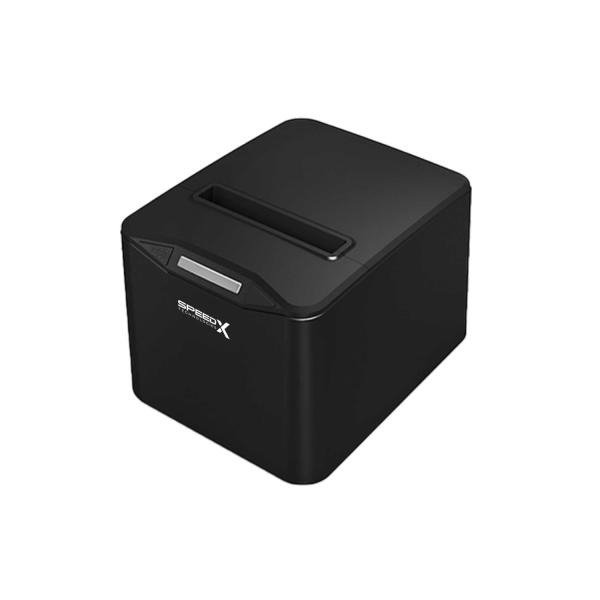
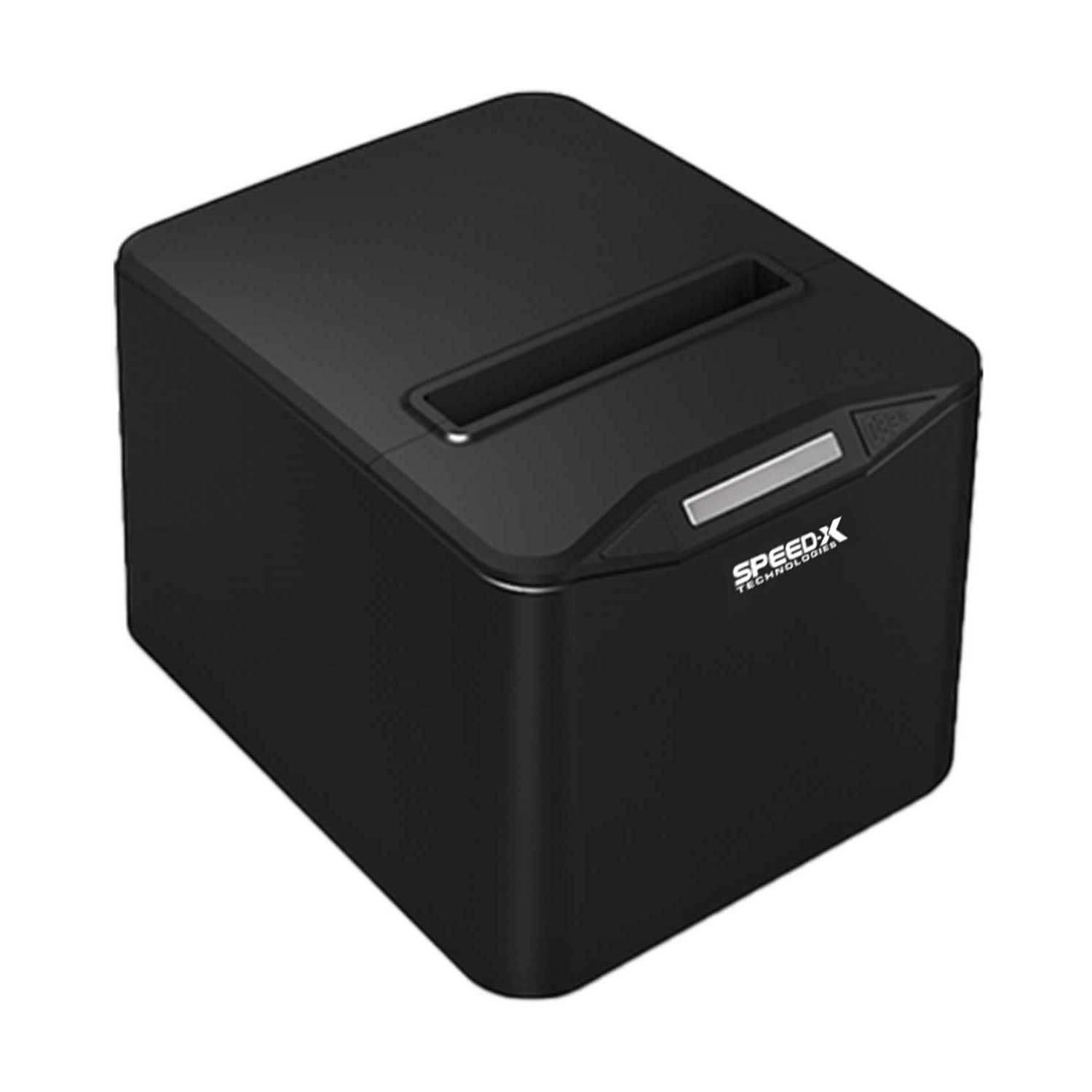
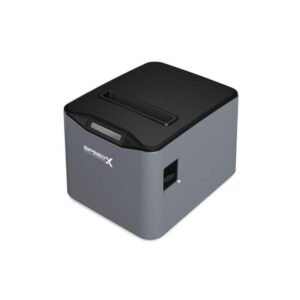
The SP-210UL 80mm Thermal Receipt Printer USB + LAN Black is a direct-thermal point-of-sale printer designed for retail counters, supermarkets, restaurants, cafés, pharmacies, hotels, reception desks and other businesses that need fast, dependable receipt printing.
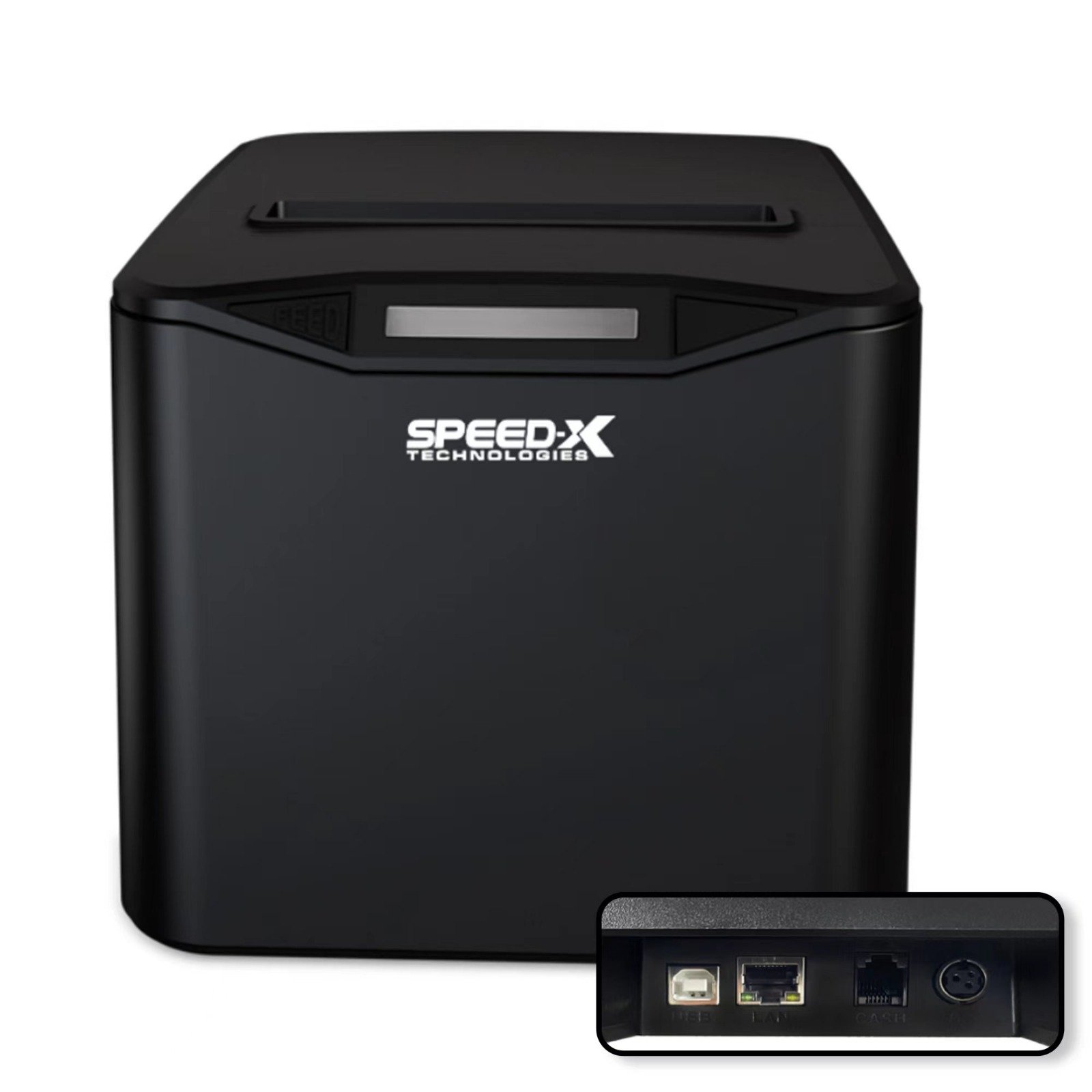
Its full model name is the Speed-X SP-210UL. The printer supports both a direct USB connection and wired Ethernet LAN, allowing it to operate beside one POS computer or as part of a properly configured network-based billing system.
The most consistently published specifications include a printing speed of up to 220mm per second, 203 dpi resolution, ESC/POS command support, an automatic partial/full cutter and support for standard 80mm thermal-paper rolls.
The SP-210UL does not require ink cartridges, toner or ribbons. It prints by applying heat to compatible thermal paper, reducing routine consumable requirements for businesses with regular receipt-printing needs.
The Speed-X SP-210UL is an 80mm direct-thermal receipt printer with USB and Ethernet LAN connectivity. It prints at a consistently advertised speed of up to 220mm/s, offers 203 dpi resolution, supports ESC/POS commands and includes an automatic cutter for partial or full cuts. It is most suitable for fixed retail, restaurant, pharmacy and reception installations where wired network printing is preferred.
| Feature | Published specification |
|---|---|
| Brand | Speed-X |
| Model | SP-210UL |
| Product type | Desktop thermal receipt printer |
| Printing technology | Direct line thermal |
| Paper category | 80mm thermal receipt roll |
| Maximum paper width | 79.5 ± 0.5mm |
| Paper thickness | Approximately 0.06–0.08mm |
| Most consistent print speed | Up to 220mm/s |
| Conflicting marketplace claim | Up to 300mm/s on selected listings |
| Resolution | 203 dpi / 8 dots per mm |
| Interfaces | USB + Ethernet LAN |
| Print commands | ESC/POS |
| Auto cutter | Partial and full cut |
| Published cutter life | Up to 1.5 million cuts |
| Published print-head reliability | Up to 100km |
| Barcode printing | Supported |
| QR Code and PDF417 printing | Advertised |
| Cash-drawer output | DC 24V/1A in detailed listings |
| Power-adapter output | DC 24V/2.5A in detailed listings |
| Installation | Desktop or wall-mounted |
| Colour | Black; grey is also listed by some sellers |
| Wi-Fi | No confirmed built-in Wi-Fi |
| Bluetooth | No confirmed Bluetooth |
| Battery | No |
| Local warranty | Confirm with GS Systemz |
These specifications are repeated by several Pakistan-based Speed-X sellers. A manufacturer-issued SP-210UL datasheet was not found publicly, so the carton label, self-test page and included manual should be treated as the final authority for GS Systemz stock.
The SP-210UL offers a useful balance between printing speed, wired networking and operating simplicity.
Its USB connection is suitable for a printer installed beside one billing computer. The Ethernet LAN interface provides more flexibility when the printer must be placed in a kitchen, service counter, pharmacy department or another location connected through a wired network.
Key buying advantages include:
The printer is marketed for supermarkets, retail stores, restaurants, hotels, pharmacies and reception environments.
The best-supported speed for the SP-210UL is 220 millimetres per second. This figure appears consistently in detailed listings from Mustafa Computers, Marko, Pakistan Store, Buy Karlo and several other local sellers.
A faster print mechanism can reduce delays when producing:
Actual output speed may be lower when printing dense logos, large graphics, QR codes or receipts with high print-darkness settings.
The SP-210UL is advertised with 203 dpi, equal to approximately eight dots per millimetre. This is a standard resolution for commercial receipt printers and is normally sufficient for clear text, basic logos, product details, totals and properly sized barcodes.
The letters UL reflect the model’s commonly advertised USB and LAN interface combination.
USB is suitable for a direct connection to one POS workstation. Ethernet LAN allows the printer to communicate through a wired local network, subject to correct IP, driver and POS-software configuration.
The printer includes a high-quality automatic cutter that supports partial and full cutting. Published cutter-life estimates reach approximately 1.5 million cuts under stated operating conditions.
The SP-210UL can be placed on a billing counter or installed vertically on a compatible wall mounting arrangement. This can save counter space in compact restaurants, pharmacies, kitchens and reception areas.
Current detailed listings advertise output for common 1D barcodes and selected 2D formats, including QR Code and PDF417. The complete list commonly includes UPC-A, UPC-E, EAN-13, EAN-8, Code 39, ITF, Codabar, Code 93 and Code 128.
The SP-210UL prints barcodes; it does not scan them.
| Application | Suitability |
|---|---|
| Supermarket checkout | Excellent |
| Grocery-store billing | Excellent |
| Retail receipts | Excellent |
| Restaurant customer bills | Excellent |
| Kitchen order tickets | Excellent with correct LAN setup |
| Café and bakery receipts | Excellent |
| Pharmacy invoices | Excellent |
| Clothing-store billing | Excellent |
| Hardware-store receipts | Excellent |
| Hotel and reception slips | Excellent |
| Queue or token printing | Good with compatible software |
| Customer-service receipts | Excellent |
| Fixed USB workstation | Excellent |
| Wired network printing | Excellent |
| Store-logo printing | Supported |
| 1D barcode printing | Supported |
| QR Code printing | Advertised |
| Cash-drawer control | Supported with compatible drawer |
| Bluetooth mobile printing | Not supported |
| Wi-Fi printing | Not confirmed |
| Battery-powered printing | Not supported |
| A4 document printing | Not supported |
| Colour printing | Not supported |
| Adhesive shipping labels | Not recommended |
The SP-210UL is primarily a fixed commercial receipt printer. It is not a portable printer, A4 document printer or dedicated adhesive-label printer.
| Specification | Published detail |
|---|---|
| Model | Speed-X SP-210UL |
| Print method | Direct line thermal |
| Paper type | Thermal receipt roll |
| Paper category | 80mm |
| Maximum paper width | 79.5 ± 0.5mm |
| Paper thickness | Approximately 0.06–0.08mm |
| Print speed | Up to 220mm/s |
| Resolution | 203 dpi / 8 dots per mm |
| Interfaces | USB + Ethernet LAN |
| Command language | ESC/POS |
| Automatic cutter | Partial or full cut |
| Cutter-life estimate | Approximately 1.5 million cuts |
| Print-head reliability | Approximately 100km |
| Power-adapter input | AC 110–220V, 50–60Hz |
| Power-adapter output | DC 24V/2.5A |
| Cash-drawer output | DC 24V/1A |
| Installation | Desktop or wall mounted |
| 1D barcode output | UPC-A, UPC-E, EAN-13, EAN-8, Code 39, ITF, Codabar, Code 93 and Code 128 |
| 2D output | QR Code and PDF417 advertised |
| Listed operating systems | Windows, macOS, Linux and Android |
| Colour | Black; some listings also show grey |
| Dimensions | Not reliably established |
| Net printer weight | Not reliably established |
| Warranty | Confirm local distributor coverage |
| Box contents | Verify physical package |
The detailed power, media and barcode specifications are published by Marko, while the core speed, cutter and interface figures are repeated across several other sellers.
The most reliable answer is up to 220mm/s.
Multiple detailed product pages consistently list:
A smaller number of recent marketplace titles claim 300mm/s, but those listings provide little or no supporting technical documentation.
The 300mm/s claim could result from:
GS Systemz should publish 220mm/s unless its physical printer carton, manual or self-test page clearly states 300mm/s.
Yes. It is an 80mm-class thermal receipt printer.
The detailed paper specification lists a maximum width of 79.5 ± 0.5mm, which corresponds to standard commercial 80mm receipt rolls.
The physical roll width and printable width are not always identical. A small margin normally remains at each side of the receipt.
The printer uses compatible direct-thermal roll paper with the following published characteristics:
Before purchasing paper in bulk, confirm:
The maximum supported roll diameter is not reliably published in the available SP-210UL listings.
No. The SP-210UL uses direct-thermal printing.
Its thermal print head heats selected areas of coated paper to create text and graphics. It therefore does not require:
The printer still requires compatible thermal-paper rolls and electrical power.
Thermal receipts may fade when exposed to strong heat, direct sunlight, moisture, oils or certain plastic materials. Important transaction records should also be retained digitally.
USB provides a direct physical connection between the printer and a compatible computer or POS terminal.
USB is normally the best option when:
A printer driver or compatible ESC/POS application may still be required.
The Ethernet LAN port allows the SP-210UL to receive supported print jobs through a wired local network.
A typical network installation involves:
The exact procedure depends on the LAN interface board, firmware and supplied configuration utility.
A fixed or reserved IP address is strongly recommended for permanent POS installations.
When a router assigns a different IP address after restarting, a computer may continue sending receipt jobs to the printer’s previous address. A static IP or DHCP reservation helps keep the printer available at the same network location.
The chosen IP address must:
The LAN interface can allow several properly configured computers to reach the printer, but whether this works reliably depends on the software environment.
Possible arrangements include:
Sending unrelated jobs simultaneously can result in incorrect receipt order or mixed output. Multi-terminal operation should be tested with the business’s actual POS system. One seller specifically promotes the printer for multi-terminal billing setups, but that requires correct software and network configuration.
| Feature | USB | Ethernet LAN |
|---|---|---|
| Connection | Direct cable | Wired network |
| Typical host | One local computer | One or more configured systems |
| Setup | Usually simpler | Requires IP configuration |
| Router or switch | Not required | Normally required |
| Working distance | Limited by USB cable | Suitable across a local network |
| Stability | Strong direct connection | Strong when network is configured correctly |
| IP address | Not needed | Required |
| Best use | One checkout counter | Kitchen, reception or shared network printer |
USB is easier for a single counter. LAN provides greater placement flexibility and controlled network access.
Built-in Wi-Fi is not included in the consistently published SP-210UL specification. Its confirmed interfaces are USB and wired Ethernet LAN.
A misleading customer review on one seller page mentions Wi-Fi, but the same review also claims the receipt printer can scan and copy. That review is not technically credible and should not be used as product evidence.
An Ethernet printer may be reachable from a Wi-Fi-connected computer through the same router, but that does not mean the printer itself contains Wi-Fi.
No Bluetooth interface is confirmed for the SP-210UL.
Choose a Bluetooth thermal printer when the required workflow involves direct pairing with:
Yes. The printer supports automatic partial and full cutting.
The published cutter-life estimate is approximately 1.5 million cuts under specified conditions.
The cutter may not activate when:
Do not pull the paper while the cutter is moving.
The published 100km TPH reliability refers to the estimated total length of media that can pass under the thermal print head under the supplier’s test conditions.
It is not a fixed number of receipts or years.
Print-head life can be affected by:
Yes. Published specifications include the following 1D formats:
The POS application must generate the correct data or send a supported ESC/POS barcode command.
QR Code and PDF417 output are advertised by several current distributors.
For better QR-code readability:
The printer creates the QR code on the receipt. It does not verify the payment, ticket or customer record encoded in it.
Yes. Its 203 dpi thermal output and advertised graphic support allow compatible POS software to place monochrome logos on receipts.
For clearer logo output:
Yes. ESC/POS support is consistently listed.
Compatible software may use ESC/POS commands to control:
ESC/POS compatibility does not guarantee identical behaviour with every Epson printer profile. Test the required functions before a large deployment.
Windows drivers are advertised for the SP-210UL.
A normal Windows installation may involve:
Specific Windows versions are not clearly documented in the available listings. Windows 11 compatibility should be tested using the driver supplied with GS Systemz stock.
Linux and macOS drivers are advertised by several Pakistani distributors.
Practical compatibility depends on:
GS Systemz should test the exact printer with the customer’s software before guaranteeing compatibility.
Android compatibility and “Plug & Play” operation appear in several seller descriptions.
This claim requires careful interpretation because the printer has USB and LAN rather than Bluetooth.
Android operation may require:
Do not promise direct mobile printing with every Android app.
Yes. One detailed specification lists a DC 24V/1A cash-drawer output.
The drawer can open when compatible POS software sends the correct pulse through the printer.
Before connecting it, verify:
Never connect a drawer solely because its plug fits the port.
Yes. Its USB and LAN interfaces, automatic cutter and fast receipt output make it suitable for restaurants and cafés.
Potential restaurant uses include:
LAN is particularly useful when the kitchen or order printer is positioned away from the billing terminal.
Yes. It can be used for high-frequency retail receipts, cashier billing and cash-drawer operation.
A supermarket installation should confirm:
Dedicated adhesive-label printing is not confirmed.
No reliable public specification identifies:
The SP-210UL should therefore be marketed as an 80mm receipt printer, not as a dedicated product-label or shipping-label printer.
No. It is designed for narrow 80mm thermal receipts.
Choose an A4 thermal, inkjet or laser printer for:
A common package may include:
An Ethernet cable may not be included even though the printer has a LAN port.
GS Systemz should inspect the actual package before guaranteeing every accessory.
| Requirement | Recommendation |
|---|---|
| Standard 80mm receipts | Supported |
| Up to 220mm/s printing | Supported |
| 203 dpi output | Supported |
| Direct USB connection | Supported |
| Wired Ethernet LAN | Supported |
| ESC/POS software | Supported |
| Partial/full automatic cutter | Supported |
| Cash-drawer operation | Supported with compatible drawer |
| Logo printing | Supported |
| 1D barcode printing | Supported |
| QR Code and PDF417 | Advertised |
| Desktop installation | Supported |
| Wall mounting | Supported |
| Windows POS | Suitable |
| Linux or macOS | Driver testing required |
| Android | Application and interface dependent |
| Bluetooth | Not supported |
| Built-in Wi-Fi | Not supported |
| Battery operation | Not supported |
| Adhesive labels | Not confirmed |
| A4 printing | Not supported |
| Colour printing | Not supported |
Choose the SP-210UL when an affordable 80mm printer with USB and wired LAN is required.
| Feature | SP-210UL | SP-200U |
|---|---|---|
| Paper category | 80mm | 80mm |
| Published speed | Up to 220mm/s | Up to 220mm/s |
| Resolution | 203 dpi | 203 dpi |
| USB | Yes | Yes |
| Ethernet LAN | Yes | Not confirmed |
| Automatic cutter | Yes | Yes |
| Cutter-life estimate | Up to 1.5 million cuts | Up to 1.5 million cuts |
| Wall mounting | Advertised | Not consistently advertised |
| Best use | USB or network POS | One fixed USB counter |
Choose the SP-210UL when LAN connectivity or wall mounting is required.
Choose the SP-200U when a simple USB-only installation is sufficient.
| Feature | SP-210UL | Speed-X 400UL |
|---|---|---|
| Paper category | 80mm | 80mm |
| Most consistent speed | 220mm/s | Up to 300mm/s advertised |
| Resolution | 203 dpi | 203 dpi listed |
| USB | Yes | Yes |
| Ethernet LAN | Yes | Yes |
| Automatic cutter | Yes | Yes |
| Cutter-life estimate | 1.5 million cuts | Up to three million cuts advertised |
| Positioning | Affordable general POS | Higher-volume network POS |
| Best use | Retail, cafés and standard billing | Faster, heavier transaction workflows |
Choose the SP-210UL for standard commercial receipt volumes.
Choose the 400UL when higher advertised speed and longer cutter life are priorities.
| Feature | SP-210UL | SP-90A |
|---|---|---|
| Paper category | 80mm | 80mm |
| Published speed | 220mm/s | Up to 220mm/s |
| USB | Yes | Yes |
| Ethernet LAN | Yes | Revision-dependent |
| Bluetooth | No | Advertised |
| Wi-Fi | No | Advertised |
| Auto cutter | Yes | Yes |
| Best use | Wired USB and LAN installation | USB and wireless mobile workflows |
Choose the SP-210UL when stable wired networking is preferred.
Choose the SP-90A when Bluetooth or Wi-Fi printing is required.
GS Systemz can position the Speed-X SP-210UL for businesses in Pakistan that need an economical, network-capable 80mm thermal receipt printer.
This product page helps buyers understand:
Before ordering, confirm:
The printer may be suitable for:
Check availability of the SP-210UL 80mm Thermal Receipt Printer USB + LAN Black from GS Systemz in Pakistan.
Use it for retail receipts, restaurant bills, kitchen tickets, pharmacy invoices, order records, customer-payment slips and wired network POS workflows.
Confirm the 220mm/s hardware revision, USB and LAN ports, auto cutter, power adapter, driver, cash-drawer output, warranty and complete box contents before ordering.
The SP-210UL is an 80mm direct-thermal receipt printer with USB, Ethernet LAN, 203 dpi resolution, ESC/POS support and an automatic cutter.
The most consistently published speed is up to 220mm/s. Some marketplace titles claim 300mm/s, so GS Systemz should verify its exact hardware revision.
It uses compatible 80mm direct-thermal receipt rolls. Detailed listings specify a maximum width of 79.5 ± 0.5mm and thickness of approximately 0.06–0.08mm.
No. It prints directly onto heat-sensitive thermal paper and does not require ink, toner or ribbons.
Yes. It supports partial and full automatic cuts, with a published cutter-life estimate of approximately 1.5 million cuts.
Yes. It includes a wired Ethernet LAN interface as well as USB.
No built-in Bluetooth or Wi-Fi is confirmed. Its consistently advertised interfaces are USB and wired LAN.
Yes. QR Code and PDF417 output are advertised alongside common 1D barcode formats. Compatibility should be tested with the intended POS software.
Yes. A detailed specification lists a DC 24V/1A cash-drawer output. The drawer wiring and POS-software command must be compatible.
You can check availability of the Speed-X SP-210UL 80mm USB and LAN Thermal Receipt Printer in black from GS Systemz in Pakistan.
Reviews
There are no reviews yet.