
₨7,850.00
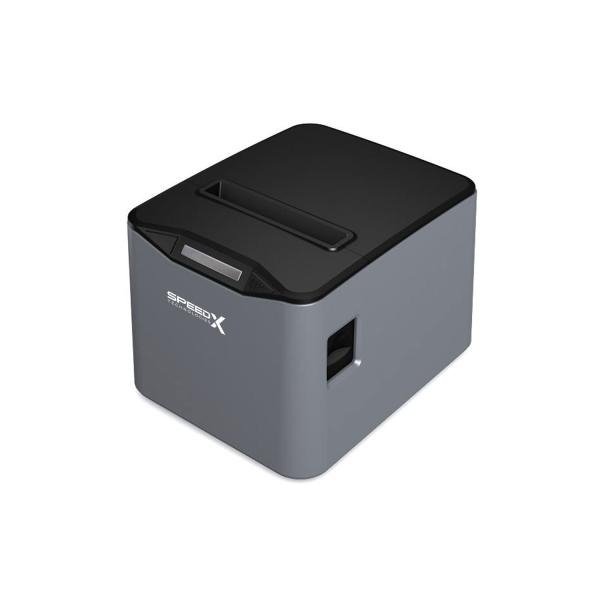
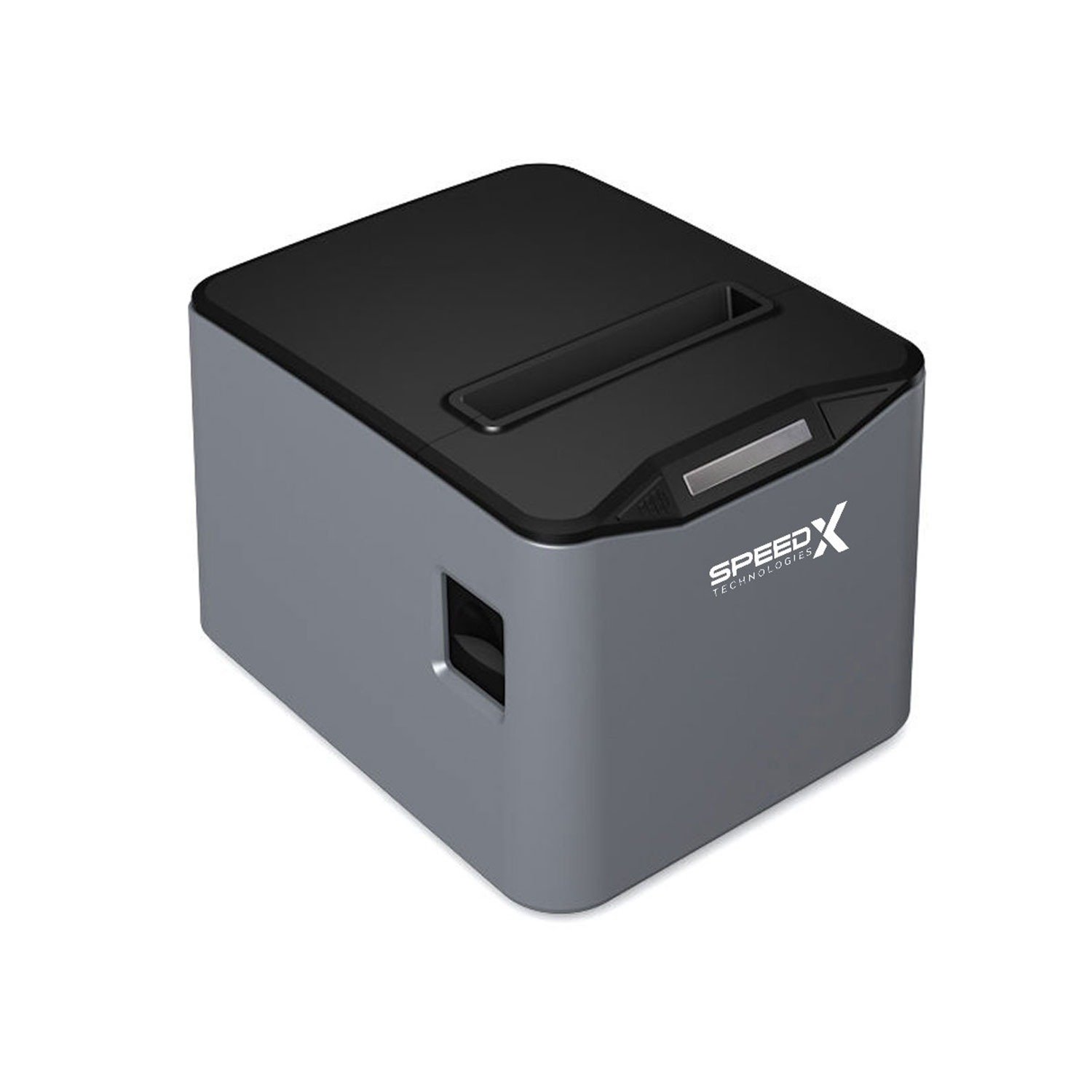
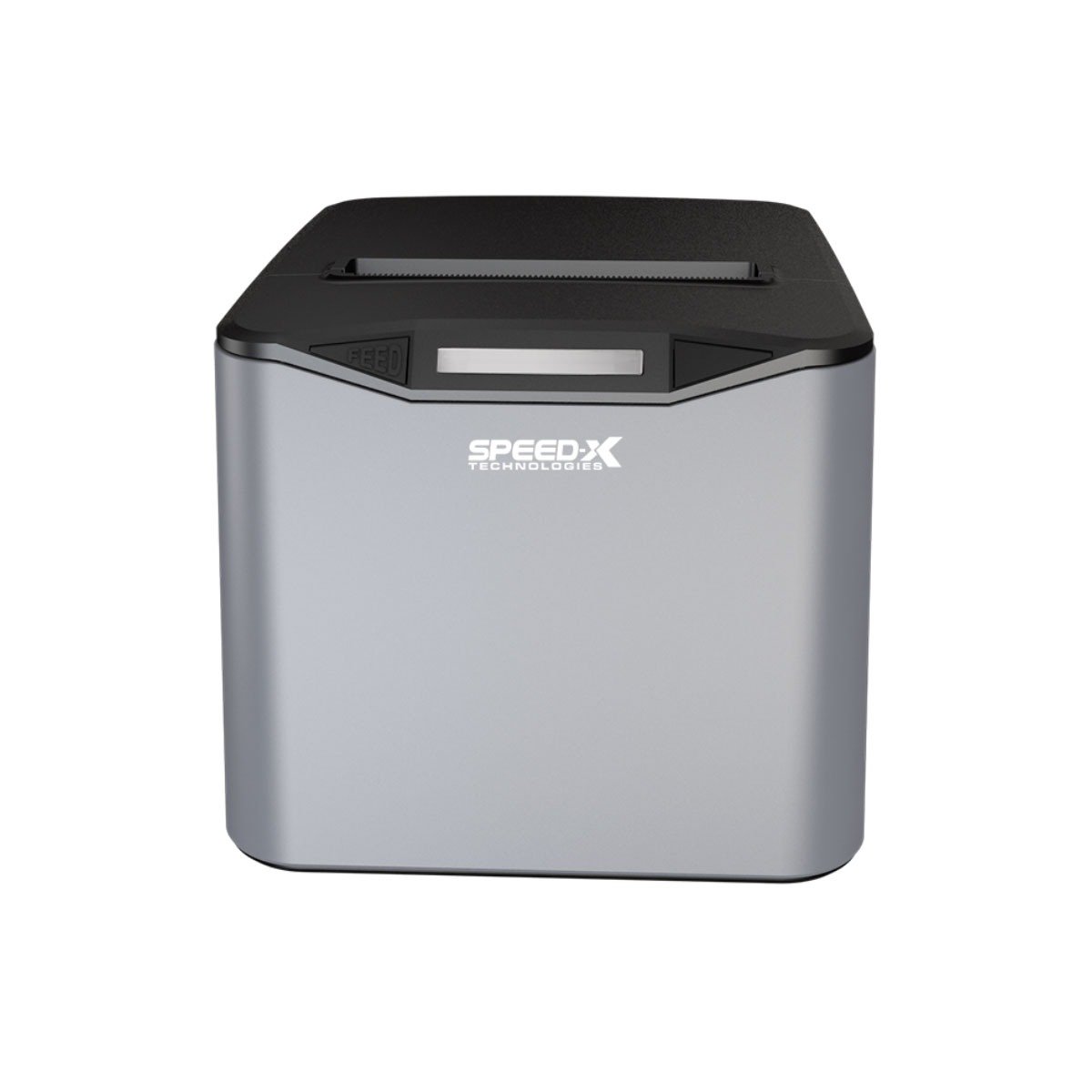
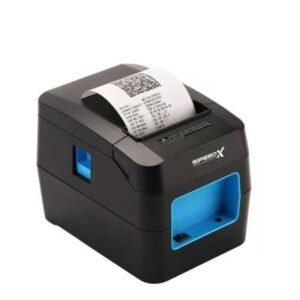
The SP-210UL 80mm Thermal Receipt Printer USB + LAN Grey is a high-speed direct-thermal POS printer designed for retail stores, supermarkets, restaurants, cafés, pharmacies, hotels, kitchens and customer-service counters.
Its complete model name is the Speed-X SP-210UL. The printer supports USB and wired Ethernet LAN connectivity, allowing businesses to connect it directly to one billing computer or install it on a compatible local network.
The best-supported technical specification includes printing at up to 220mm per second, 203 dpi resolution, ESC/POS command compatibility, an automatic partial/full cutter and support for standard 80mm thermal-paper rolls. Grey and black are both listed as available SP-210UL colour options in Pakistan.
The grey housing provides a lighter appearance for counters using white, silver or neutral-coloured POS equipment. Colour does not change the print engine, interface, paper requirement or software compatibility.
The Speed-X SP-210UL is an 80mm direct-thermal receipt printer with USB and LAN connectivity. It produces receipts without ink, toner or ribbons and includes an automatic cutter for separating printed receipts.
The printer is commonly advertised with:
These core details are consistent across current Pakistan distributor listings.
| Feature | Published specification |
|---|---|
| Brand | Speed-X |
| Model | SP-210UL |
| Colour | Grey |
| Product type | Desktop thermal receipt printer |
| Printing method | Direct line thermal |
| Paper category | 80mm thermal receipt roll |
| Maximum paper width | 79.5 ± 0.5mm |
| Paper thickness | Approximately 0.06–0.08mm |
| Most consistent speed | Up to 220mm/s |
| Resolution | 203 dpi |
| Interfaces | USB + Ethernet LAN |
| Print language | ESC/POS |
| Automatic cutter | Partial and full cut |
| Published cutter life | Up to 1.5 million cuts |
| Published print-head reliability | Up to 100km |
| 1D barcode printing | Supported |
| QR Code printing | Supported |
| PDF417 printing | Supported |
| Cash-drawer connection | Supported |
| Wall mounting | Advertised |
| Wi-Fi | Not built in |
| Bluetooth | Not built in |
| Battery | Not included |
| Ink or toner | Not required |
| Local warranty | Confirm with GS Systemz |
| Package contents | Verify before dispatch |
The paper dimensions, power requirements, print speed and cutter figures are based on several current SP-210UL listings rather than a publicly available Speed-X manufacturer datasheet. GS Systemz should use the physical carton, self-test page and included manual as the final specification authority.
Grey is listed as an available SP-210UL product variation by current Pakistani retailers. Pakistan Store lists both black and grey, while Mustafa Computers provides black and grey colour selections on the same SP-210UL product page.
The grey version should have the same:
The difference is the exterior housing colour.
Before publishing product photographs, GS Systemz should verify that its physical stock is grey rather than light black, blue-grey or a two-tone variation.
The SP-210UL Grey is suitable for businesses that need a dependable receipt printer with both direct USB and wired network connectivity.
Its main advantages include:
The LAN interface is particularly useful when the printer must be installed away from the main computer, such as at a restaurant kitchen, pharmacy counter, reception desk or separate billing station.
The most consistently published SP-210UL speed is 220mm per second. This speed can reduce waiting time when producing retail receipts, restaurant bills, kitchen tickets and customer-payment slips.
Actual speed may be affected by:
Plain-text receipts generally print faster than receipts containing large, dark graphics.
The printer uses a published resolution of 203 dots per inch. This is a standard commercial receipt-printer resolution suitable for readable text, store logos, totals, product details and correctly sized barcodes.
For clearer printing:
The SP-210UL includes two wired interfaces:
USB provides a direct connection to one computer or POS terminal. Ethernet LAN allows the printer to communicate through a compatible wired local network.
The printer includes an automatic cutter capable of partial or full cuts. The widely published cutter-life estimate is up to 1.5 million cuts under stated test conditions.
The cutter can:
The SP-210UL can be positioned on a counter or installed vertically using an appropriate wall-mounting arrangement. Wall mounting may help save counter space in compact kitchens, pharmacies and reception areas.
Confirm whether mounting screws, brackets or accessories are included with the GS Systemz package.
Current SP-210UL listings advertise support for common 1D barcodes, QR Code and PDF417.
Supported formats commonly listed include:
The SP-210UL prints these codes on receipts. It does not scan or validate them.
| Application | Suitability |
|---|---|
| Supermarket receipts | Excellent |
| Grocery-store checkout | Excellent |
| Retail billing | Excellent |
| Restaurant customer bills | Excellent |
| Kitchen order tickets | Excellent with correct LAN setup |
| Café and bakery receipts | Excellent |
| Pharmacy invoices | Excellent |
| Clothing-store billing | Excellent |
| Hotel and reception slips | Excellent |
| Hardware-store receipts | Excellent |
| Queue or token tickets | Good with compatible software |
| Customer-service receipts | Excellent |
| Fixed USB workstation | Excellent |
| Wired network printing | Excellent |
| Store-logo printing | Supported |
| Barcode printing | Supported |
| QR-code printing | Supported |
| Cash-drawer control | Supported with compatible drawer |
| Android network printing | Application-dependent |
| Bluetooth printing | Not supported |
| Built-in Wi-Fi printing | Not supported |
| Battery-powered use | Not supported |
| Adhesive shipping labels | Not recommended |
| A4 documents | Not supported |
| Colour printing | Not supported |
The SP-210UL is intended primarily for fixed commercial receipt-printing environments.
| Specification | Published detail |
|---|---|
| Product name | Speed-X SP-210UL |
| Colour | Grey |
| Print method | Direct line thermal |
| Nominal media width | 80mm |
| Maximum paper width | 79.5 ± 0.5mm |
| Paper thickness | Approximately 0.06–0.08mm |
| Print speed | Up to 220mm/s |
| Resolution | 203 dpi |
| Interfaces | USB + Ethernet LAN |
| Print commands | ESC/POS |
| Automatic cutter | Partial/full cut |
| Cutter reliability | Up to approximately 1.5 million cuts |
| Thermal-head reliability | Up to approximately 100km |
| Power-adapter input | AC 110–220V, 50–60Hz |
| Power-adapter output | DC 24V/2.5A |
| Cash-drawer output | DC 24V/1A |
| Installation | Desktop or wall mounted |
| Windows | Advertised |
| Linux | Advertised |
| macOS | Advertised |
| Android | Advertised; workflow-dependent |
| Bluetooth | No |
| Wi-Fi | No |
| Battery | No |
| Dimensions | Not reliably published |
| Net weight | Not reliably published |
| Warranty | Confirm local coverage |
| Box contents | Confirm physical package |
The media and power figures are published in current detailed seller specifications. Dimensions, weight and maximum roll diameter are not consistently documented and should not be invented.
The best-supported speed is 220mm/s.
Multiple established Pakistani sellers consistently list 220mm/s alongside 203 dpi resolution, USB + LAN connectivity, 100km print-head reliability and a 1.5-million-cut cutter estimate.
Some marketplace titles advertise 300mm/s, but these listings provide limited supporting technical information and commonly show the black variation.
Possible explanations include:
GS Systemz should use 220mm/s unless the grey printer’s carton, self-test page or supplied manual explicitly states another speed.
The printer uses compatible 80mm direct-thermal receipt rolls.
Published media details include:
Before purchasing paper in bulk, verify:
A roll can have the correct width but still be too large in diameter for the paper compartment.
No. It uses direct-thermal printing.
The thermal print head heats selected areas of specially coated paper to form text and graphics. The printer therefore does not require ink cartridges, toner or ribbons.
Its regular consumables and operating requirements are:
Thermal receipts may fade when exposed to heat, sunlight, oils, moisture or some plastic materials. Important sales and tax records should also be retained digitally.
USB connects the SP-210UL directly to a compatible computer or POS terminal.
USB is normally appropriate when:
A driver or compatible ESC/POS application may still be required.
The Ethernet LAN port allows the printer to receive jobs through a compatible wired network.
A normal network installation may involve:
The exact configuration process depends on the LAN board, firmware and supplied utility.
A fixed or reserved IP address is recommended for permanent LAN installations.
Without a fixed address, the router may assign the printer a different IP after a restart. The POS computer may then continue sending jobs to the old address.
A stable configuration can use either:
The address must not conflict with another device on the network.
The LAN port can make the printer accessible to multiple configured workstations, but the POS software must manage jobs correctly.
Possible configurations include:
Sending unrelated jobs simultaneously without queue management may result in receipts printing in the wrong order. The intended multi-terminal workflow should be tested before deployment.
No built-in Wi-Fi is confirmed.
The SP-210UL’s consistently published interfaces are USB and wired Ethernet LAN.
A computer connected to Wi-Fi may still send jobs to the SP-210UL when the printer is connected by Ethernet to the same router. This does not mean the printer itself is Wi-Fi enabled.
No built-in Bluetooth interface is confirmed.
Choose a Bluetooth thermal printer when direct pairing is required with:
The SP-210UL is designed primarily for fixed USB and Ethernet installations.
Yes. It supports both partial and full automatic cuts.
The cutter may fail to activate when:
Do not pull the receipt while the cutter is moving.
Yes. QR Code and PDF417 printing are advertised alongside common 1D barcode formats.
For better QR-code scanning:
The connected POS application must generate the QR data or send the correct ESC/POS command.
Yes. Its 203 dpi output can be used for compatible monochrome logos and simple receipt graphics. Product listings specifically position the resolution for logos, barcodes and QR codes.
For better logo output:
Yes. ESC/POS compatibility is consistently published for the model.
Compatible software may use ESC/POS commands to control:
Not every Epson-compatible command is guaranteed to behave identically. Test the required functions with the physical printer.
Windows support is advertised by current sellers.
A typical Windows setup includes:
Windows 11 is not specifically documented in the available technical information, so the included driver should be tested before guaranteed compatibility is advertised.
Linux and macOS support is advertised by current distributors.
Practical compatibility depends on:
GS Systemz should test the exact software environment before supplying multiple printers.
Android compatibility is advertised, but the printer has USB and LAN rather than Bluetooth.
Android operation may require:
It should not be described as universally plug and play with every Android application.
Yes. A detailed current specification lists a DC 24V/1A cash-drawer output.
Compatibility depends on:
Do not connect a drawer based only on the physical connector shape.
Dedicated adhesive-label printing is not confirmed.
No reliable public specification identifies:
The SP-210UL should therefore be sold primarily as an 80mm thermal receipt printer.
Choose a dedicated barcode-label printer for:
| Feature | Grey SP-210UL | Black SP-210UL |
|---|---|---|
| Printing method | Direct thermal | Direct thermal |
| Paper width | 80mm | 80mm |
| Published speed | 220mm/s | 220mm/s |
| Resolution | 203 dpi | 203 dpi |
| USB | Yes | Yes |
| Ethernet LAN | Yes | Yes |
| Automatic cutter | Yes | Yes |
| ESC/POS | Yes | Yes |
| Main difference | Grey housing | Black housing |
| Best match | Light or neutral counters | Dark POS setups |
Current retailers list black and grey as colour variations of the same product rather than separate performance models.
Choose the colour that best matches the counter, monitor, cash drawer and other POS equipment.
| Feature | SP-210UL | SP-200U |
|---|---|---|
| Paper category | 80mm | 80mm |
| Published speed | Up to 220mm/s | Up to 220mm/s |
| Resolution | 203 dpi | 203 dpi |
| USB | Yes | Yes |
| Ethernet LAN | Yes | Not normally included |
| Automatic cutter | Yes | Yes |
| Wall mounting | Advertised | Not consistently advertised |
| Best use | Local or network POS | One USB workstation |
Choose the SP-210UL when wired network access is needed.
Choose the SP-200U when a simple USB-only installation is sufficient.
| Feature | SP-210UL | Speed-X 400UL |
|---|---|---|
| Paper category | 80mm | 80mm |
| Best-supported speed | 220mm/s | Up to 300mm/s advertised |
| USB | Yes | Yes |
| LAN | Yes | Yes |
| Automatic cutter | Yes | Yes |
| Cutter-life estimate | Up to 1.5 million cuts | Up to three million cuts advertised |
| Positioning | General commercial POS | Higher-volume POS |
| Best use | Standard retail and hospitality | Busier transaction environments |
Choose the SP-210UL for normal retail, restaurant and pharmacy receipt volumes.
Consider the 400UL when higher speed and greater published cutter durability are priorities.
A typical package may contain:
An Ethernet cable and wall-mounting accessories may not be included.
GS Systemz should verify every package component before publication or dispatch.
GS Systemz can position the grey SP-210UL for businesses in Pakistan that need an economical, network-capable receipt printer with a neutral commercial finish.
Before ordering, confirm:
Current stock, colour and price should be treated as subject to availability.
The printer may be suitable for:
Check availability of the SP-210UL 80mm Thermal Receipt Printer USB + LAN Grey from GS Systemz in Pakistan.
Use it for retail receipts, restaurant bills, kitchen order tickets, pharmacy invoices, hotel slips, order records and wired POS-network workflows.
Confirm the grey colour, 220mm/s hardware revision, USB and LAN ports, automatic cutter, power adapter, driver, cash-drawer connection, local warranty and complete box contents before ordering.
It is an 80mm direct-thermal receipt printer with a grey housing, USB and Ethernet LAN interfaces, 203 dpi resolution and an automatic cutter.
The published technical specifications are the same. The main difference is the exterior housing colour.
The most consistently supported maximum speed is 220mm/s. Isolated marketplace listings claim 300mm/s, so the physical revision should be checked.
It uses compatible 80mm direct-thermal receipt paper. Detailed listings specify a maximum width of 79.5 ± 0.5mm and thickness of approximately 0.06–0.08mm.
No. It prints by heating specially coated thermal paper and requires no ink, toner or ribbon.
Yes. It supports partial and full automatic cutting, with a published cutter-life estimate of up to 1.5 million cuts.
Yes. It includes wired Ethernet LAN in addition to USB.
No built-in Bluetooth or Wi-Fi is confirmed. Its published interfaces are USB and Ethernet LAN.
Yes. QR Code and PDF417 printing are advertised alongside common 1D barcode formats.
You can check current availability of the Speed-X SP-210UL 80mm USB and LAN Thermal Receipt Printer in grey from GS Systemz.
Reviews
There are no reviews yet.