
₨360.00
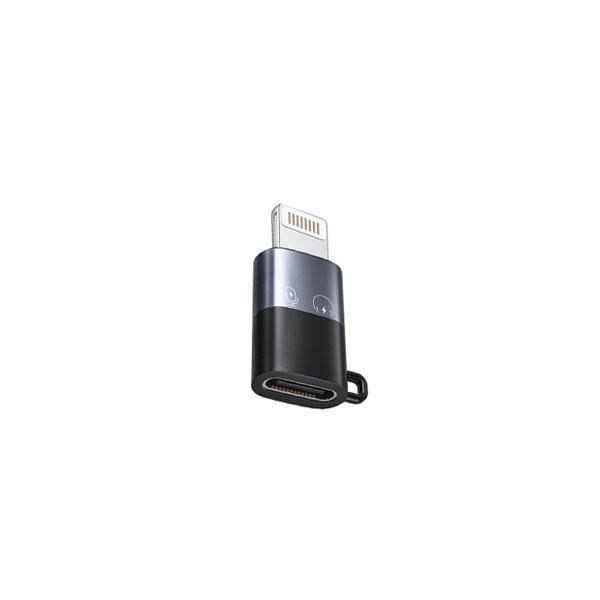
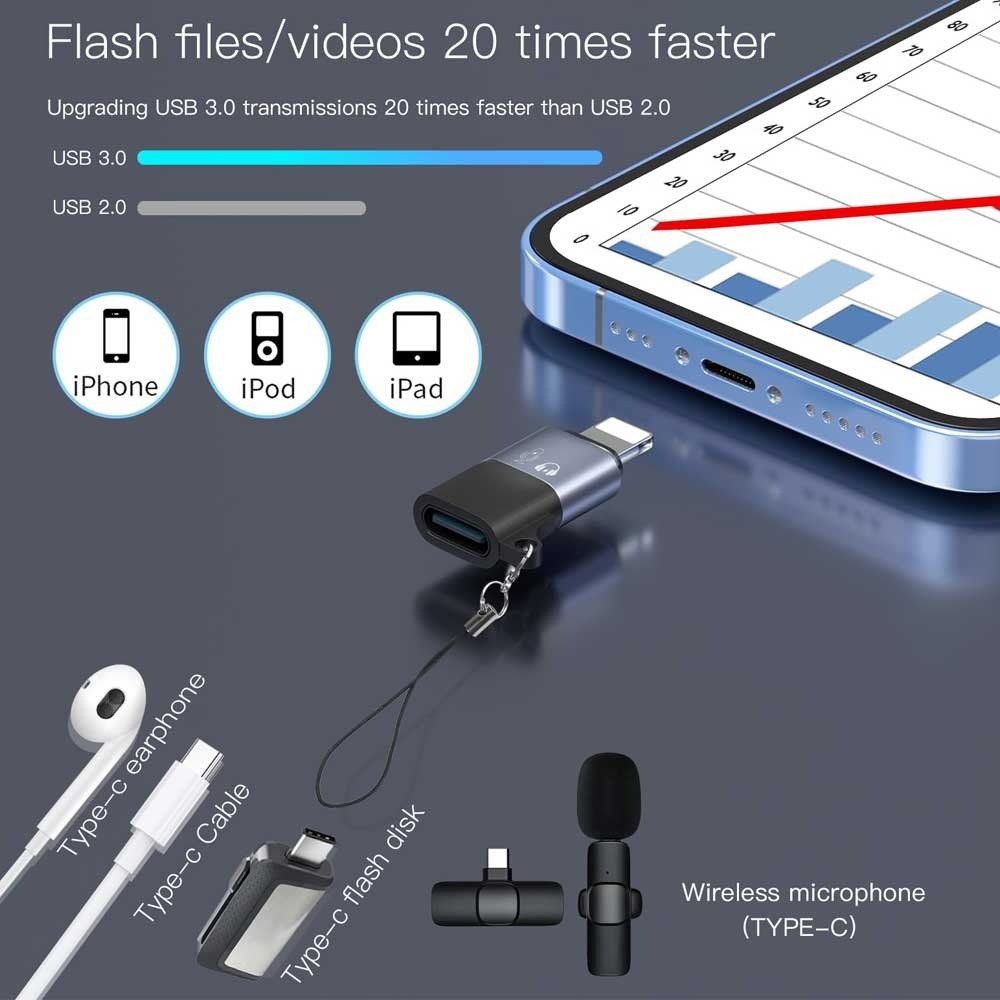
The USB-C to Lightning OTG Audio Adapter for Mic & Phone is a compact converter designed to connect compatible USB-C wireless microphone receivers and audio accessories to Lightning-equipped iPhones and iPads. It is especially useful for vloggers, interviewers, content creators, journalists, musicians and mobile video makers who already own a Type-C microphone but need to use it with a Lightning iPhone.
Pakistan-market listings for this exact adapter describe it as a solution for connecting compatible USB-C wireless microphones to Lightning iPhones and iPads, allowing audio to pass from the microphone receiver to the Apple device.
Because versions of this adapter can differ internally, exact connector direction, charging support and additional data functions should be confirmed from the physical GS Systemz stock.
A USB-C to Lightning OTG Audio Adapter acts as a bridge between a compatible USB-C audio accessory and a device that uses Apple’s Lightning connector.
A common use is:
USB-C wireless microphone receiver → OTG adapter → Lightning iPhone
Without the adapter, a USB-C microphone receiver designed to plug into a Type-C smartphone cannot physically connect to a Lightning-equipped iPhone.
The adapter changes the physical connection so supported digital audio accessories can communicate with the Lightning device.
Multiple Pakistan retailers describe this exact product for connecting USB-C wireless microphones to Lightning-compatible iPhones and iPads.
The most common purpose is connecting an external microphone to a Lightning iPhone when the microphone receiver has a USB-C connection.
It can be useful for:
For creators who use a wireless lapel microphone, this small adapter can prevent the need to purchase a second Lightning-specific microphone kit.
The connection is straightforward when the microphone and adapter are compatible.
No complicated setup should be required with a compatible plug-and-play microphone system.
Some exact-product listings describe the adapter as enabling direct audio transmission without requiring a separate complicated audio setup.
This particular adapter is intended primarily for Lightning-equipped Apple devices.
Potentially compatible iPhones include Lightning models such as:
Compatibility still depends on the microphone receiver and the adapter electronics.
Users should not assume that every USB-C accessory will work simply because its connector fits.
This adapter is generally not required for USB-C iPhones if your microphone already has a compatible USB-C receiver.
Newer USB-C iPhones can often connect directly to a supported USB-C microphone receiver without converting it to Lightning.
The adapter is mainly useful when you have:
USB-C microphone receiver + Lightning iPhone
If you have a newer USB-C iPhone, first test whether the microphone receiver can connect directly before purchasing an additional converter.
Yes, the iPhone 14 Pro is one of the most relevant use cases because it uses a Lightning connector.
If your wireless microphone kit includes a USB-C receiver intended for Android or Type-C phones, a compatible USB-C to Lightning OTG audio adapter can allow that receiver to connect to the iPhone 14 Pro.
This can be especially useful for creators who switch between Android and iPhone devices.
That is the primary use advertised for this product.
Exact-product listings describe the adapter as allowing USB-C wireless microphones to work with Lightning-compatible iPhones and iPads.
Typical setups may include:
However, microphone systems use different digital audio implementations, so universal compatibility should not be promised.
Check your microphone receiver and test the combination when possible.
Many low-cost wireless microphone systems are sold in separate Type-C and Lightning versions.
An OTG audio adapter may allow a compatible USB-C receiver to work with a Lightning phone, but compatibility depends on the individual microphone hardware.
For models such as K8, K9 and similar wireless lapel microphones, check:
GS Systemz can improve this product page substantially by testing common microphone models and publishing a verified compatibility list.
Yes, when the microphone is recognized correctly by the phone.
The adapter can be useful for recording:
After connecting the microphone, make a short test video before recording important content.
This confirms that the phone is receiving sound from the external microphone instead of its built-in microphone.
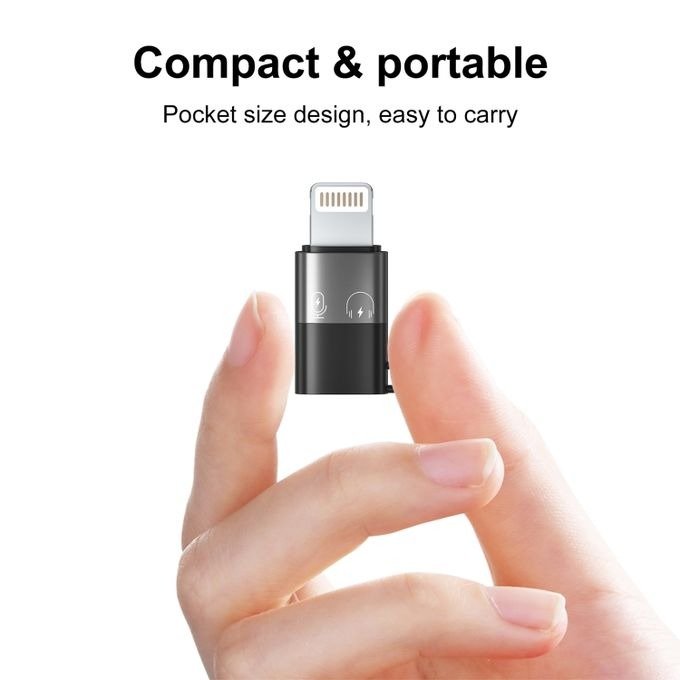
Yes. Its small size makes it particularly convenient for mobile creators.
Instead of carrying a large audio interface, a compatible wireless microphone receiver can connect through the small OTG adapter.
This makes it useful for creators who shoot with:
The adapter can remain in a small camera or microphone accessory pouch when not in use.
Yes.
Wireless lapel microphones are commonly used for interviews because the microphone can be placed closer to the speaker than the iPhone itself.
Using an external microphone can help capture clearer dialogue, particularly when the phone needs to be positioned farther away.
A USB-C to Lightning OTG adapter is useful when your microphone receiver uses Type-C but the interview phone has a Lightning connector.
The adapter itself should primarily be viewed as a compatibility bridge, not an audio-enhancement device.
Audio quality depends much more heavily on:
A good microphone connected through a compatible adapter can produce better voice recordings than relying on the phone microphone from a distance.
However, the adapter does not automatically transform a low-quality microphone into a professional studio microphone.
Compatible versions are designed for simple connection without complicated installation.
Exact-product listings describe these adapters as practical solutions for connecting USB-C microphones to Lightning devices, while some comparable listings explicitly advertise plug-and-play operation.
Normally, you should not need to install a special driver simply to use a supported mobile microphone.
After connecting it, test the microphone in the intended recording app.
Not necessarily.
If you are using a wireless microphone kit, the microphone transmitter typically communicates wirelessly with its dedicated receiver.
The receiver then connects physically to the phone through the adapter.
That means the adapter itself is not simply a Bluetooth receiver.
The exact wireless technology depends on the microphone system being used.
Its primary purpose is OTG audio connectivity, not phone charging.
Some USB-C/Lightning adapters sold in the market may offer additional charging functions, but that capability should not be assumed for every version.
Unless the actual GS Systemz product clearly supports simultaneous charging, use it primarily as:
USB-C microphone/audio accessory → Lightning phone adapter
Do not advertise fast charging or pass-through charging without verifying the physical product.
Some sellers describe similar OTG adapters as supporting additional data-transfer functions. One Pakistan-market listing for this exact product family advertises bidirectional OTG transmission.
However, different versions can use different internal electronics.
For the GS Systemz listing, it is safer to advertise the confirmed microphone/audio function first and only add data transfer after testing the actual stock.
Not always.
The physical connectors may look like a simple conversion in either direction, but digital audio adapters can be direction-sensitive.
An adapter designed to connect a USB-C microphone receiver to a Lightning iPhone may not automatically work for the reverse setup.
For this reason, customers should choose an adapter specifically intended for their connection:
USB-C microphone/accessory → Lightning iPhone/iPad
This distinction is important for reducing compatibility problems and returns.
Before ordering, check:
Do not buy based only on the connector shapes.
Audio compatibility is more specific than ordinary charging-cable compatibility.
If the microphone is connected but no external audio is recorded, check the following:
Remove the adapter and microphone receiver, then reconnect them firmly.
Make sure both transmitter and receiver are powered and paired.
Confirm that you are using a USB-C microphone receiver with a Lightning phone.
Try the iPhone Camera app or Voice Memos to determine whether the issue is application-specific.
Dust or debris can prevent a reliable connection.
Some thick cases prevent the adapter from inserting completely.
If possible, test the USB-C microphone receiver on a compatible USB-C phone to make sure the microphone itself works.
Not every Type-C microphone works with every third-party Lightning OTG converter.
Testing before an important recording session is recommended.
You can keep it connected while recording, but it is better to remove small adapters when they are not needed.
Leaving an adapter protruding from the Lightning port increases the chance of:
Remove it by holding the connector body rather than pulling on any short cable section.
Yes. Portability is one of its biggest advantages.
The adapter is small enough to carry with:
For creators who frequently move between phones with different connectors, a small adapter can be easier and cheaper than maintaining separate microphone systems.
This product is particularly useful for:
It is especially relevant if you already own a compatible USB-C wireless microphone but need to use it with a Lightning iPhone.
The USB-C to Lightning OTG Audio Adapter for Mic & Phone provides a simple solution for users who need to connect compatible USB-C microphone equipment to Lightning-equipped Apple devices.
Instead of purchasing a separate Lightning version of a microphone, a compatible OTG converter can help extend the usefulness of your existing Type-C audio equipment.
It is a practical accessory for:
Before ordering, confirm your iPhone connector, microphone receiver type and compatibility with the actual GS Systemz stock.
Buy the USB-C to Lightning OTG Audio Adapter for Mic & Phone from GS Systemz Pakistan for a compact solution to compatible mobile microphone connectivity.
It is a small converter designed to connect compatible USB-C audio accessories, particularly wireless microphone receivers, to Lightning-equipped iPhones and iPads.
Yes, that is the primary use advertised for this product. Several Pakistan-market listings specifically describe it as connecting USB-C wireless microphones to Lightning iPhones and iPads.
It is intended for Lightning-equipped iPhones such as the iPhone 14 Pro, provided the connected USB-C microphone is compatible.
It is usually unnecessary if your newer iPhone and microphone receiver both use USB-C. A supported USB-C microphone can potentially connect directly.
Yes. A compatible external microphone connected through the adapter can be used for video, interviews, vlogging and other mobile recording tasks.
Compatible microphone setups should generally work without installing a special driver. Always make a test recording after connecting the microphone.
Its primary purpose is audio/OTG connectivity. Do not assume simultaneous charging unless that feature is specifically confirmed for the GS Systemz version.
No. Connector compatibility does not guarantee universal digital-audio compatibility. Check the microphone model before purchasing.
Not necessarily. Audio adapters can be directional, so choose one designed specifically for the connection you need.
Check the microphone power, receiver pairing, connector fit, Lightning port, recording app and compatibility. Also test the microphone on another supported device if possible.
You can purchase the USB-C to Lightning OTG Audio Adapter for Mic & Phone from GS Systemz Pakistan, subject to current price and availability.
Reviews
There are no reviews yet.