
₨11,000.00
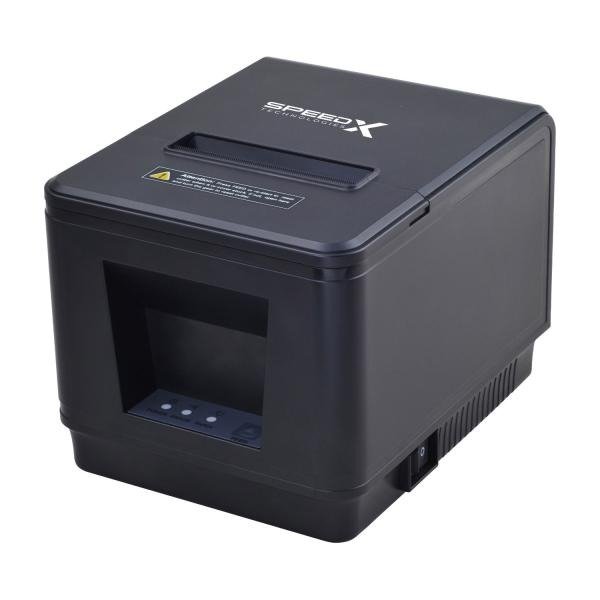
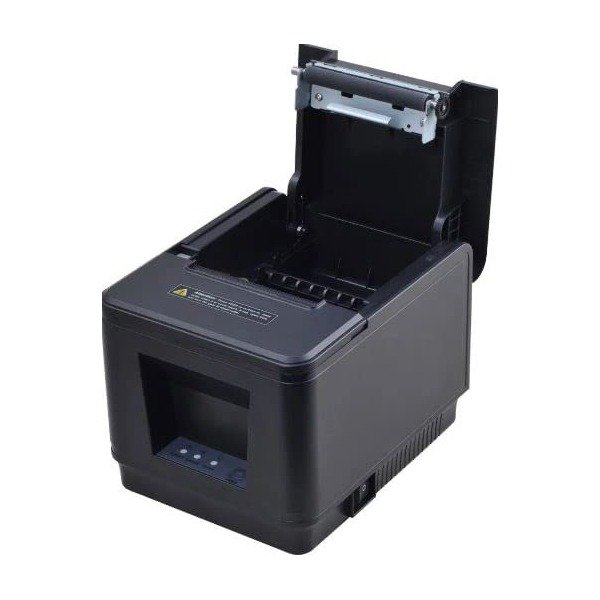
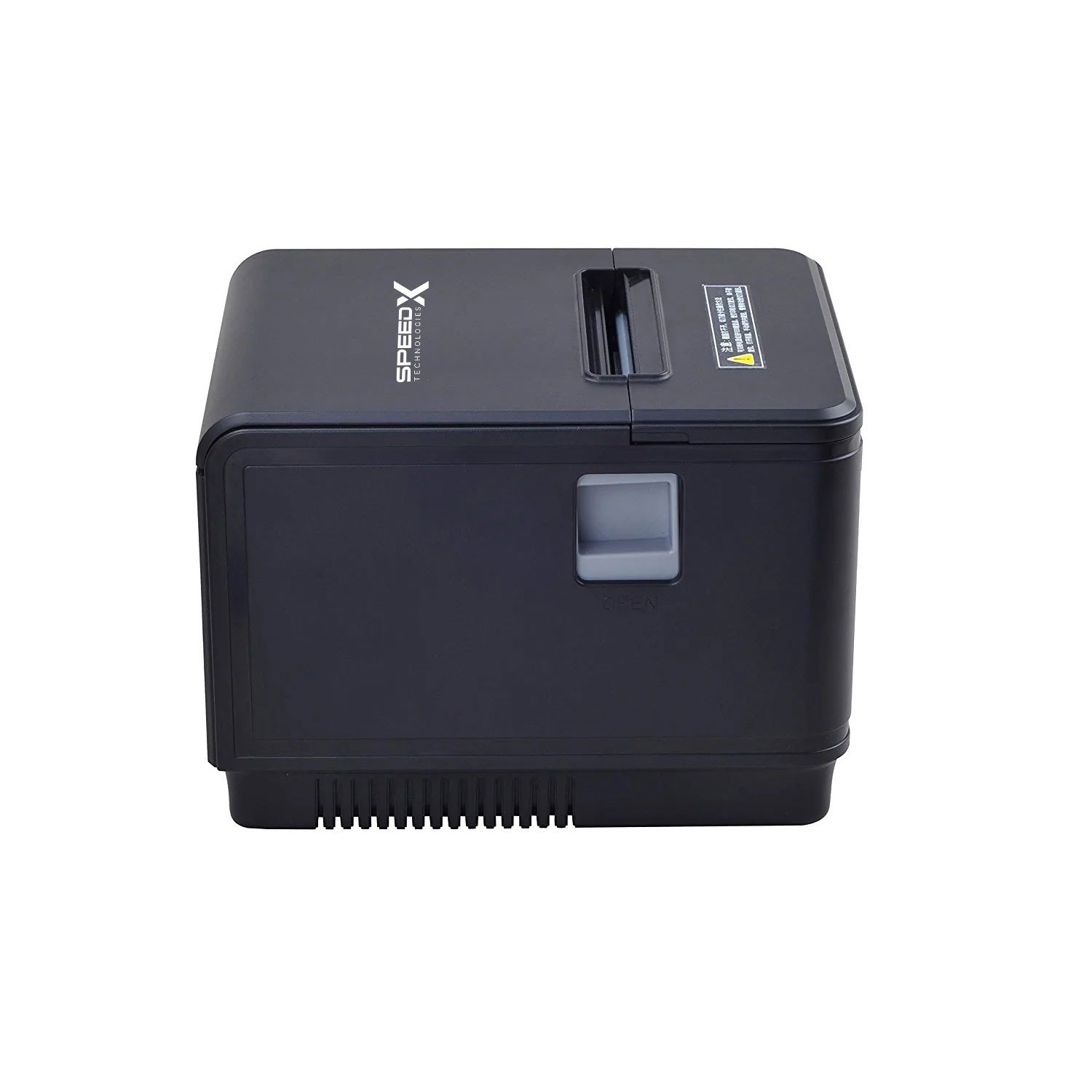
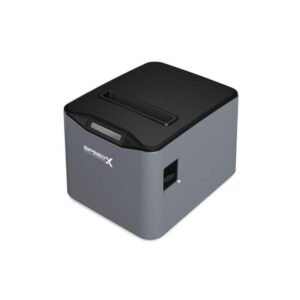
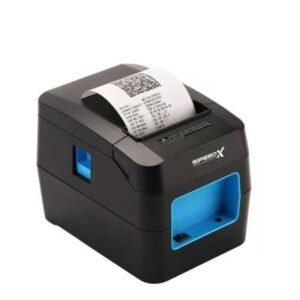
The Speed-X 400UL 80mm Thermal Receipt Printer With USB + LAN is a high-speed point-of-sale printer designed for supermarkets, restaurants, cafés, pharmacies, retail stores, banks, service counters and other businesses with frequent receipt-printing requirements.
It uses direct-thermal printing technology, creating black text and graphics on compatible heat-sensitive paper without ink cartridges, toner or ribbons. Most current Pakistan listings advertise a maximum print speed of approximately 300mm per second, USB and Ethernet LAN connectivity, ESC/POS command support and an automatic cutter rated for up to three million cuts.
The dual-interface design allows the printer to be installed in two main ways:
The 400UL is therefore more flexible than a basic USB-only receipt printer, particularly when a printer must be positioned away from the billing computer or shared through a properly configured business network.
| Feature | Published information |
|---|---|
| Brand | Speed-X |
| Model | 400UL / SP-400UL |
| Product type | Desktop thermal receipt printer |
| Printing method | Direct thermal |
| Paper category | 80mm thermal receipt roll |
| Published paper width | 79.5 ± 0.5mm |
| Approximate printable width | Around 72mm in one technical listing |
| Most widely advertised speed | Up to 300mm/s |
| Conflicting speed listing | 200mm/s from one seller |
| Resolution | 203 dpi published by one current seller |
| Interfaces | USB + Ethernet LAN |
| Wi-Fi | No |
| Bluetooth | No |
| Automatic cutter | Yes |
| Published cutter life | Up to three million cuts |
| Command language | ESC/POS |
| Logo and graphic printing | Supported |
| 1D barcode printing | Supported |
| 2D barcode printing | Advertised |
| Cash-drawer connection | Supported |
| Cash-drawer output | DC 24V/1A in one technical listing |
| Beeper | Can be disabled |
| Windows support | XP, Vista, 7, 8 and 10 listed |
| macOS support | Listed by several sellers |
| iPhone/mobile wireless support | Not advertised |
| Colour | Commonly black |
| Local warranty | Confirm with GS Systemz |
| Package contents | Confirm before dispatch |
The core 80mm, USB + LAN, automatic-cutter and ESC/POS specifications are consistent across current Pakistan listings. The numerical print speed is less consistent: most sellers state 300mm/s, while one technical listing states 200mm/s.
The Speed-X 400UL is intended for businesses that need faster receipt output and more installation flexibility than an entry-level USB-only printer.
Its main advantages include:
Current sellers recommend the 400UL for supermarkets, restaurants, retail stores, banks, tax offices, post offices and other commercial transaction environments.
Most current product listings publish a maximum printing speed of approximately 300mm/s. This makes the printer suitable for busy checkout environments where several receipts or order tickets are produced continuously.
Actual output speed can be affected by:
Plain-text receipts will normally complete faster than receipts containing large dark graphics.
USB provides a direct wired connection to a local POS computer. Ethernet LAN allows the printer to communicate through a compatible local network. Both interfaces are consistently listed for the 400UL.
LAN connectivity may be valuable when:
Whether multiple devices can send jobs safely depends on the POS software, print-server configuration and network settings.
The printer is advertised with a high-efficiency automatic cutter rated for up to approximately three million cuts.
An automatic cutter can:
The three-million-cut figure is a service-life estimate under supplier test conditions, not a fixed warranty period.
The 400UL is advertised as compatible with the ESC/POS command system. This allows compatible POS software to control text, alignment, paper feeding, cutting, logos, barcodes and cash-drawer pulses.
ESC/POS compatibility does not guarantee that every command from every Epson-compatible printer profile will work identically. The physical printer should be tested with the intended software.
Current sellers advertise support for downloaded store logos, graphics, 1D barcodes and 2D barcodes.
A receipt may include:
The exact supported barcode formats should be tested because no complete model-specific programming manual was found publicly.
The 400UL supports a compatible cash-drawer connection. One technical listing specifies a DC 24V/1A drawer output.
The drawer will only open correctly when:
| Application | Suitability |
|---|---|
| Supermarket checkout | Excellent |
| Grocery-store receipts | Excellent |
| Retail billing | Excellent |
| Restaurant customer bills | Excellent |
| Kitchen order tickets | Excellent with compatible network setup |
| Café and bakery receipts | Excellent |
| Pharmacy invoices | Excellent |
| Clothing-store billing | Excellent |
| Hardware-store receipts | Excellent |
| Bank or finance-counter slips | Good |
| Tax or service-counter receipts | Good |
| Queue and token tickets | Good |
| Customer-service receipts | Excellent |
| Fixed USB workstation | Excellent |
| Ethernet network installation | Excellent |
| Store-logo printing | Supported |
| Barcode printing | Supported |
| QR-code printing | Advertised; test with software |
| Cash-drawer operation | Supported |
| Bluetooth mobile printing | Not supported |
| Wi-Fi printing | Not supported |
| Battery-powered operation | Not supported |
| A4 document printing | Not supported |
| Colour printing | Not supported |
| Adhesive shipping labels | Not recommended without media-sensor verification |
The 400UL is primarily an 80mm receipt printer. Its strongest use cases are fixed retail, restaurant and service installations that benefit from USB or wired Ethernet connectivity.
| Specification | Published detail |
|---|---|
| Product name | Speed-X 400UL |
| Alternative listing | Speed-X SP-400UL |
| Printer category | 80mm thermal receipt printer |
| Printing technology | Direct thermal |
| Advertised maximum speed | 300mm/s |
| Conflicting seller speed | 200mm/s |
| Published resolution | 203 dpi from one seller |
| Paper width | 79.5 ± 0.5mm |
| Nominal paper class | 80mm / 3⅛ inch |
| Approximate printable width | 72mm in one technical listing |
| Interface | USB + Ethernet LAN |
| Print commands | ESC/POS |
| Automatic cutter | Yes |
| Cutter life | Up to three million cuts |
| 1D barcode output | Supported |
| 2D barcode output | Advertised |
| Logo and graphics | Supported |
| Input buffer | 64KB in one technical listing |
| NV flash | 256KB in one technical listing |
| Cash-drawer output | DC 24V/1A |
| Power input | AC 110–220V, 50–60Hz through adapter |
| Adapter output | DC 24V/2.5A in one technical listing |
| Beeper | Can be disabled |
| Windows | XP, Vista, 7, 8 and 10 listed |
| macOS | Listed by several sellers |
| Wi-Fi | No |
| Bluetooth | No |
| iPhone wireless support | Not supported according to sellers |
| Dimensions | Not reliably published |
| Printer net weight | Not reliably published |
| Local warranty | Verify with GS Systemz |
One technical retailer lists 200mm/s, while most commercial listings advertise 300mm/s. The same technical listing distinguishes approximately 72mm of printable width from 79.5 ± 0.5mm physical paper width.
Both names appear in current Pakistan listings.
The most common retail wording is:
Speed-X 400UL Thermal Receipt Printer
Techmen also uses the model designation SP-400UL in its title and SKU.
For the GS Systemz product page, use:
Speed-X 400UL 80mm Thermal Receipt Printer With USB + LAN
The SP-400UL variation can appear naturally in the introduction, specifications and product tags to capture both search patterns.
Most current Pakistan listings advertise up to 300mm/s, including Techmen, Shophive, Mustafa Computers, Win Computers and Dot Computers.
However, one technical listing publishes 200mm/s.
Possible reasons include:
GS Systemz should confirm the speed using the carton, self-test page, supplied manual or physical printing test. Until verified, the accurate commercial wording is:
Advertised at up to 300mm/s; actual speed depends on the printer revision, receipt design and settings.
It is an 80mm-class receipt printer.
Published information lists thermal paper at approximately 79.5 ± 0.5mm wide. One technical specification lists approximately 72mm separately, which is most reasonably interpreted as the usable printable area rather than the physical roll width.
The difference is normal:
Businesses should purchase compatible 80mm thermal-paper rolls.
The printer uses compatible direct-thermal receipt paper in the standard 80mm category. Current listings publish a physical width of approximately 79.5 ± 0.5mm.
Before buying paper in bulk, confirm:
The maximum roll diameter and supported thickness are not reliably published for this model.
No. It is a direct-thermal printer.
Heat from the print head darkens the coating on thermal receipt paper. The printer therefore requires no ink cartridge, toner cartridge or ribbon.
The main consumable is thermal paper. Receipts can fade when exposed to heat, sunlight, oils, moisture or certain plastics, so important transaction records should also be retained digitally.
USB connects the 400UL directly to one compatible computer or POS terminal.
USB is usually the best choice when:
A printer driver or compatible ESC/POS application may still be required.
The Ethernet LAN port allows the printer to receive data through a compatible wired local network.
A typical installation may involve:
The exact setup procedure depends on the interface board and firmware revision.
A reserved or static IP address is generally preferable for a network POS printer.
If the printer’s IP address changes, the computer may continue sending receipt jobs to the old address, causing printing to stop.
A stable setup normally uses:
The chosen address should remain within the local network but outside any conflicting device assignment.
LAN connectivity makes network access possible, but safe multi-computer printing depends on the POS system and network configuration.
Potential methods include:
Simultaneous uncoordinated jobs can produce mixed or incorrectly ordered receipts. Test the actual software workflow before deploying several workstations.
| Feature | USB | Ethernet LAN |
|---|---|---|
| Connection | Direct cable to one host | Wired local network |
| Setup difficulty | Lower | Higher |
| Typical host count | One local computer | One or several configured hosts |
| Maximum practical distance | Limited by USB cable | Network-cable distance |
| IP configuration | Not required | Required |
| Router or switch | Not required | Normally required |
| Best use | One checkout counter | Shared or remote printer location |
| Troubleshooting | Driver and cable | Driver, IP, cable and network |
Use USB for a simple single-counter installation.
Use LAN when the printer must be installed away from the billing computer or accessed through a properly managed network.
No. Current sellers explicitly state that the 400UL has no Wi-Fi. Its available interfaces are USB and wired LAN.
LAN does not mean Wi-Fi. LAN refers to the physical Ethernet connection.
A wireless router cannot make the printer itself wireless unless the network is configured so that a wired printer connected to the router is accessible to supported wireless devices.
No Bluetooth interface is advertised for the 400UL.
Choose a Bluetooth receipt printer when direct mobile-phone or tablet pairing is required.
Current listings advertise support for:
Windows 11 is not specifically named in the public specifications reviewed. GS Systemz should test the supplied driver before advertising guaranteed Windows 11 support.
A normal Windows installation may require:
Several sellers state that the printer supports Mac software based on ESC/POS commands.
This should not be interpreted as universal compatibility with every current macOS release.
Confirm:
The public product descriptions say the printer does not support the mobile iPhone system and has no Bluetooth or Wi-Fi.
Android support is not clearly documented.
A mobile device might access a LAN printer through specialised POS software, adapters or a print server, but this is not a confirmed standard feature of the 400UL.
For normal phone or tablet billing, a receipt printer with verified Bluetooth or Wi-Fi support is easier to deploy.
Yes. Current listings advertise downloading and printing logos and graphics.
For clearer logo output:
Yes. Sellers advertise 1D barcode printing, and one technical listing names formats including:
The POS software must generate the correct barcode data or send a compatible ESC/POS barcode command.
Current listings advertise general 2D barcode printing, which may include QR Code, but no public 400UL programming manual was found that identifies its complete two-dimensional format list.
Test QR output before making it part of a critical workflow.
For a scannable QR code:
No. It is a printer.
It can print barcodes on receipts, but it cannot read barcodes from products. A separate barcode scanner is required for product entry.
Dedicated adhesive-label printing is not confirmed.
No reliable public specification identifies:
The 400UL should primarily be marketed as an 80mm receipt printer.
Use a dedicated barcode-label printer for product labels, shipping labels, asset tags and individual stickers.
Yes. The automatic cutter is one of the most consistently advertised features.
If it does not cut after printing:
Yes. Current seller descriptions state that the beeping sound can be disabled.
This may be useful in:
The setting may be controlled through a utility, DIP switch, command or configuration menu depending on the revision.
Yes. Cash-drawer support is consistently advertised.
One listing specifies DC 24V/1A.
Before connecting a drawer, verify:
Yes. Its fast printing, LAN port and cutter make it suitable for restaurant receipts and order tickets.
Possible installations include:
Kitchen use should be tested for heat, grease, network coverage and software routing.
Yes. The 300mm/s advertised speed and automatic cutter make it suitable for high-transaction counters.
A supermarket deployment should also verify:
Common seller descriptions mention:
The exact contents should be checked before dispatch. Confirm whether the package includes:
An Ethernet cable may not be included even though the printer has a LAN port.
| Requirement | Recommendation |
|---|---|
| Standard 80mm receipts | Supported |
| Advertised 300mm/s speed | Supported; verify revision |
| USB connection | Supported |
| Wired Ethernet LAN | Supported |
| Automatic cutter | Supported |
| ESC/POS software | Supported |
| Store-logo printing | Supported |
| 1D barcode printing | Supported |
| 2D barcode printing | Advertised |
| Cash-drawer operation | Supported |
| Windows POS systems | Suitable |
| macOS | Driver testing required |
| Windows 11 | Verify driver |
| Android or iPhone | Not a standard supported workflow |
| Bluetooth | Not supported |
| Wi-Fi | Not supported |
| Adhesive labels | Not confirmed |
| A4 documents | Not supported |
| Battery operation | Not supported |
| Colour printing | Not supported |
Choose the Speed-X 400UL when fast 80mm receipt printing and USB plus Ethernet LAN are the primary requirements.
| Feature | Speed-X 400UL | Speed-X SP-200U |
|---|---|---|
| Paper class | 80mm | 80mm |
| Advertised speed | Up to 300mm/s | Up to 220mm/s |
| USB | Yes | Yes |
| Ethernet LAN | Yes | No confirmed LAN |
| Automatic cutter | Yes | Yes |
| Cutter-life claim | Up to three million cuts | Up to 1.5 million cuts |
| Network printing | Supported through LAN | Requires host sharing |
| Best use | High-volume or networked POS | One fixed USB counter |
Choose the 400UL for network connectivity and higher advertised speed.
Choose the SP-200U when one USB billing computer is sufficient.
| Feature | Speed-X 400UL | Speed-X SP-90A |
|---|---|---|
| Paper class | 80mm | 80mm |
| Advertised speed | Up to 300mm/s | Up to 220mm/s |
| USB | Yes | Yes |
| Ethernet LAN | Yes | Revision-dependent on SP-90A |
| Bluetooth | No | Yes |
| Wi-Fi | No | Yes |
| Automatic cutter | Yes | Yes |
| Mobile POS | Not the preferred choice | Better with compatible apps |
| Best use | Wired high-volume network | Bluetooth, Wi-Fi and USB flexibility |
Choose the 400UL for faster wired network printing.
Choose the SP-90A when Bluetooth or Wi-Fi printing is required.
| Feature | 400UL Ethernet LAN | Wi-Fi thermal printer |
|---|---|---|
| Network cable | Required | Not required |
| Connection stability | Usually strong | Depends on wireless signal |
| Router configuration | Required | Required in network mode |
| Interference | Low | Possible |
| Mobile pairing | Not direct | Often easier |
| Kitchen installations | Strong option with cabling | Useful where cabling is difficult |
| Security | Wired network controls | Wireless security required |
| Best use | Permanent POS installation | Flexible tablet or mobile setup |
LAN is generally preferable for permanent checkout or restaurant installations where reliability matters more than wireless convenience.
GS Systemz can position the 400UL for businesses in Pakistan that need high-speed receipt printing and wired network connectivity.
This product page helps buyers understand:
Before ordering, confirm:
The printer may be suitable for:
Check availability of the Speed-X 400UL 80mm Thermal Receipt Printer With USB + LAN from GS Systemz in Pakistan.
Use it for sales receipts, restaurant bills, kitchen tickets, pharmacy invoices, customer-payment slips, order records and wired network POS workflows.
Confirm the exact 300mm/s hardware revision, USB and LAN ports, cutter, power adapter, driver, cash-drawer output, local warranty and complete package contents before ordering.
The Speed-X 400UL is an 80mm direct-thermal receipt printer advertised with USB, Ethernet LAN, ESC/POS support, an automatic cutter and printing speeds up to 300mm/s.
Most current sellers advertise up to 300mm/s, but one technical listing states 200mm/s. Verify the exact stock revision through its self-test page or manual.
It uses standard 80mm-class thermal paper, with a published physical width of approximately 79.5 ± 0.5mm.
No. It uses direct-thermal paper and requires no ink cartridge, toner or ribbon.
Yes. Current listings advertise a high-efficiency cutter with a service-life estimate of up to three million cuts.
Yes. Ethernet LAN and USB are the model’s consistently advertised interfaces.
No. Current sellers explicitly state that the 400UL has no Bluetooth or Wi-Fi.
Yes. Sellers advertise downloaded logo and graphic printing, plus 1D and 2D barcode output. Specific barcode formats should be tested with the intended software.
Yes. Cash-drawer support is advertised, and one technical listing specifies a DC 24V/1A output.
You can check availability of the Speed-X 400UL 80mm USB and LAN Thermal Receipt Printer with GS Systemz in Pakistan.
Reviews
There are no reviews yet.